MCP server · Productivity · official
LUNO MCP server
by luno-cms · official
Lets your AI read and change content, forms and media on your LUNO backend for you.

LUNO is a hosted backend platform for websites and apps. It handles things like content, forms, sign-in and file storage. This MCP server is the bridge that lets your AI assistant work with your LUNO project, so you can ask in plain words instead of clicking around a dashboard.
What is an MCP server? The 30-second version
On its own, your AI can only chat. An MCP server is a small helper program that gives your AI a new skill or a connection to an app. This one connects your AI to LUNO, your hosted backend. Once it is set up, you can ask your AI to look at your content or draft something, and it will talk to LUNO for you.
What this MCP server does
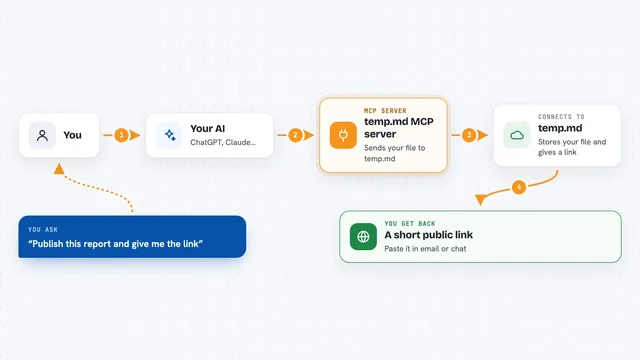
You ask your AI something like list my form sets or draft a new article. The AI uses this helper, which talks to your LUNO project through a secure agent key. LUNO sends back the information or makes the change. You see the result right in your chat. If your key does not have publish rights, changes wait for a human to approve them.
 Click to zoom
What you can do with it
- List your form sets and see their structure
- Create and update content entries
- Upload media files to your project
- Draft revisions and get a preview link for review
- Publish revisions when your key allows it
- Look up help articles about the LUNO console
- Translate entries into other languages on paid plans
Try asking your AI
- “List the form sets on this LUNO, or draft one entry. Don't publish or change the schema.”
- “Show me the latest entries in my news form set.”
- “Create a new draft article titled Summer update and give me a preview link.”
- “Upload this image to my media library and tell me its asset id.”
What it gives back to you
You get back lists, summaries and details in your chat. For example, a list of form sets with their names and ids, or the fields of one entry. When it creates or changes something, it tells you what it did and often gives you an id or a preview link. If something needs approval, it says so.
Before you start
What you need
- A LUNO account and a project
- An agent key from the LUNO Console (Settings, then Agent API keys)
- Node.js installed on your computer (the setup command uses npx)
- One of these AI tools: Claude Code, Cursor or Codex
Good to know
Your AI can change or publish content on your live site, so use a key with the right scope and check the agent activity log in the LUNO Console.
Install it with your AI
Add LUNO MCP server to your AI, no technical skills needed
You don't install anything by hand. You copy one prompt, paste it into an AI that can work on your computer, and it checks, installs and connects the server for you, asking you when it needs something.
Sign in to get the install prompt
Members get a ready-made prompt that lets the Claude desktop app check LUNO MCP server, install it and connect it for them, step by step. You don't need any technical skills: you copy, paste and answer a few questions. Your connected AI can also find and install any of the 4,361 MCP servers here for you.
Who it's for
People who run a LUNO-powered site and want their AI assistant to help with content, forms and media without learning the whole dashboard.