MCP server · Productivity
Docket MCP server
by pasichDev
Your AI can jot down todos and check what's open in each project, from any coding tool you use.

Docket is a shared to-do list for your coding projects. You can ask your AI assistant to add a quick note or a task, and it lands in one place instead of getting lost in the chat. It is handy if you use several AI coding tools and want one list that all of them can read and write to.
What is an MCP server? The 30-second version
On its own, your AI can only chat with you. An MCP server is a small helper program that gives your AI a new skill or a connection to an app. This one connects your AI to Docket, a local to-do list that lives on your own machine. Once it is set up, your AI can add items, look them up, and mark them done for you when you ask.
What this MCP server does
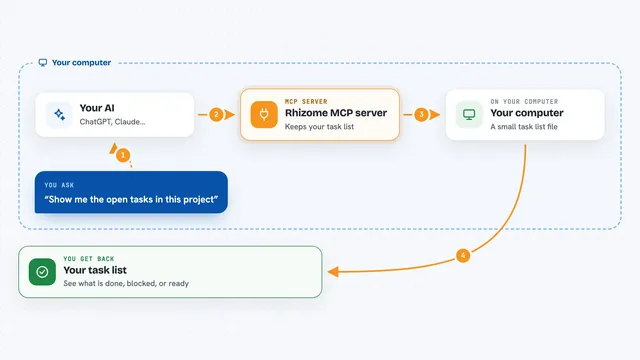
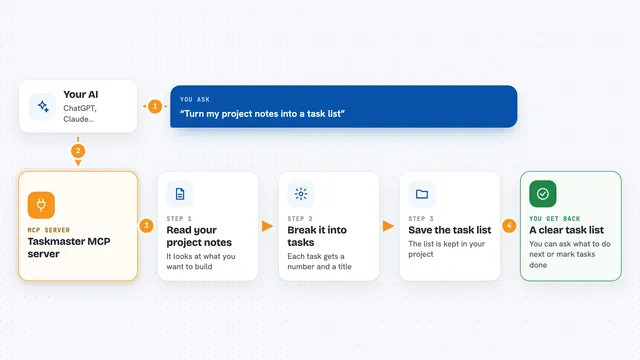
You tell your AI something like add a todo: buy milk. The AI passes that to the Docket helper running on your computer. Docket files the item under the project you are working in, based on the git remote of that folder, so you never type the project name. Later you can ask your AI what is open in this project, and it reads the list back to you. You can also open a small web dashboard at localhost:8787 to see and edit everything yourself.
 Click to zoom
What you can do with it
- Add a quick todo or note without leaving your AI chat
- List what is open in the current project
- Mark an item as in progress so you do not duplicate work
- Edit the title, priority, due date, or link of an item
- Mark items as done when you finish them
- See the full change history of one item
- Delete items you no longer need
Try asking your AI
- “Add a todo: check the login error on staging”
- “What is open in this project right now?”
- “Claim the fix for the broken export button so nobody else picks it up”
- “Mark the buy milk todo as done”
What it gives back to you
You get short, plain answers in the chat. A list comes back as one line per item, scoped to the project you are in. When you add or change something, the AI confirms it and the item shows up on the dashboard at localhost:8787. Nothing fancy, just the items and their status.
Before you start
What you need
- Node.js 18 or newer
- At least one AI tool that supports MCP, like Claude Code, Codex, Cursor, Windsurf, Claude Desktop, Zed, or Warp
Good to know
Your AI can change or delete items on your list, so double-check before saying yes to a delete.
Install it with your AI
Add Docket MCP server to your AI, no technical skills needed
You don't install anything by hand. You copy one prompt, paste it into an AI that can work on your computer, and it checks, installs and connects the server for you, asking you when it needs something.
Sign in to get the install prompt
Members get a ready-made prompt that lets the Claude desktop app check Docket MCP server, install it and connect it for them, step by step. You don't need any technical skills: you copy, paste and answer a few questions. Your connected AI can also find and install any of the 4,361 MCP servers here for you.
Who it's for
Developers and anyone who uses several AI coding tools and wants one shared list of small tasks across projects.