MCP server · Design tools
debim MCP server
by PRIDA-TAKON
Let your AI build 3D building models from simple text files, calculate material amounts and costs, and make a viewable model.
debim is a tool that lets you describe a building in a plain text file, like a recipe, and then turns that into a 3D model, a list of materials, and a cost estimate. This MCP server connects that tool to your AI assistant, so you can ask for a building and get real numbers back. It is handy for architects, engineers, and anyone who needs quick building estimates without heavy software.
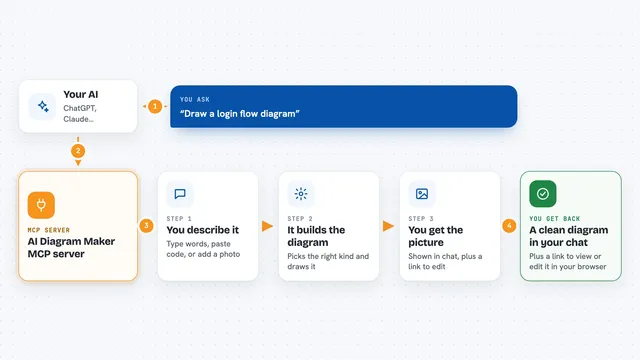
What is an MCP server? The 30-second version
On its own, your AI can only chat. An MCP server is a small helper program that gives your AI a new skill or a connection to an app or service. Here, it connects your AI to debim, a building modeling engine, so the AI can create and check building models for you. When you ask for a building, the AI uses this helper to do the math and give you results.
What this MCP server does
You describe a building in everyday words, like 'a two-story house with concrete columns'. Your AI turns that into a structured text file that debim understands. The AI then uses this MCP server to check the file for mistakes, calculate how much concrete and steel you need, estimate the cost, and even make a 3D model you can view in your browser. You get back clear answers, lists, and files, all without touching technical details.
What you can do with it
- Check a building description for errors and missing details
- Calculate amounts of concrete, steel, and other materials
- Estimate the total cost using your own prices
- Create a standard building file (IFC) that other software can open
- Generate an interactive 3D model you can view in a web browser
- Make a price list template for the materials in your building
Try asking your AI
- “Create a simple two-story house with concrete columns and beams, then calculate the concrete volume.”
- “Check this building description for any structural problems.”
- “Estimate the cost of this building using these prices.”
- “Make a 3D viewer for my building model so I can see it.”
What it gives back to you
You get back clear answers in the chat: a list of errors if something is wrong, a table of material quantities, a total cost estimate, or a file you can download. For 3D models, you get an HTML file that opens in your browser and lets you spin the building around. Everything is shown in plain language, so you don't need to read code.
Before you start
What you need
- Python 3.11 or newer installed on your computer
- The debim package installed (the setup guide shows how)
- An AI assistant that supports MCP, like Claude Desktop or Cursor
Good to know
The cost estimates and material amounts are only as good as the building description and prices you provide, so double-check important numbers before using them for real projects.
Install it with your AI
Add debim MCP server to your AI, no technical skills needed
You don't install anything by hand. You copy one prompt, paste it into an AI that can work on your computer, and it checks, installs and connects the server for you, asking you when it needs something.
Sign in to get the install prompt
Members get a ready-made prompt that lets the Claude desktop app check debim MCP server, install it and connect it for them, step by step. You don't need any technical skills: you copy, paste and answer a few questions. Your connected AI can also find and install any of the 4,361 MCP servers here for you.
Who it's for
Architects, engineers, quantity surveyors, and anyone who needs quick building estimates without learning complex BIM software.