MCP server · API
MCP Geo server
by webcoderz
Turn addresses into map coordinates and back, and measure distances between places, right inside your chat.
This is a small helper that lets your AI look up places on a map. You give it an address, and it tells you where that is. It is handy if you work with lists of addresses, plan routes, or just want to know how far two places are from each other.
What is an MCP server? The 30-second version
On its own, your AI can only chat with you. An MCP server is a small helper program that gives your AI a new skill. This one gives your AI a connection to geocoding services, which are the tools that turn an address into map coordinates and back. So when you ask your AI about a place, it can actually look it up instead of guessing.
What this MCP server does
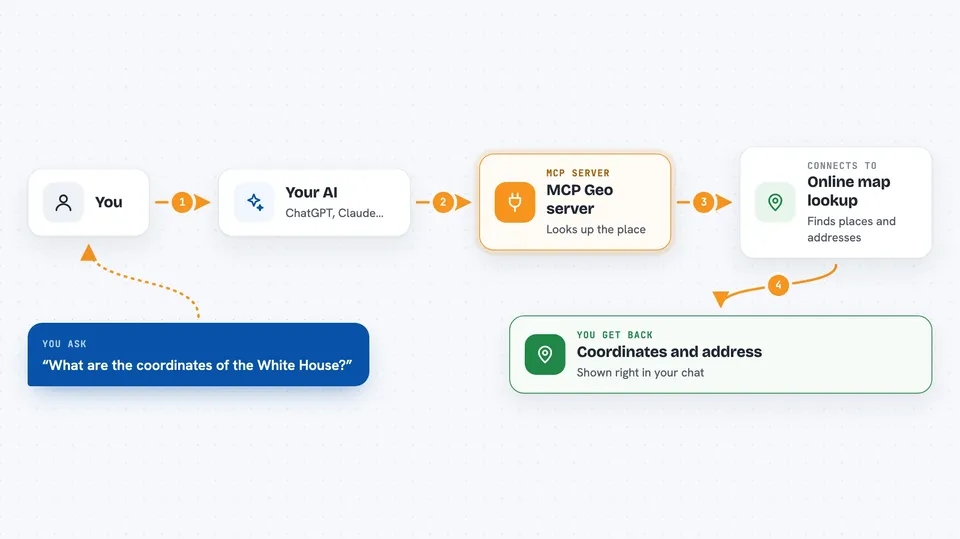
You type a request like an address or a pair of map coordinates. Your AI sends that to this helper program. The helper talks to a geocoding service, which is an online map lookup service, and gets the answer back. Then your AI shows you the result in the chat, like a latitude and longitude, a formatted address, or a distance. It can do this for one place or for a whole list at once.
 Click to zoom
What you can do with it
- Look up the latitude and longitude of any address or place name
- Turn map coordinates back into a readable address
- Get extra details like bounding boxes and fuller address info
- Look up many addresses in one go
- Turn many coordinate pairs into addresses at once
- Measure the distance between two addresses in miles or kilometers
- Measure the distance between two coordinate pairs
Try asking your AI
- “What are the coordinates of 1600 Pennsylvania Avenue, Washington DC?”
- “What address is at latitude 48.8584 and longitude 2.2945?”
- “How far is Paris from Berlin in kilometers?”
- “Geocode these addresses for me: 10 Downing Street London, and 221B Baker Street London”
What it gives back to you
You get back plain answers in the chat. For a geocode request, that is a latitude, a longitude, and a formatted address. For a reverse lookup, it is the nearest address to those coordinates. For distances, you get a number with the unit you asked for. If a place cannot be found, it simply tells you it found nothing instead of crashing.
Before you start
What you need
- Python 3.6 or newer
- The uv tool to install and run it
- A Bing Maps key only if you choose to use Bing as your provider
Good to know
The free map services it uses have usage limits, so very long lists of addresses may be slow or get refused.
Install it with your AI
Add MCP Geo server to your AI, no technical skills needed
You don't install anything by hand. You copy one prompt, paste it into an AI that can work on your computer, and it checks, installs and connects the server for you, asking you when it needs something.
Sign in to get the install prompt
Members get a ready-made prompt that lets the Claude desktop app check MCP Geo server, install it and connect it for them, step by step. You don't need any technical skills: you copy, paste and answer a few questions. Your connected AI can also find and install any of the 4,361 MCP servers here for you.
Who it's for
Anyone who works with addresses, deliveries, travel planning, or location data and wants quick answers without opening a map website.