MCP server · Research
pagesift MCP server
by YOLOW92
Turn web pages, PDFs and Office files into clean Markdown your AI can read and search.
pagesift is a small program that runs on your own computer and turns messy web pages and documents into clean text your AI can actually read. It handles normal web pages, PDFs, Word and Office files, e-books, emails and archives. It is handy if you often paste links or documents into ChatGPT or Claude and want the AI to get the real content, not the clutter.
What is an MCP server? The 30-second version
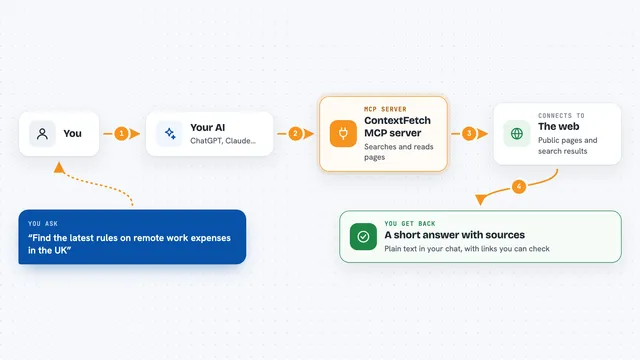
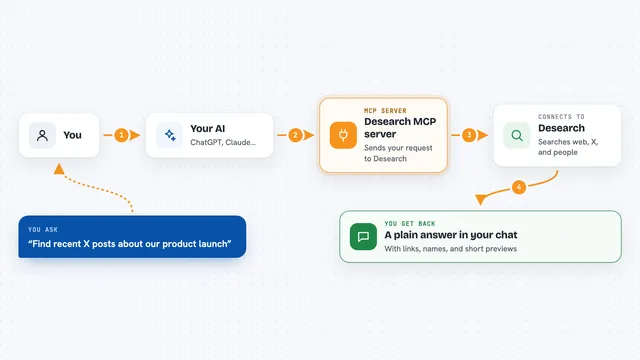
On its own, your AI can only chat with you. It cannot open a website or read a file on your computer. An MCP server is a small helper program that gives your AI a new skill. This helper connects your AI to pagesift, so when you ask about a web page or a PDF, the AI can fetch it, clean it up and read it for you.
What this MCP server does
You ask your AI something like: read this web page and summarise it. The AI passes the link to this helper program. The helper fetches the page, strips out menus, ads and other noise, and turns the main content into clean Markdown, which is a simple text format. It can do the same for PDFs, Word files, e-books and archives. Then the AI reads that clean text and answers your question or writes a summary for you.
What you can do with it
- Turn a web page into clean Markdown text
- Read PDFs, Word files and Office documents
- Crawl a whole website and collect its pages
- Extract specific details from a page using a schema you describe
- Search a collection of pages for the parts that match your question
- Keep a saved copy of pages so you can ask about them later
- Pull out links, images and attachments from a page
Try asking your AI
- “Read this page and give me a short summary: https://example.com/article”
- “Turn this PDF into Markdown and list the main points”
- “Crawl the docs site at https://docs.rs and find everything about rate limits”
- “From this page, extract the product name, price and availability”
What it gives back to you
You get back clean Markdown text, a summary, a list of links, or a structured answer with the fields you asked for. For a crawl, you get a collection of pages saved to a folder, plus a short report of what was found. In the chat, it usually looks like a tidy block of text or a bullet list you can copy straight into your notes.
Before you start
What you need
- The pagesift program installed on your computer (it is a single file you download)
- The Claude desktop app or another AI tool that supports MCP servers
- A folder on your computer where pagesift can save its data
Good to know
It fetches pages from the internet and can save copies on your computer, so be careful about private links and about crawling sites you do not own.
Install it with your AI
Add pagesift MCP server to your AI, no technical skills needed
You don't install anything by hand. You copy one prompt, paste it into an AI that can work on your computer, and it checks, installs and connects the server for you, asking you when it needs something.
Sign in to get the install prompt
Members get a ready-made prompt that lets the Claude desktop app check pagesift MCP server, install it and connect it for them, step by step. You don't need any technical skills: you copy, paste and answer a few questions. Your connected AI can also find and install any of the 4,960 MCP servers here for you.
Who it's for
Office workers, researchers and analysts who often read long web pages or documents and want their AI to summarise or search them quickly.