AI agent for virtual assistants
Inbox Triage and Draft Reply Agent
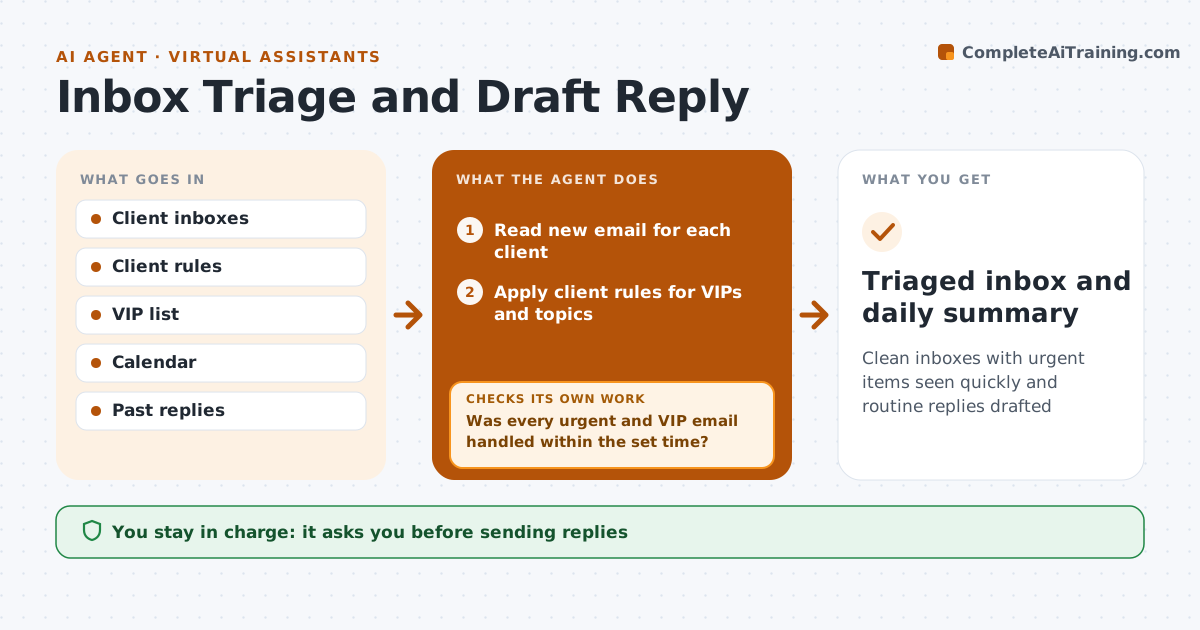
Clean inboxes with urgent items seen quickly and routine replies drafted
What it does
Virtual assistants often look after several busy inboxes, and urgent emails get buried. A few times a day this agent reads new email for each client and sorts each message into urgent, needs the client, can be handled by the assistant, or no action. It follows each client's rules, such as VIP senders and topics they always want to see. A message with a legal or payment request always goes to the client. For routine messages it drafts replies from the client's past replies and calendar. It checks every urgent or VIP email was seen and answered within the set time, and raises it again if not. The assistant reviews drafts, and the client approves anything sensitive.
How it works
Follow the arrows from top to bottom. The orange dashed arrow is the loop: when a check fails, the agent goes back and tries again.
Read the steps as a list
- Scheduled inbox check
- Read new email for each client
- Apply client rules for VIPs and topics
- Sort into urgent, client, assistant or no action
- Draft routine replies from calendar and past replies
- Assistant reviews drafts and client approves sensitive onesThe agent waits here for your OK.
- Was every urgent and VIP email handled within the set time?If not: raise it again to the client with a short summary. Back to step 4.
- Prepare daily summary for the client
- Triaged inbox and daily summary
How it decides
It sorts by client rules first and then by sender and content, and only drafts replies for routine message types.
- VIP senders are always shown to the client
- Legal and payment requests go to the client
- Routine replies only for known message types
Make it yours
Every agent is a starting point. You choose these settings for your own situation.
- VIP list
- Response time for urgent email
- Message types the assistant can reply to
- Check times
What keeps you in control
It always asks you first
- Sending replies
- Deleting or archiving client email
Hard limits
- Never sends without approval
- Never opens attachments from unknown senders
It stops when
- Done: inbox triaged
- Stop: suspicious email; flag as possible phishing
Set it up
We guide you through the set-up, step by step
Members get the full set-up guide for this agent. No technical skills needed: you copy, paste and upload.
- One set of instructions to paste into your AI, with the clicks for ChatGPT, Claude, Microsoft 365 Copilot, Gemini and Grok
- The agent then walks you through connecting your own data, one source at a time
- A downloadable copy with the flow chart, the rules and the full guide