AI agent for nurse practitioners
Telehealth Visit Readiness Agent
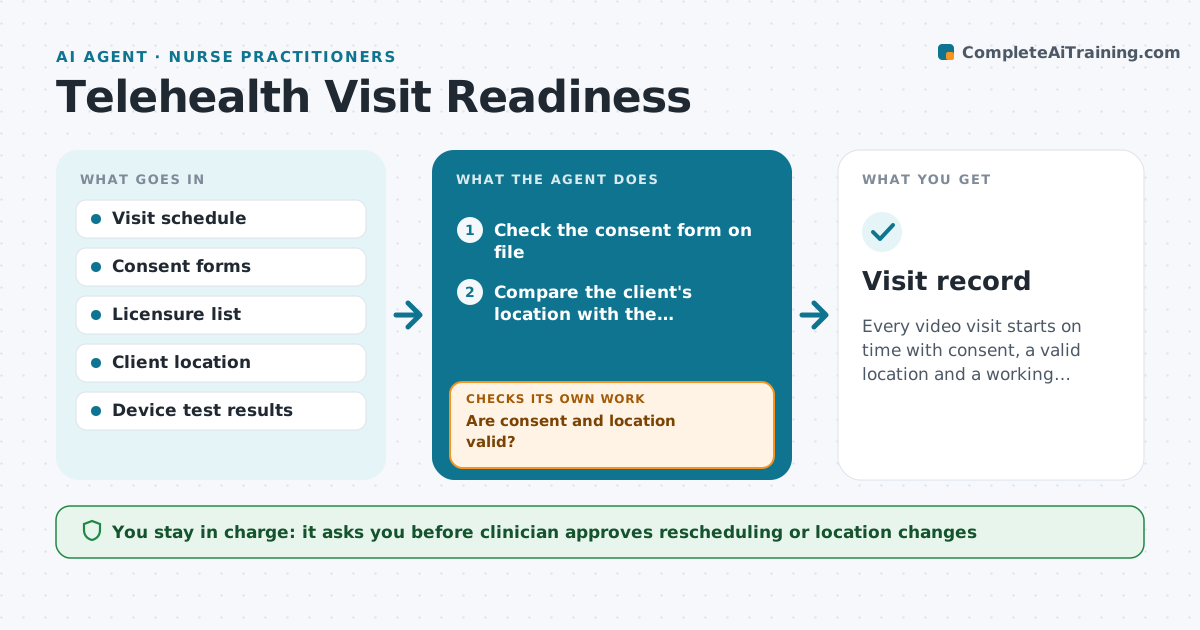
Every video visit starts on time with consent, a valid location and a working connection, and follow-ups are listed afterward.
What it does
A video visit fails when the connection is bad, consent is missing, or the client is in a place the clinician is not licensed to treat, and the slot is wasted. Before each visit the agent checks consent on file, compares the client's stated location with the clinician's licensure rules, and sends a device test link. If the test fails or consent is missing, it sends simple instructions and checks again before the visit. After the visit it lists follow-ups and drafts reminders for the clinician to approve. Edge case: a client who is traveling and tells the agent they are in another state.
How it works
Follow the arrows from top to bottom. The orange dashed arrow is the loop: when a check fails, the agent goes back and tries again.
Read the steps as a list
- Telehealth visit scheduled
- Check the consent form on file
- Compare the client's location with the clinician's licensure
- Are consent and location valid?If not: Send a consent request or ask the clinician to reschedule. Back to step 3.
- Send a device test link to the client
- Read the test result
- Did the test pass?If not: Send simple fix steps and retest before the visit. Back to step 6.
- Clinician approves any change to the visitThe agent waits here for your OK.
- List follow-ups and draft client reminders after the visit
- Clinician approves the follow-upsThe agent waits here for your OK.
- Visit record
How it decides
It confirms consent and location against rules first, and treats a failed device test as fixable only if retesting passes before the visit.
- Do not hold a visit where the clinician lacks a license
- Retest 1 hour before if the first test fails
- Ask for location at every visit
- Offer a phone option only if the clinician allows it
Make it yours
Every agent is a starting point. You choose these settings for your own situation.
- Hours before visit for checks
- States where the clinician is licensed
- Reminder wording
- Whether phone fallback is allowed
What keeps you in control
It always asks you first
- Clinician approves rescheduling or location changes
- Clinician approves follow-ups sent to the client
Hard limits
- Never provide clinical advice
- Do not record visits
It stops when
- Done: visit started or rescheduled, follow-ups approved
- Stop: licensure is unclear and the clinician decides
Set it up
We guide you through the set-up, step by step
Members get the full set-up guide for this agent. No technical skills needed: you copy, paste and upload.
- One set of instructions to paste into your AI, with the clicks for ChatGPT, Claude, Microsoft 365 Copilot, Gemini and Grok
- The agent then walks you through connecting your own data, one source at a time
- A downloadable copy with the flow chart, the rules and the full guide