AI tool
Cardboard
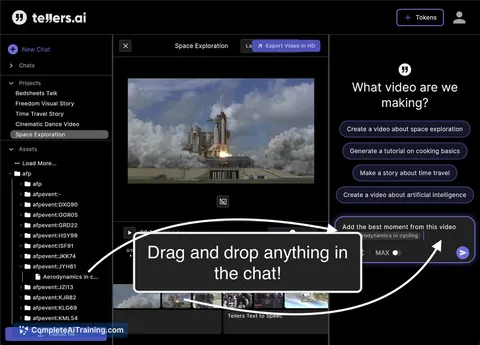
Cardboard: an agentic, browser-based video editor. Describe the edit and it executes. Find shots by what's in them, collaborate live, and go from raw footage to first cut in minutes instead of hours.

About Cardboard
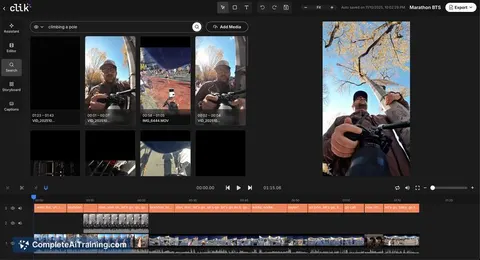
Cardboard is an agentic video editor that turns raw footage into a first cut quickly by interpreting natural-language directions and making editing decisions. It runs in the browser, supports live collaboration, and lets you search footage by what appears onscreen.
Review





Cardboard focuses on speeding up the early stages of video production by automating routine editing tasks and offering a simple timeline for adjustments. It is especially useful for creators and teams who need many short-form edits or fast highlight reels, while still allowing export to professional NLEs for final polish.
Key Features
- Agent-driven editing: describe the edit and the editor executes the cut and assembly.
- Visual understanding: search and find clips based on on-screen content and semantic queries.
- Browser-based with live collaboration: multiple people can work together without installing heavy desktop software.
- Export and interoperability: projects can be exported to Premiere Pro and DaVinci Resolve for further finishing.
- Simple timeline and manual overrides: every automated decision can be adjusted by hand if you want more control.
Pricing and Value
Cardboard lists a free entry option and offers subscription plans for heavier users; the launch page also mentions a limited-time discount for the first month. Community feedback on the launch thread references business-oriented price points, so expect tiers aimed at teams and frequent creators. The core value is time saved on the tedious parts of editing, which can translate to lower production costs and faster content cycles for marketing, social, and internal video workflows.
Pros
- Saves substantial time on first cuts and routine edits, reducing manual timeline work.
- Strong visual understanding makes it easier to locate highlights without scrubbing hours of footage.
- Works in a browser and supports collaboration, lowering setup friction for distributed teams.
- Plays well with professional tools via export, so it complements rather than replaces high-end workflows.
- Offers a straightforward timeline for users who want to tweak the automated result.
Cons
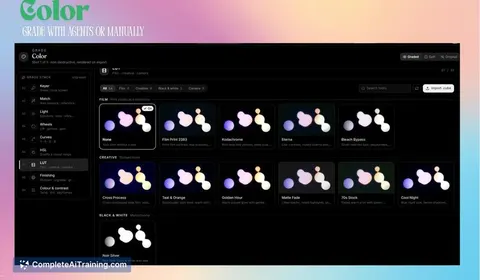
- Not a substitute for high-end long-form editing, advanced color grading, VFX, or frame-by-frame broadcast work.
- Doesn't yet fetch footage directly from social platforms-raw files must be imported by the user.
- Cloud-based workflows may be limited by upload bandwidth for very large projects, though the product notes optimized ingestion to reduce upload size.
Cardboard is best suited for marketers, social creators, podcasters, and teams that produce a high volume of short- to mid-length videos and want to move from rough footage to publishable material quickly. If you need precise, feature-film-level finishing, use Cardboard to accelerate the early stages and then export to a dedicated pro tool for the final polish. Learn more or try it at usecardboard.com.
Jobs Cardboard suits
We checked Cardboard against 500+ jobs; these get the most out of it.
Alternatives to Cardboard
Other tools that do the same main job. Our AI compared Cardboard with similar tools and kept the ones you could use instead.