AI tool
Gemini Omni Flash
Gemini Omni Flash is a video model that generates clips from text, image, or video references. It lets creators edit videos through conversational prompts. This helps users refine projects without regenerating from scratch.
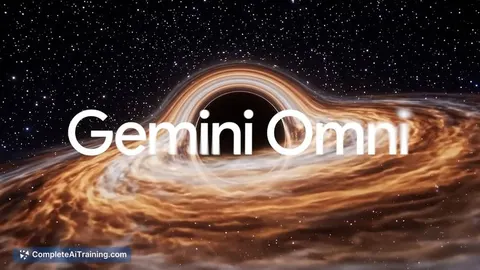
About Gemini Omni Flash
Gemini Omni Flash is a video generation model that launched this week as a preview through the Gemini API and Google AI Studio. It produces 720p video clips from text, image, and video inputs, and supports conversational editing where users can request changes in plain English. This is the first release in Google's Omni family.
Review
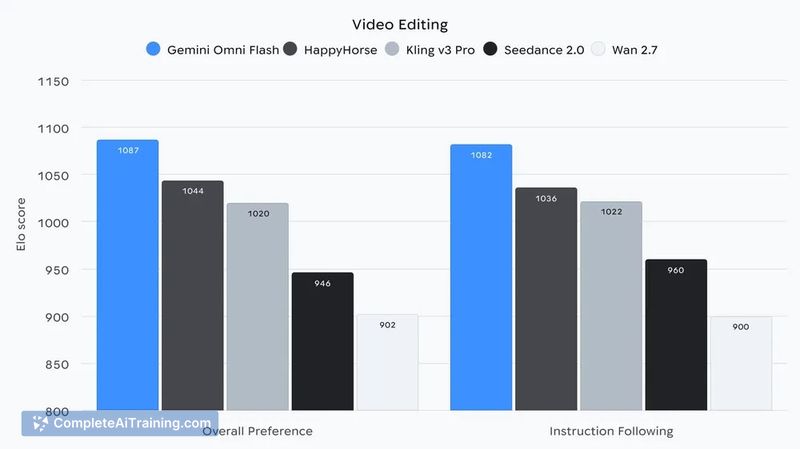
Gemini Omni Flash combines video generation with a conversation-style editing loop. Instead of starting from scratch for each tweak, the model remembers the last few turns, so you can ask for adjustments like "make the lighting warmer" or "extend the camera pan." Every generated clip carries SynthID watermarking and C2PA credentials for content provenance. The model is priced at $0.10 per second of 720p output, matching the rate of Veo 3.1 Fast.
Key Features
- Multimodal input: accepts text, image, and video inputs to generate video clips.
- Conversational editing: remembers previous prompts and edits, letting you iterate without regenerating the full scene from the beginning.
- Knowledge grounding: draws on Gemini's real-world knowledge to produce historically or logically consistent scenes.
- Watermarking and provenance: embeds SynthID watermarks and C2PA credentials in every clip by default.
Pricing and Value
The model costs $0.10 per second of video output at 720p resolution. Each editing turn regenerates the video, and billing is based on the duration of the resulting clip - not on the portion that changed. A free tier has not been announced, but the preview is accessible via Google AI Studio and the Gemini API.
Pros
- Conversational editing preserves context across turns, reducing the need to rewrite prompts from scratch.
- Built-in provenance tools (SynthID and C2PA) are standard for every generated clip.
- Transparent, per-second pricing that matches a comparable model from the same company.
- Multimodal input flexibility lets users start from text, images, or short video snippets.
- Launch day performance ranked first on LMArena's Text-to-Video Arena.
Cons
- Editing costs can add up quickly because each regeneration bills for the full output duration, not just the changed frames.
- As a preview model, long-term stability and edge-case handling remain uncharacterized.
- Not suited for users who need higher-resolution outputs - the current model only supports 720p.
Gemini Omni Flash fits workflows where fast, iterative editing of short video clips matters more than final resolution. Teams creating product explainers, localized training content, or social media snippets may find the conversational loop reduces turnaround time. Those requiring high-fidelity, long-form video with granular frame control will likely need to combine it with other tools or wait for future updates.
Jobs Gemini Omni Flash suits
We checked Gemini Omni Flash against 500+ jobs; these get the most out of it.
Alternatives to Gemini Omni Flash
Other tools that do the same main job. Our AI compared Gemini Omni Flash with similar tools and kept the ones you could use instead.