MCP server · Productivity
slop-chop MCP server
by dcadolph
Your AI can clean up robotic writing tells in your text and score how much it sounds like a chatbot.
slop-chop is a small tool that spots the fingerprints AI writing leaves behind, like em-dashes, words such as "leverage" and "comprehensive", and openers like "In summary". It then rewrites the text so it reads like a person wrote it. It is handy for anyone who drafts emails, docs, or posts with an AI and wants the result to sound human.
What is an MCP server? The 30-second version
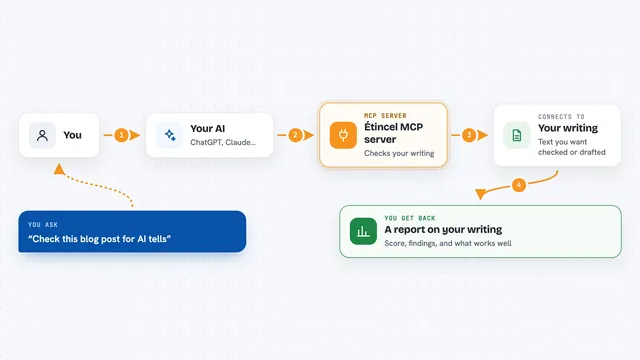
On its own, your AI can only chat with you. An MCP server is a small helper program that gives your AI a new skill or a connection to another tool. This one connects your AI to slop-chop, a writing cleaner that runs on your own computer. So when you ask your AI to tidy up a draft, it can pass the text to slop-chop and hand you back the cleaned version.
What this MCP server does
You give your AI some text, maybe a paragraph you wrote or one it drafted for you. The AI sends that text to slop-chop through this helper. slop-chop runs its rules over the text, swapping out the tells it knows and flagging the ones it cannot fix on its own. Then it sends the cleaned text and a list of what it changed back to your AI, which shows it to you in the chat.
What you can do with it
- Clean up a draft so it stops sounding like a chatbot
- Score how densely a piece of text carries AI writing patterns
- Flag specific words and phrases you want to avoid
- Enforce one spelling style, like American or British English
- Check several files at once and list what it found
- Use your own list of words and patterns to cut
Try asking your AI
- “Clean the slop out of this paragraph and show me what you changed”
- “Score this draft and tell me which parts read the most robotic”
- “Rewrite this so it does not use em-dashes or the word leverage”
- “Check my intro and tell me what tells you found”
- “Fix the spelling to British English in this text”
What it gives back to you
You get back the cleaned text, ready to copy. You also get a list of findings, each one showing the rule that fired, the text it matched, and what it was replaced with. If you asked for a score, you get a number from 0 to 100 with a plain label like clean, mixed, or dense. Everything shows up right in the chat.
Before you start
What you need
- The slop-chop program installed on your computer (the README shows how, using Homebrew or Go)
- The slop-chop program on your PATH so your AI can find it
- An Anthropic API key only if you want the optional model rewrite pass
Good to know
The fix mode can change your files in place if you pass the write flag, so keep a copy of anything important before you let it rewrite.
Install it with your AI
Add slop-chop MCP server to your AI, no technical skills needed
You don't install anything by hand. You copy one prompt, paste it into an AI that can work on your computer, and it checks, installs and connects the server for you, asking you when it needs something.
Sign in to get the install prompt
Members get a ready-made prompt that lets the Claude desktop app check slop-chop MCP server, install it and connect it for them, step by step. You don't need any technical skills: you copy, paste and answer a few questions. Your connected AI can also find and install any of the 4,361 MCP servers here for you.
Who it's for
Writers, editors, marketers, and anyone who drafts with AI and wants the final text to sound like a person wrote it.