MCP server · Productivity
AskOne MCP server
by phuryn
Let your AI run live Q&A rooms and polls for your meetings, and turn the questions into a FAQ afterwards.
AskOne is a tool for live questions and polls during talks, webinars, classes and meetings. Your audience joins from a link or a QR code on their phones, no account needed, and asks questions anonymously. This MCP server lets your AI assistant set up and run those rooms for you, and read the results afterwards.
What is an MCP server? The 30-second version
On its own, your AI can only chat with you. An MCP server is a small helper that gives your AI a new skill or a connection to another service. This one connects your AI to AskOne, so it can create a Q&A room, launch a poll, or pull the questions together when you ask. You stay in charge: you tell the AI what you want, and it does it in your AskOne account.
What this MCP server does
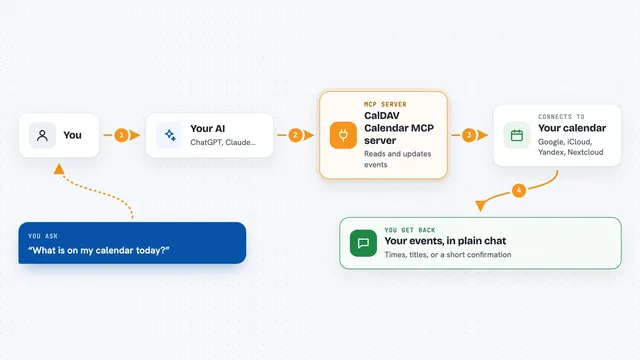
You ask your AI something like "start a room for today's workshop and launch a poll". The AI passes that request to this helper, which talks to AskOne on your behalf. AskOne creates the room or poll in your organization, and the helper sends the links back to you in the chat. Later, you can ask the AI to read the questions from the room and it will hand you a FAQ draft, or the poll results. The AI cannot ask questions or vote, so it will not fill up your queue.
What you can do with it
- Start a Q&A room for a meeting or class and get the audience link
- Launch a poll, quiz, rating or word cloud during a session
- Approve or hide questions waiting for moderation
- Mark a question as answered and add your written answer
- Close a room or a poll when the session ends
- Read the questions from a past session as a FAQ draft
- See the combined results of every poll in a room
Try asking your AI
- “Start an AskOne room for today's workshop and launch a poll asking which topic to cover first”
- “Show me the questions waiting for approval in room ABC123 and hide anything off topic”
- “Mark the question about pricing as answered, and write: see our pricing page”
- “Draft a FAQ from the Q&A in yesterday's workshop”
- “What were the results of the polls in this morning's webinar?”
What it gives back to you
You get answers in the chat: lists of rooms with question and participant counts, a FAQ draft written in Markdown with answered questions first, poll results as numbers, and the links to share with your audience. When the AI changes something, like approving a question or closing a poll, it tells you what it did. Hidden questions and individual survey answers are never shown.
Before you start
What you need
- An AskOne account where you are an administrator of the organization
- That organization must already have an AskOne dashboard (open it once if it is new)
- Either sign in through your AI app, or an API token from AskOne (Manage, then API tokens)
Good to know
Your AI can create rooms and polls and change what your audience sees, so check what it did before sharing links; it cannot delete anything, and it can never ask questions or vote for you.
Install it with your AI
Add AskOne MCP server to your AI, no technical skills needed
You don't install anything by hand. You copy one prompt, paste it into an AI that can work on your computer, and it checks, installs and connects the server for you, asking you when it needs something.
Sign in to get the install prompt
Members get a ready-made prompt that lets the Claude desktop app check AskOne MCP server, install it and connect it for them, step by step. You don't need any technical skills: you copy, paste and answer a few questions. Your connected AI can also find and install any of the 4,361 MCP servers here for you.
Who it's for
People who run talks, webinars, classes or team meetings and want their AI assistant to handle the Q&A and polls for them.