MCP server · Productivity · official
Rhylthyme MCP server
by rhylthyme · official
Turn a plain description of a schedule into a checked, live timeline you can follow on your phone.
Rhylthyme is a helper that takes a schedule you describe in ordinary words and turns it into a live timeline. It is handy for cooking several dishes so they finish together, running a lab protocol, calling an event, or planning a workout. You describe the process, your AI writes the plan, and Rhylthyme checks it and publishes a link you can follow.
What is an MCP server? The 30-second version
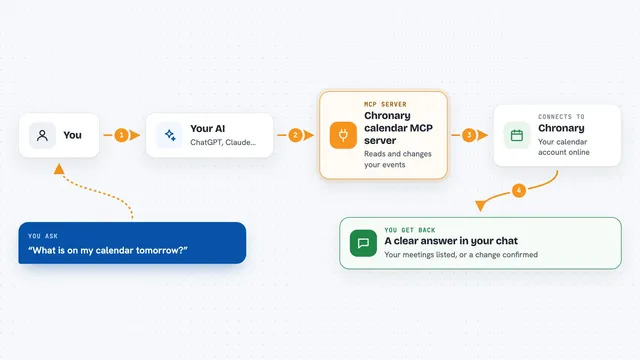
On its own, your AI can only chat. An MCP server is a small helper program that gives your AI a new skill or a connection to an app or service. Here, the helper connects your AI to Rhylthyme, so the AI can build a schedule, check it for problems, and publish a live timeline for you. You just ask in plain words, and the AI does the rest.
What this MCP server does
You tell your AI what you need to schedule, like a dinner with several dishes or a workout for two people. The AI writes a program, which is a structured plan with steps and timings. Rhylthyme checks that the plan makes sense, finds timing conflicts and the critical path, and confirms everything fits. Then it publishes the plan as a live timeline on rhylthyme.com. You get a link you can open on your phone, with timers and a visual chart.
What you can do with it
- Check a schedule for mistakes and conflicts
- Find the critical path and see where time is tight
- Publish a live timeline you can follow on your phone
- Import recipes and lab protocols from other sources
- Search a public catalog of recipes, protocols, events and workouts
- Create a schedule for a specific vertical like kitchen, lab, events or gym
- Preview a timeline as an image before publishing
Try asking your AI
- “Plan a roast chicken dinner with potatoes and green beans for six people, using one oven and four burners, ready by 7pm.”
- “Make a 30 minute workout for two people in a garage gym with one kettlebell, one pull-up bar and one jump rope, so nobody waits.”
- “Import this western blot protocol and turn it into a timeline I can follow at the bench.”
- “Plan the run-of-show for an event with doors at 6:30pm and three speakers.”
What it gives back to you
You get back a link to a live timeline on rhylthyme.com that you can open on your phone. The chat also shows a text chart of the schedule, a list of steps with times, and a check that everything fits. If there are problems, it tells you what to fix.
Before you start
What you need
- A Rhylthyme account for saving and publishing timelines (free to start)
- An AI assistant that supports MCP connectors, like Claude or ChatGPT
Good to know
Publishing a timeline creates a shareable link, so anyone with the link can see your schedule.
Install it with your AI
Add Rhylthyme MCP server to your AI, no technical skills needed
You don't install anything by hand. You copy one prompt, paste it into an AI that can work on your computer, and it checks, installs and connects the server for you, asking you when it needs something.
Sign in to get the install prompt
Members get a ready-made prompt that lets the Claude desktop app check Rhylthyme MCP server, install it and connect it for them, step by step. You don't need any technical skills: you copy, paste and answer a few questions. Your connected AI can also find and install any of the 4,960 MCP servers here for you.
Who it's for
Anyone who plans multi-step schedules, like home cooks, lab researchers, event planners, fitness coaches, or people who just want to get dinner on the table on time.