MCP server · Analytics
ruTS MCP server
by SergeyShk
Measure Russian texts with your AI: readability, style, keywords, verse and more.
This is a small helper that lets your AI measure Russian texts instead of just guessing about them. It is made for people who work with Russian writing, like editors, teachers, copywriters or researchers. If you ever wondered how hard a text is to read or how official it sounds, this gives you real numbers.
What is an MCP server? The 30-second version
On its own, your AI can only chat with you. An MCP server is a small helper program that gives your AI a new skill. This one connects your AI to ruTS, a library for measuring Russian texts. So when you ask about a Russian text, your AI can actually run the measurements and give you numbers, not opinions.
What this MCP server does
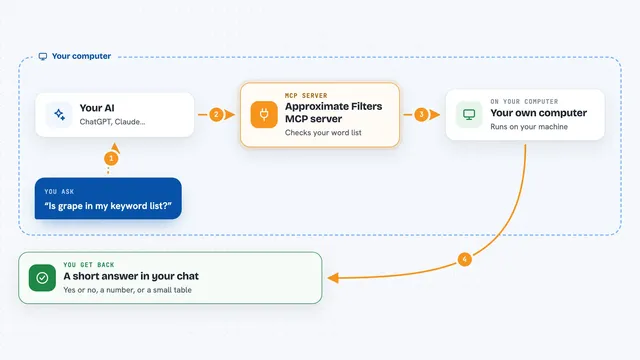
You paste a Russian text into the chat and ask your AI a question about it. The AI sends the text to this helper, which runs the ruTS library on it. The library counts words, checks how hard the text is to read, looks at style, finds keywords and more. The helper sends the numbers back to your AI, which explains them to you in the chat. Every number comes with a short description and a warning when it is not reliable for your text.
What you can do with it
- Check how readable a Russian text is, with a school grade and reader age
- Spot officialese and heavy bureaucratic style
- Find keywords compared to general Russian or to another text
- See which words go together as stable phrases
- Check how evenly words are spread through the text
- Analyze verse: meter and rhyme
- Compare two texts or groups of texts by style
Try asking your AI
- “How readable is this Russian article? What school grade is it for?”
- “Does this letter sound too official? Show me the officialese score.”
- “What are the keywords in this text compared to normal Russian?”
- “Compare these two versions of my Russian blog post by style.”
- “Check the meter and rhyme of this Russian poem.”
What it gives back to you
You get numbers with short explanations, like a readability score with a school grade and reader age, or a list of keywords. Some tools give you lists, for example words in context or stable phrases. Your AI turns these into a plain answer in the chat. If a number is not reliable for your text, you also get a warning.
Before you start
What you need
- The uv tool installed (it downloads the package and Python for you)
- An MCP client like Claude Code or Claude Desktop
- For some groups of statistics, extra dictionaries and a language model, downloaded with one command
Good to know
It only measures Russian texts and does not change them, but some numbers can be unreliable for very short or unusual texts, so read the warnings it gives you.
Install it with your AI
Add ruTS MCP server to your AI, no technical skills needed
You don't install anything by hand. You copy one prompt, paste it into an AI that can work on your computer, and it checks, installs and connects the server for you, asking you when it needs something.
Sign in to get the install prompt
Members get a ready-made prompt that lets the Claude desktop app check ruTS MCP server, install it and connect it for them, step by step. You don't need any technical skills: you copy, paste and answer a few questions. Your connected AI can also find and install any of the 4,960 MCP servers here for you.
Who it's for
Editors, teachers, copywriters, translators and researchers who work with Russian texts and want real measurements instead of guesses.