MCP server · Customer communication
HelloHop WhatsApp MCP server
Lets your AI read a WhatsApp channel's chats, groups and messages, and send replies only when you allow it.
This is a small helper that connects your AI assistant to one WhatsApp number through a service called HelloHop. You can ask your AI to look at recent messages, list groups, or check a contact, and if you switch sending on, it can post replies for you. It is handy for people who run a WhatsApp number for work and want to ask questions about it in plain language.
What is an MCP server? The 30-second version
On its own, your AI can only chat with you. An MCP server is a small program that gives it a new skill or a connection to another app. This one connects your AI to one HelloHop WhatsApp channel, so the AI can look things up there or, if you allow it, send messages. You stay in charge: the AI only does what you ask it to do.
What this MCP server does
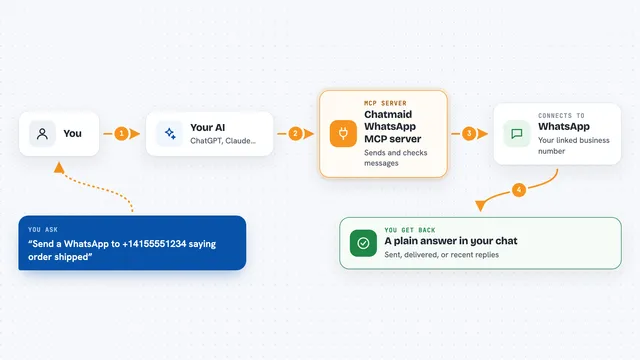
You type a request in plain words, like asking what is happening on your channel. Your AI passes that request to this helper program. The helper talks to the HelloHop service, which in turn talks to WhatsApp for the one number you set up. The answer comes back into your chat as readable text, for example a list of chats or the last few messages. If you have turned sending on, the helper can also post a text, a picture from a web link, a poll or a reaction.
What you can do with it
- Check the status of your WhatsApp channel
- List the chats your number has seen
- Read recent messages in a chat
- List the groups your number belongs to
- Look up details of a group or community
- Look up a stored contact
- Send a text, media link, poll or reaction when sending is turned on
Try asking your AI
- “What is the status of my channel?”
- “Show the last 20 messages in my chat with 15551234567@s.whatsapp.net.”
- “List the groups this number is in.”
- “Send a text to 15551234567@s.whatsapp.net saying I will call later.”
What it gives back to you
You get answers in your chat as normal text. Lists come back as a set of items, like chats, groups or messages, and single lookups come back as one entry. If you send something, the reply tells you whether it went through, and sometimes warns that delivery is unknown. Errors come back with a short code and a plain explanation.
Before you start
What you need
- Node.js 22 or newer on your computer
- A HelloHop account and a free sandbox token from hellohop.app
- The ID of the one WhatsApp channel you want to use
- An AI app that supports MCP servers, like Claude Desktop, Claude Code or Cursor
Good to know
If you turn sending on, the AI can send real WhatsApp messages from your number, and messages written by other people could try to trick it into sending things you did not ask for, so keep reading and sending in separate setups and approve each send yourself.
Install it with your AI
Add HelloHop WhatsApp MCP server to your AI, no technical skills needed
You don't install anything by hand. You copy one prompt, paste it into an AI that can work on your computer, and it checks, installs and connects the server for you, asking you when it needs something.
Sign in to get the install prompt
Members get a ready-made prompt that lets the Claude desktop app check HelloHop WhatsApp MCP server, install it and connect it for them, step by step. You don't need any technical skills: you copy, paste and answer a few questions. Your connected AI can also find and install any of the 4,960 MCP servers here for you.
Who it's for
People who manage a WhatsApp number for a small business, community or support team and want to ask their AI about it without clicking around.