MCP server · Speech to text
Klaket MCP server
by huseyinstif
Let your AI watch a video and pull out what was said, who said it, and where each moment is.

Klaket is a free tool that turns a video into text your AI can read. You give it a video link or a file, and it writes down the words with timestamps, spots who is speaking, finds the scenes, and builds a summary. It is handy if you deal with recorded meetings, talks, podcasts, or training videos and want your AI to help you go through them.
What is an MCP server? The 30-second version
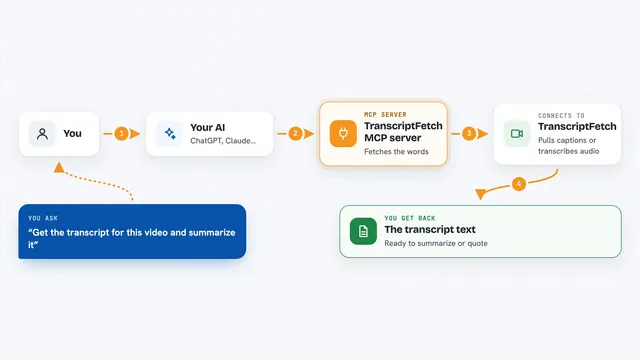
On its own, your AI can only chat. It cannot watch a video or listen to audio. An MCP server is a small helper program that gives your AI a new skill. This one connects your AI to Klaket, so when you ask about a video, the AI can send it to Klaket and bring back the transcript, speakers, scenes, and moments for you.
What this MCP server does
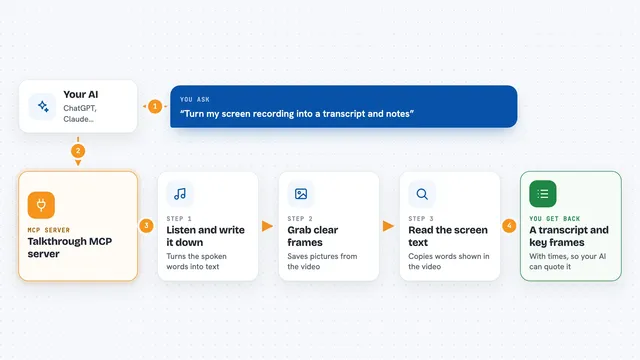
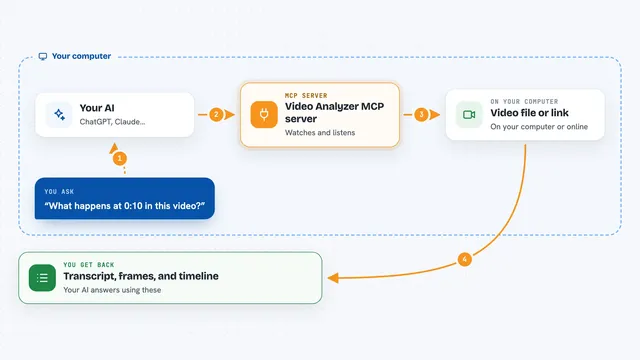
You ask your AI to look at a video and give it the link or file. The AI passes that to Klaket through this helper. Klaket downloads the video, listens to the speech, writes it down with timestamps, works out who spoke when, and finds the scene changes. When it is done, the AI gets the full result back and can answer your question, quote a line, or point you to the exact minute.
 Click to zoom
What you can do with it
- Get a word-by-word transcript of any video or audio file
- See who said what with simple speaker labels like S1 and S2
- Find the exact moment a topic comes up in a long recording
- Get a list of scenes and chapters with timestamps
- Download ready-made subtitle files for the video
- Read on-screen text from slides or terminals in the video
- Ask for a short summary of a long talk or meeting
Try asking your AI
- “Watch this YouTube link and summarize the main points.”
- “Find the moment in this recording where they talk about pricing.”
- “Who spoke the most in this meeting file, and what did each person say?”
- “Give me a transcript of this podcast with timestamps.”
What it gives back to you
You get back a structured result: a list of spoken lines with start and end times, speaker labels, scene and chapter markers, and a summary. Your AI can then quote lines, point to exact minutes, or write you a short recap. If you ask for subtitles, you get .srt or .vtt files you can use right away.
Before you start
What you need
- Klaket running on your own computer (the README shows a Docker command to start it)
- Node.js installed if you use the npx command to add the MCP server
- The Claude Code app or another tool that supports MCP servers
Good to know
Klaket downloads and processes the video or audio you give it, so only point it at files and links you are allowed to use, and be aware it can take a while and use your computer's resources for long recordings.
Install it with your AI
Add Klaket MCP server to your AI, no technical skills needed
You don't install anything by hand. You copy one prompt, paste it into an AI that can work on your computer, and it checks, installs and connects the server for you, asking you when it needs something.
Sign in to get the install prompt
Members get a ready-made prompt that lets the Claude desktop app check Klaket MCP server, install it and connect it for them, step by step. You don't need any technical skills: you copy, paste and answer a few questions. Your connected AI can also find and install any of the 4,361 MCP servers here for you.
Who it's for
Anyone who works with recorded meetings, talks, podcasts, or training videos and wants their AI to help read and search them.