MCP server · Notes
Notion Private API MCP server
by kirvigen
Let your AI read and edit any page in your own Notion workspace without setting up a Notion integration.

This is a small helper program that connects your AI assistant to your own Notion workspace. It uses your browser login cookie instead of a Notion integration, so your AI can reach every page your account can already see. It is handy if you want to search, read, and edit your own notes without sharing pages one by one.
What is an MCP server? The 30-second version
On its own, your AI can only chat with you. An MCP server is a small helper program that gives your AI a new skill or a connection to an app. This one connects your AI to Notion, using your own browser session. Once it is running, you can ask your AI about your Notion pages and it will go look things up or make changes for you.
What this MCP server does
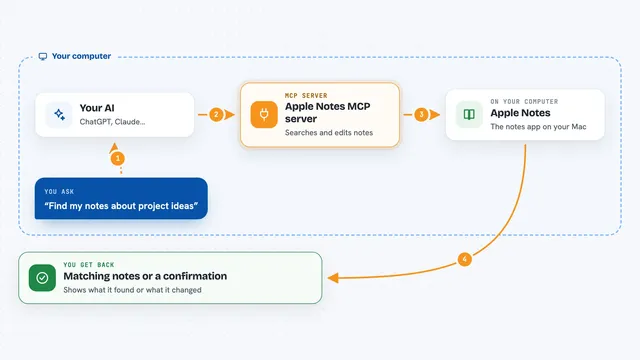
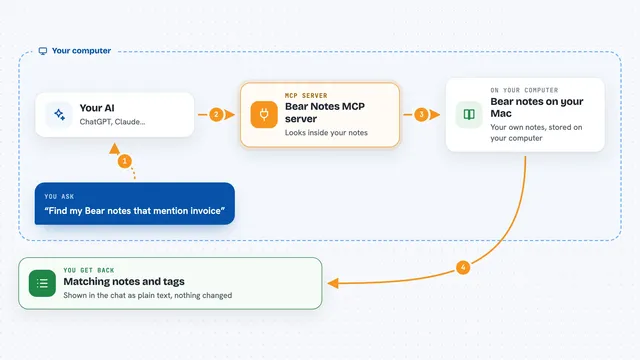
You ask your AI something about Notion, like finding a page or adding a to-do list. The AI passes that request to this helper program running on your computer. The helper talks to Notion using your login cookie, the same way your browser does. Notion sends back the page content or confirms the change. Your AI then shows you the result in the chat.
 Click to zoom
What you can do with it
- Search your whole Notion workspace and summarize a page
- Create a new child page under any page you can see
- Append a to-do list or notes to an existing page
- Replace the content of a page with new text
- Delete or archive blocks from a page
- Sync a local Markdown file into a Notion page
Try asking your AI
- “Find my Q3 Roadmap page in Notion and summarize it”
- “Create a child page under my Projects page titled Meeting notes with today's action items”
- “Append a TODO list to my Weekly page with these three tasks”
- “Sync my local CHANGELOG.md into the release-notes page”
What it gives back to you
You get answers in plain chat: summaries of pages, lists of blocks, or confirmation that a page was created or changed. When it reads, it shows you the text it found. When it writes, it tells you what it added, replaced, or removed.
Before you start
What you need
- A Notion account you can log into in your browser
- Your Notion token_v2 cookie (a long code from your browser cookies that acts like a password)
- Node.js installed on your computer
- An MCP client like Claude Desktop, Claude Code, or Cursor
Good to know
It can create, change, and delete pages in your Notion workspace, and it uses an unofficial method that Notion may break or consider against its rules, so use it only with your own data and keep a backup.
Install it with your AI
Add Notion Private API MCP server to your AI, no technical skills needed
You don't install anything by hand. You copy one prompt, paste it into an AI that can work on your computer, and it checks, installs and connects the server for you, asking you when it needs something.
Sign in to get the install prompt
Members get a ready-made prompt that lets the Claude desktop app check Notion Private API MCP server, install it and connect it for them, step by step. You don't need any technical skills: you copy, paste and answer a few questions. Your connected AI can also find and install any of the 4,361 MCP servers here for you.
Who it's for
People who live in Notion and want their AI to read and edit their own workspace without setting up an integration.