MCP server · Analytics
Epoch time estimation MCP server
by KyaniteLabs
Your AI can estimate how long a project will take, what it will cost, and whether a deadline is realistic.

Epoch is a helper that gives your AI assistant a sense of time. Normally your AI can chat and write things, but it cannot tell you how long a job will take or whether a deadline makes sense. Epoch adds that skill, so it is handy for anyone who plans work and has to give dates and costs to other people.
What is an MCP server? The 30-second version
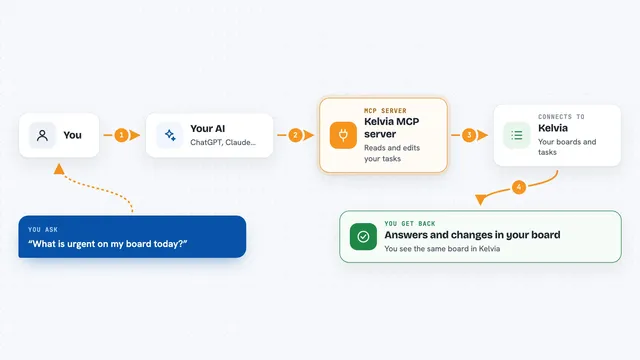
On its own, your AI can only talk with you. An MCP server is a small helper program that gives your AI a new skill or a connection to another tool. Epoch is that helper here: it plugs into your AI and lets it do real time and cost calculations instead of guessing. Once it is connected, you just ask in normal words and the AI calls Epoch behind the scenes.
What this MCP server does
You ask your AI something like how long a project will take or whether you can hit a launch date. The AI passes your question to Epoch, which runs established estimation math such as PERT, COCOMO II, Monte Carlo, and reference class forecasting. Epoch also does calendar math, counting business days and skipping weekends and holidays for a few countries. It can compare the cost of different AI models for a job, and it can track how accurate your past estimates turned out to be. Then the AI gives you back a clear answer with ranges and risk levels.
 Click to zoom
What you can do with it
- Estimate how long a task or project will take, with best and worst case ranges
- Check whether a deadline is realistic or risky
- Count business days between two dates, skipping weekends and holidays
- Compare the cost of running a job on different AI models
- Forecast how many sprints a backlog will take from your past speed
- Find the critical path through a set of tasks that depend on each other
- Record what actually happened so future estimates get more accurate
Try asking your AI
- “How long will a 15,000 line project take with a small team?”
- “How many working days are there between now and our July 15 launch?”
- “Which AI model should we use for a 50k token job if we care about cost?”
- “Can we realistically finish this backlog in four two-week sprints?”
What it gives back to you
You get answers in the chat, usually as short lists or summaries with numbers. For an estimate you see a point value plus a range, like a best case and worst case, and a risk level. For calendar questions you get a count of business days and the dates. For cost questions you get a side-by-side list of models with prices and a recommendation.
Before you start
What you need
- An AI assistant that supports MCP, such as Claude Code, Cursor, VS Code, or Windsurf
- Node.js installed on your computer (the setup uses a tool called npx)
Good to know
It can record your estimate-versus-actual history, so if you use that feature, be aware it stores that data locally.
Install it with your AI
Add Epoch time estimation MCP server to your AI, no technical skills needed
You don't install anything by hand. You copy one prompt, paste it into an AI that can work on your computer, and it checks, installs and connects the server for you, asking you when it needs something.
Sign in to get the install prompt
Members get a ready-made prompt that lets the Claude desktop app check Epoch time estimation MCP server, install it and connect it for them, step by step. You don't need any technical skills: you copy, paste and answer a few questions. Your connected AI can also find and install any of the 4,361 MCP servers here for you.
Who it's for
Engineering leads, project managers, and planners who have to give realistic dates and costs for work.