MCP server · Productivity
Blueticks MCP server
by serenix-com
Read WhatsApp chats, send and schedule messages from your own number with your AI assistant.
This is a helper that connects your AI assistant to your own WhatsApp account through a service called Blueticks. It lets the AI read your chats and send or schedule messages for you. It is handy if you already use Blueticks and want to save time on everyday WhatsApp tasks.
What is an MCP server? The 30-second version
On its own, your AI can only chat with you. An MCP server is a small helper program that gives your AI a new skill or a connection to an app or service. This one connects your AI to Blueticks, which in turn connects to your WhatsApp number. So when you ask your AI about your WhatsApp chats or messages, it can look things up and act there for you.
What this MCP server does
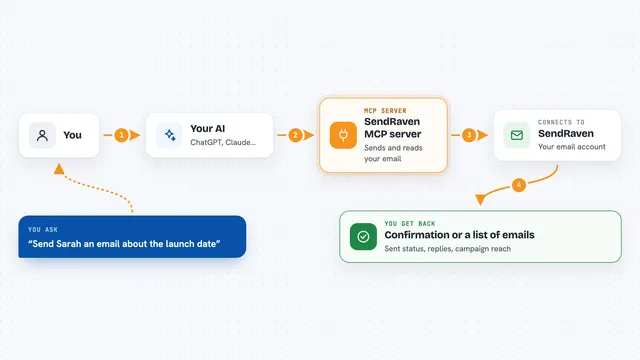
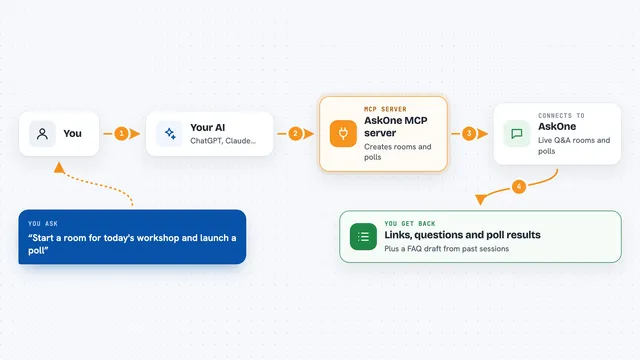
You ask your AI something like 'show me my latest WhatsApp chats' or 'send a message to Alice saying I'll be late'. The AI passes your request to this helper. The helper talks to Blueticks, which talks to WhatsApp using your linked number. Then it sends the answer back to your AI, which shows it to you in the chat. You can also schedule messages for later or manage groups and contacts.
What you can do with it
- List your recent WhatsApp chats and read messages
- Send a text, media, or poll message to a chat
- Schedule a message to be sent later
- Search for a specific chat or message
- Create or update a WhatsApp group
- List your contacts and get profile pictures
- Check the status of your Blueticks connection
Try asking your AI
- “Show me my latest WhatsApp chats”
- “Send a message to the family group saying dinner is at 7”
- “Schedule a reminder to John tomorrow at 9am about the meeting”
- “Search my chats for messages about the holiday”
What it gives back to you
You get back plain answers in the chat: lists of chats, message contents, confirmation that a message was sent, or details about a group or contact. For example, after asking for your latest chats, the AI might show a short list with names and last messages. If you send a message, it will tell you it was sent.
Before you start
What you need
- A Blueticks account with a connected WhatsApp number
- A Blueticks API key (a kind of password for apps; you get it from Blueticks)
- Node.js 20 or newer if you install the local version
Good to know
This can send messages from your WhatsApp number, so be careful to only message people who have agreed to receive them.
Install it with your AI
Add Blueticks MCP server to your AI, no technical skills needed
You don't install anything by hand. You copy one prompt, paste it into an AI that can work on your computer, and it checks, installs and connects the server for you, asking you when it needs something.
Sign in to get the install prompt
Members get a ready-made prompt that lets the Claude desktop app check Blueticks MCP server, install it and connect it for them, step by step. You don't need any technical skills: you copy, paste and answer a few questions. Your connected AI can also find and install any of the 4,960 MCP servers here for you.
Who it's for
People who already use Blueticks and want their AI assistant to help with WhatsApp messages, like busy professionals or small business owners.