
MCP server · Notes
Obsidian MCP server
Let your AI read, search, and update notes in your Obsidian vault just by asking.
This is a small helper program that connects your AI assistant to your Obsidian notes. Once it is set up, you can ask your AI to find, read, or change notes in your vault, and it will do it for you. It is handy if you keep your notes, ideas, or research in Obsidian and want to work with them through chat instead of clicking around.
What is an MCP server? The 30-second version
On its own, your AI can only chat with you. It cannot see your files or your apps. An MCP server is a small helper program that gives your AI one new skill. This one gives your AI a connection to your Obsidian vault, so it can look things up or make changes there when you ask.
What this MCP server does
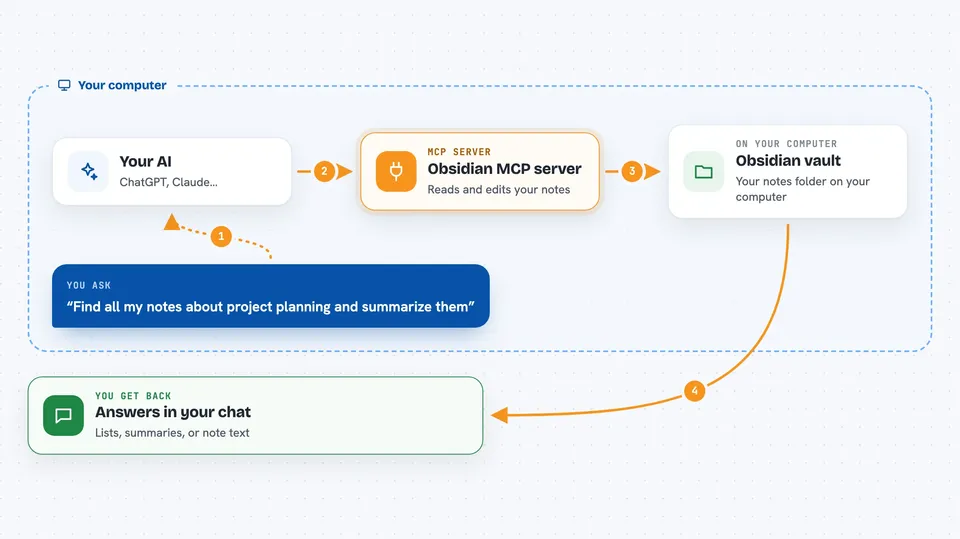
You ask your AI something about your notes, like finding a topic or adding a tag. The AI sends that request to this helper program. The helper opens your Obsidian vault folder on your computer and does the work, like reading a note, searching for a word, or updating frontmatter. Then it sends the result back, and your AI shows it to you in the chat. You never have to open Obsidian yourself.
 Click to zoom
What you can do with it
- Read one note or many notes at once
- Create, edit, move, or delete notes
- Add or remove tags, and find notes missing a tag
- Search your whole vault for a word or phrase
- Find backlinks and broken links between notes
- Read or replace a specific section under a heading
- List files and folders, and create or rename folders
Try asking your AI
- “Find all my notes about project planning and summarize them”
- “Add the tag research to every note in my Ideas folder”
- “Which notes link to my note called Meeting Notes 2024”
- “Replace the word client with customer in all my notes”
What it gives back to you
You get answers in the chat, like a list of matching notes, a summary of what was found, or the text of a note. When it makes a change, like adding a tag or replacing text, it tells you what it did. For searches, it can show the matching lines with a bit of context around them.
Before you start
What you need
- An Obsidian vault folder on your computer
- Node.js 18 or newer (if you run it with npx)
- Docker (if you prefer the Docker option)
- The Claude desktop app or another AI app that supports MCP
Good to know
This helper can change or delete notes in your vault, so it is worth keeping a backup and checking before you confirm a big change.
Install it with your AI
Add Obsidian MCP server to your AI, no technical skills needed
You don't install anything by hand. You copy one prompt, paste it into an AI that can work on your computer, and it checks, installs and connects the server for you, asking you when it needs something.
Sign in to get the install prompt
Members get a ready-made prompt that lets the Claude desktop app check Obsidian MCP server, install it and connect it for them, step by step. You don't need any technical skills: you copy, paste and answer a few questions. Your connected AI can also find and install any of the 4,361 MCP servers here for you.
Who it's for
People who keep notes, research, or a personal knowledge base in Obsidian and want to work with it through their AI assistant.



