MCP server · Productivity
Microsoft 365 MCP server
by softeria
Lets your AI read and send Outlook mail, check your calendar, and work with OneDrive and Excel files.

This is a helper that connects your AI assistant to your Microsoft 365 account. Once it is set up, you can ask your AI about your email, your calendar, your files, and your tasks in normal words. It is handy for anyone who lives in Outlook and Office all day.
What is an MCP server? The 30-second version
On its own, your AI can only chat. It cannot see your inbox or your calendar. An MCP server is a small helper program that gives your AI a new skill or a connection to an app. This one connects your AI to Microsoft 365, so when you ask about a meeting or an email, the AI can actually go look it up for you.
What this MCP server does
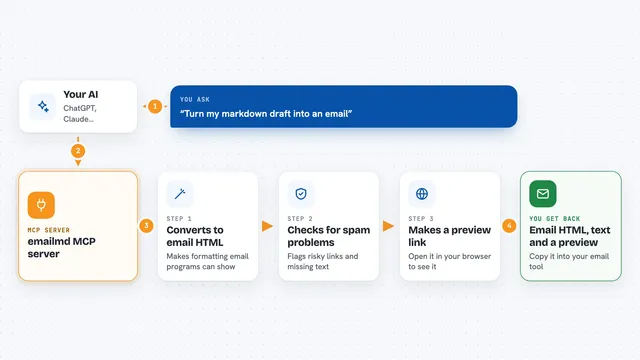
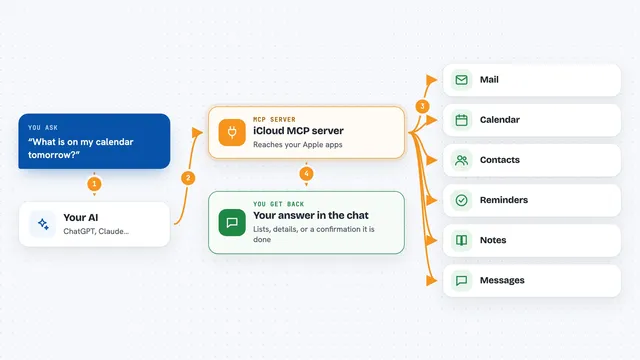
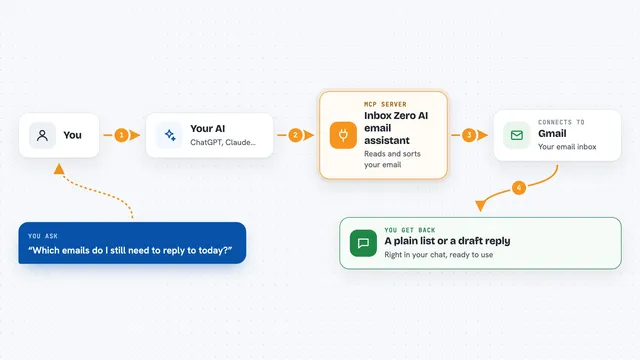
You ask your AI something like what is on my calendar tomorrow. The AI passes that request to this helper. The helper signs in to your Microsoft 365 account and asks Microsoft for the answer. Then it hands the result back to the AI, and the AI explains it to you in the chat. It works the same way for email, files, Excel sheets, notes, and tasks.
 Click to zoom
What you can do with it
- List your recent Outlook emails and summarize them
- Check your calendar and tell you what is coming up
- Search your OneDrive files and read their contents
- Read and update Excel spreadsheets stored in OneDrive
- Look up your contacts and your profile details
- List and manage your To Do tasks and Planner items
- Send, reply to, or forward an email on your behalf
Try asking your AI
- “What meetings do I have tomorrow?”
- “Show me the last five emails from my manager and summarize them”
- “Find the budget spreadsheet in my OneDrive and tell me the total for January”
- “Add a task to my To Do list to call the supplier on Friday”
What it gives back to you
You get answers written in plain language in the chat, based on your real Microsoft 365 data. It can show lists of emails, calendar events, files, or tasks, and short summaries of what it found. If you ask it to change something, like sending an email or updating a task, it makes that change and tells you it is done.
Before you start
What you need
- A Microsoft 365 account (personal, work, or school)
- Node.js 20 or newer installed on your computer
- The Claude desktop app or another app that supports MCP servers
Good to know
It can read your private email and files, and it can send mail or change things in your account, so only connect it to an account you are comfortable giving your AI access to.
Install it with your AI
Add Microsoft 365 MCP server to your AI, no technical skills needed
You don't install anything by hand. You copy one prompt, paste it into an AI that can work on your computer, and it checks, installs and connects the server for you, asking you when it needs something.
Sign in to get the install prompt
Members get a ready-made prompt that lets the Claude desktop app check Microsoft 365 MCP server, install it and connect it for them, step by step. You don't need any technical skills: you copy, paste and answer a few questions. Your connected AI can also find and install any of the 4,361 MCP servers here for you.
Who it's for
Office workers who use Outlook, Teams, OneDrive, and Excel every day and want their AI to help with that inbox and calendar.