MCP server · Productivity
macOS Calendar MCP server
by wyattjoh
Lets your AI read your Mac Calendar so it can find, search and summarize your events for you.
This is a small helper that connects your AI assistant to the Calendar app on your Mac. Once it is set up, you can ask your AI things like what is on your schedule today, and it will actually look it up in your calendar instead of guessing. It is handy if you live in your calendar and want quick answers without clicking around.
What is an MCP server? The 30-second version
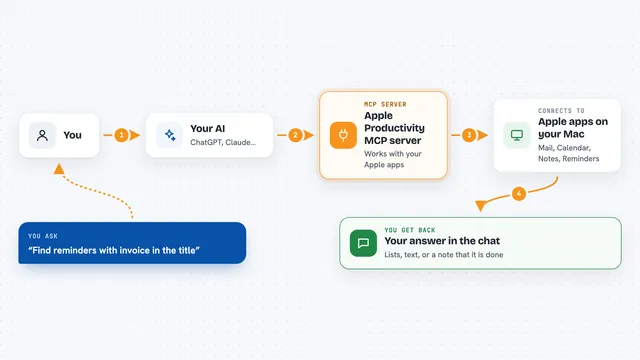
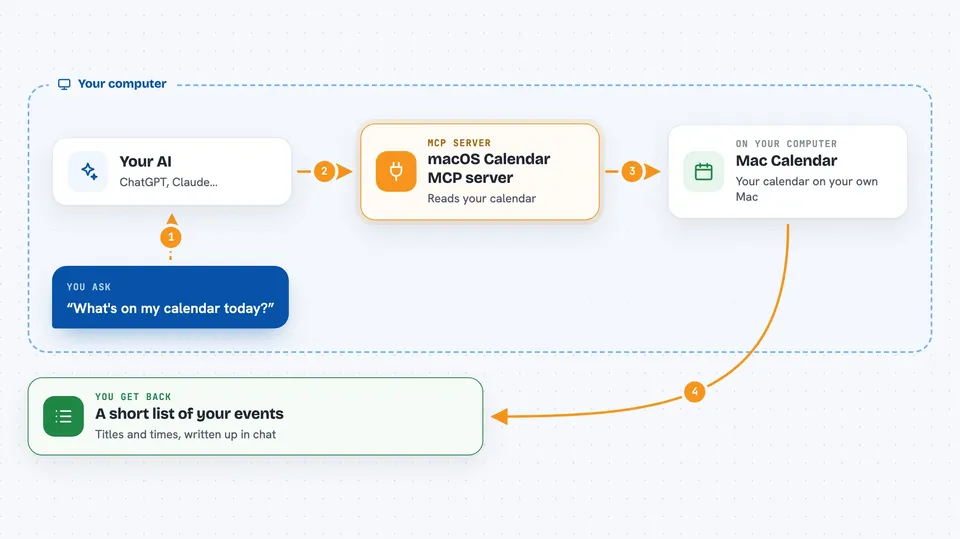
On its own, your AI can only chat with you. It cannot see your calendar or any other app on your computer. An MCP server is a small helper program that gives your AI one new skill, and this one gives it a connection to the Calendar app on your Mac. So when you ask about your schedule, the AI quietly asks this helper, the helper reads your calendar, and the AI tells you what it found.
What this MCP server does
You ask your AI a question about your schedule, like what is on today or when your next meeting is. The AI passes that request to this helper program running on your Mac. The helper reads the Calendar database file on your computer, finds the matching events, and hands them back. The AI then turns those events into a normal answer in the chat. It only reads, so it never adds, changes or deletes anything in your calendar.
 Click to zoom
What you can do with it
- See what is on your calendar today
- List your upcoming events
- Look back at recent past events
- Search your events by title or keyword
- Pull all events between two dates
- Get the details of one event, like location and link
- Spot events that were rescheduled
Try asking your AI
- “What's on my calendar today?”
- “Show me my next 5 upcoming events.”
- “Find any events with the word budget in the title.”
- “What meetings do I have between January 1 and January 31?”
What it gives back to you
You get back a list of events with the title, start and end time, whether it is an all day event, and its status. If you ask for details on one event, you also get the description, location, link and which calendar it belongs to. The AI usually rewrites this as a short, readable answer in the chat, like a mini agenda. Nothing in your calendar is changed.
Before you start
What you need
- A Mac, because Calendar only exists on macOS
- Deno 2.x or newer installed (a free tool for running this kind of program)
- Permission for the program to read your Calendar database file
Good to know
It only reads your calendar, so it cannot change or delete anything, but it does look at your personal calendar data, so keep that in mind if you share your AI chats.
Install it with your AI
Add macOS Calendar MCP server to your AI, no technical skills needed
You don't install anything by hand. You copy one prompt, paste it into an AI that can work on your computer, and it checks, installs and connects the server for you, asking you when it needs something.
Sign in to get the install prompt
Members get a ready-made prompt that lets the Claude desktop app check macOS Calendar MCP server, install it and connect it for them, step by step. You don't need any technical skills: you copy, paste and answer a few questions. Your connected AI can also find and install any of the 4,361 MCP servers here for you.
Who it's for
Anyone who works on a Mac and wants to ask their AI quick questions about their own calendar without opening the Calendar app.