MCP server · Email
Multi-mail MCP server
by yybd
Lets your AI search, read, draft and send email across several Gmail accounts at once.
This is a helper program that connects your AI assistant to more than one Gmail account at the same time. You can ask it to search all your mailboxes together, read a conversation, or write a reply. It is handy if you have a work address and a personal one, or you manage mail for a small team.
What is an MCP server? The 30-second version
On its own, your AI can only chat with you. It cannot see your inbox or send anything. An MCP server is a small helper program that gives your AI a new skill, in this case a connection to your Gmail accounts. Once it is connected, your AI can look things up in your mail and write messages for you when you ask.
What this MCP server does
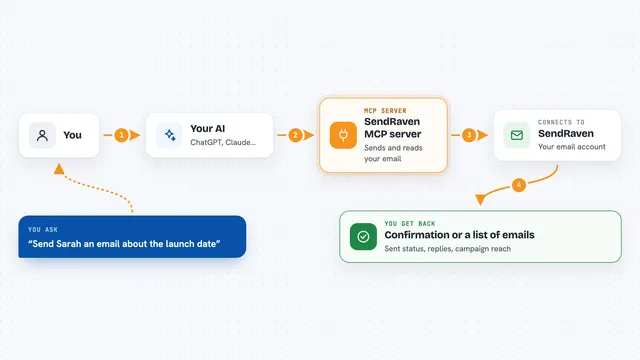
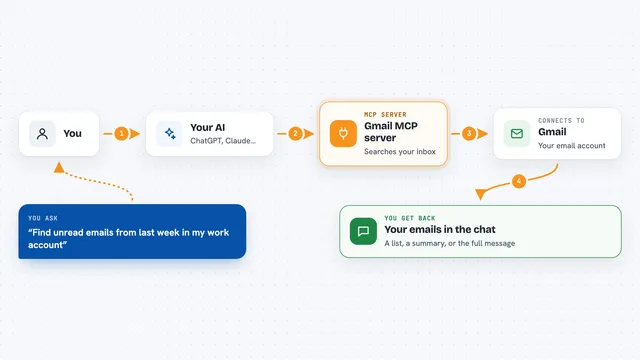
You ask your AI something like "find the invoice from last month" or "draft a reply to Sarah". The AI passes that request to this helper program running on your own computer. The helper talks to Gmail using your own Google login and brings back what it found. You see the answer right in the chat, as a list of messages, a full email, or a draft waiting for your approval. Nothing goes through a company in the middle; the mail travels only between your machine and Google.
What you can do with it
- Search one mailbox or all of them at once with normal Gmail search words
- Read a full email or a whole back-and-forth conversation
- Save a new message or a reply as a draft without sending it
- Send an email or a threaded reply right away
- List and send drafts you already have
- Download an attachment as text, an image, or a saved file
- See your Google Calendar events and find free time slots
Try asking your AI
- “Search all my accounts for messages from the bank this week”
- “Read the latest thread with my accountant and summarize it”
- “Draft a polite reply to the last email from the design team”
- “What is on my calendar tomorrow afternoon and when am I free for an hour”
What it gives back to you
You get answers in plain chat text: lists of matching emails with sender and subject, the full body of a message, or a summary of a conversation. When it creates a draft or sends something, it tells you what it did. Attachments come back as readable text, an image, or a file saved on your computer. Calendar questions come back as a list of events or open time slots.
Before you start
What you need
- Node.js 20 or newer on your computer
- A Google account (you create a free OAuth client once, following the guide)
- The Claude Desktop app, Claude Code, or ChatGPT if you want to use it there
Good to know
It can send email on your behalf if you do not turn on drafts-only mode, so be careful with automated tasks that read mail you did not write.
Install it with your AI
Add Multi-mail MCP server to your AI, no technical skills needed
You don't install anything by hand. You copy one prompt, paste it into an AI that can work on your computer, and it checks, installs and connects the server for you, asking you when it needs something.
Sign in to get the install prompt
Members get a ready-made prompt that lets the Claude desktop app check Multi-mail MCP server, install it and connect it for them, step by step. You don't need any technical skills: you copy, paste and answer a few questions. Your connected AI can also find and install any of the 4,960 MCP servers here for you.
Who it's for
Anyone juggling more than one Gmail account, like freelancers, small business owners, or assistants who manage several inboxes.