MCP server · Email
Gmail Tidy MCP server
by imkath
Let your AI read and organize several Gmail accounts, with no way to send or delete mail.
This is a helper that lets your AI assistant look through your Gmail and tidy it up: search, read, label, archive, set up filters and write drafts. It is handy if you have one inbox that keeps getting away from you, or several accounts you want to handle together. It cannot send or delete email, by design.
What is an MCP server? The 30-second version
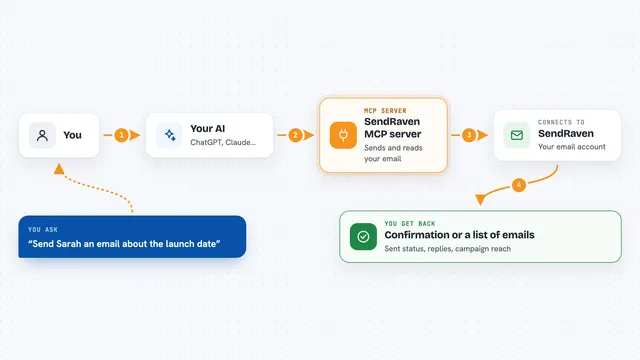
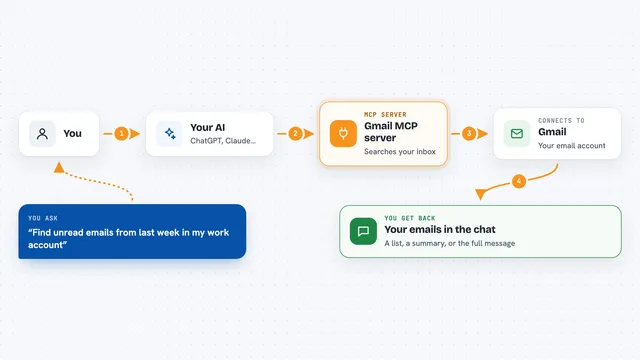
On its own, your AI can only chat with you. An MCP server is a small helper program that gives your AI a new skill or a connection to an app, and this one connects it to Gmail. Once it is set up, you can ask your AI things like "what newsletters do I get most?" and it will go and look in your mailbox for you. The helper does the talking to Gmail; you just read the answer in the chat.
What this MCP server does
You ask your AI something about your mail, in normal words. The AI uses this helper, and the helper talks to Gmail on your behalf. It can search across one account or all of them, read a message or a whole conversation, and list attachments. It can also make changes you ask for, like adding a label, archiving a batch of messages, creating a filter or writing a draft. Then it tells you back what it found or what it changed.
What you can do with it
- Search your mail with Gmail search words, in one account or all of them at once
- Read a message or a whole conversation, oldest first
- See who writes to you most, by address and by domain
- List the newsletters you get, with the unsubscribe link each one declares
- Add or remove labels on up to 5,000 messages at a time
- Create, rename and recolor labels, including nested ones
- Set up filters, and write drafts you can send yourself from Gmail
Try asking your AI
- “Search all my accounts for anything from the bank in the last month”
- “Which newsletters do I get the most, and how do I unsubscribe?”
- “Archive every newsletter older than a month in work”
- “Write a draft reply to the last message from Anna, and attach the file report.pdf from my Downloads”
What it gives back to you
You get answers in the chat: lists of messages with sender, subject and date, short summaries, counts, and the names of labels or filters. When it reads a message, it shows the text with the quoted history trimmed, and it lists any attachments. When it changes something, it tells you what it changed, and you can ask for a list of recent changes to review or undo a session.
Before you start
What you need
- Node.js 22 or newer on your computer
- Your own Google OAuth client file, saved as oauth-client.json (the setup steps walk you through making one, free)
- An MCP client such as Claude Code or the Claude desktop app
- On Linux, the libsecret-tools package so the key can go into your keyring
Good to know
It cannot send or delete mail, but it can relabel, archive, change filters, rename labels, change your signature and write drafts, so review the recent changes list if something looks odd.
Install it with your AI
Add Gmail Tidy MCP server to your AI, no technical skills needed
You don't install anything by hand. You copy one prompt, paste it into an AI that can work on your computer, and it checks, installs and connects the server for you, asking you when it needs something.
Sign in to get the install prompt
Members get a ready-made prompt that lets the Claude desktop app check Gmail Tidy MCP server, install it and connect it for them, step by step. You don't need any technical skills: you copy, paste and answer a few questions. Your connected AI can also find and install any of the 4,960 MCP servers here for you.
Who it's for
Anyone who wants help getting a busy Gmail inbox, or several Gmail accounts, back in order without handing the AI the keys to send or delete mail.