All-in-one AI plugin for dentists
The All-in-One AI Plugin for Dentists
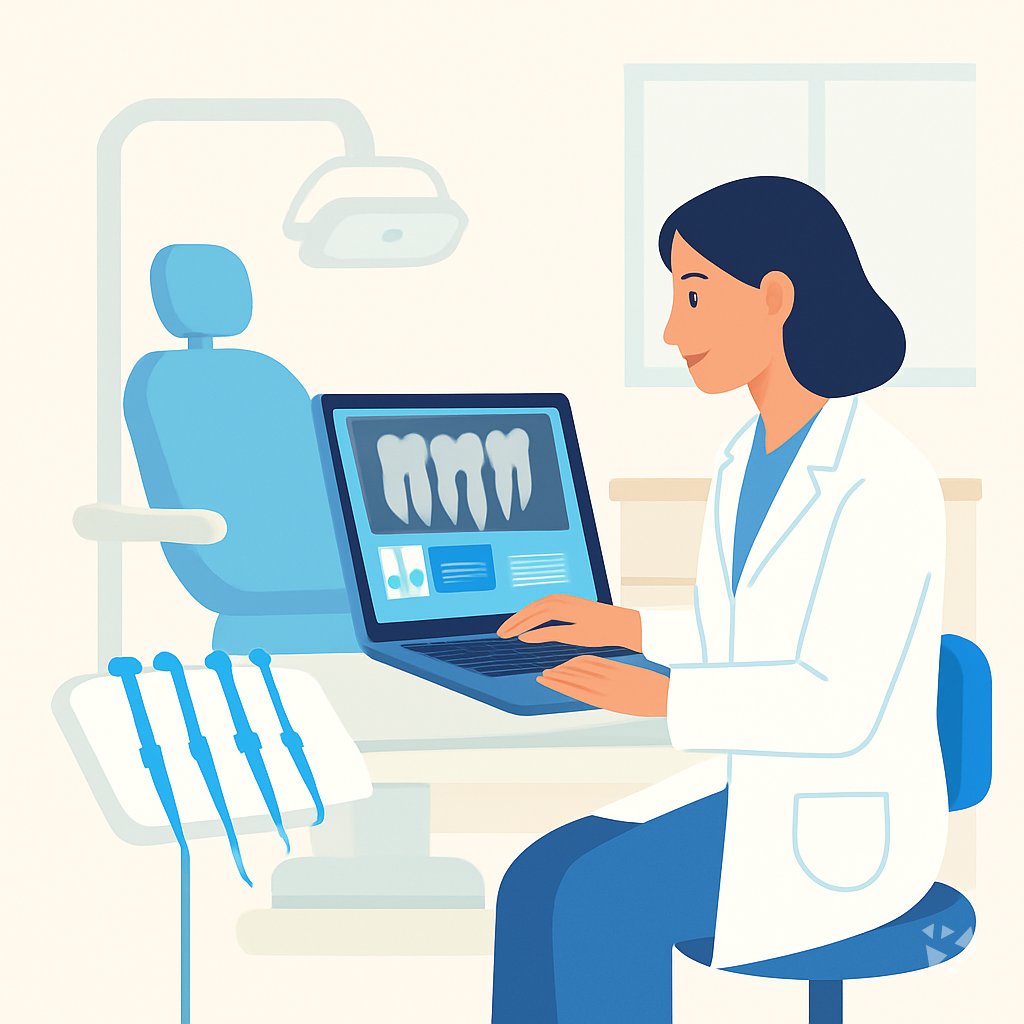
One download gives your AI 8 skills, 24 prompts, 3 apps and 12 Grok Bot agents for notes, treatment plans, insurance questions and patient replies.
- 8skills
- 24prompts
- 12AI agents
- 6connections (MCP)
- 3apps
- 12Grok bots
What's inside
Your week runs on details. A crown patient wants to know what insurance covers, a new patient needs records summarized before the first visit, and notes pile up after the last chair. You answer the same questions, rewrite the same plans, and stay late finishing paperwork that could have been drafted in minutes.
8 dental skills
Patient support and billing questions, treatment plans, clinical reports, patient inquiry replies and patient history summaries. Each one is written for dental work, not general medicine.
24 ready-made prompts
Grouped into 8 topics: patient communication, treatment plan explanations, clinical documentation, triage questions, x-rays and records, medications and post-op care, insurance estimates, and practice admin.
3 small apps
A documentation and coding console that links each note to the visit, a clinical note assistant that drafts notes on your device, and a clinic information assistant that hands clinical questions to you.
12 Grok Bot agents
An oral health analyzer, a treatment plan agent, a clinical report agent, appointment scheduling, invoice chasing, expense reporting, client messages, onboarding checklists and meeting notes. Your team of helpers.
Works in 8 AIs
ChatGPT, Claude, Microsoft 365 Copilot, Gemini, Grok, Grok Bot, Cursor and Kimi. Download once, then use it in whichever assistant your practice already pays for.
Daily news and ideas
Members get a live feed of AI news for dentists, one new idea every day with the prompt to do it, and automatic updates whenever a skill improves.
A day with your plugin
This plugin drops into the AI you already open, ChatGPT, Claude, Copilot or Gemini, and gives it dental skills, ready prompts and small apps. Ask for a treatment plan or a reply about a bill, and you get a draft in your own words, ready to check and send.
- Morning
A patient emails about whether their insurance covers a crown. You open the patient inquiry handling skill and get a clear reply draft with the questions to ask their plan.
- Late morning
After diagnosing a cracked molar, you use the treatment plan skill. It writes the plan in plain language with goals and a schematic figure, ready to print for the patient.
- Afternoon
Between patients you open the clinical note assistant app. It drafts the notes from the consultation on the device, and nothing leaves the room until you approve it.
- End of day
A new patient arrives next week with 40 pages of records. The patient history summarizer skill condenses them into a timeline, and the invoice chaser follows up on two unpaid balances.
Install it in your AI
Choose the AI you use. No technical knowledge needed: it's a few clicks and some copy and paste.
ChatGPT
Your own GPT on chatgpt.com, plus a plugin for Codex and ChatGPT workspaces. About 5 minutes.
- Download the ChatGPT version and unzip it (double-click the file).
- On a computer, open chatgpt.com/gpts/editor in your browser (or in ChatGPT: GPTs in the left menu, then + Create at the top right). You need a paid ChatGPT plan (Plus, Pro, Business or Enterprise) to make a GPT, and it can't be done in the phone app.
- You see two tabs at the top, Create and Configure: click Configure.
- Name it Dentist Assistant. Open
custom-gpt/instructions.txt, copy everything and paste it into Instructions. - Under Knowledge, upload all the files from the
custom-gpt/knowledgefolder. - Paste the lines from
conversation-starters.txtas conversation starters and click Create. - For the daily news, ideas and skill updates: at chatgpt.com go to Settings → Plugins → Create, add the Complete AI Training server and sign in with your membership. Your Connect page shows each click.
Download for members
Members download the plugin for every job, with daily news, ideas and skill updates. Or buy this plugin alone for $49, once.
Claude
A Claude plugin for claude.ai, the desktop app, Cowork and Claude Code. About 2 minutes.
- Download the Claude version. Keep it zipped.
- Open Claude (claude.ai or the desktop app), click your name at the bottom left, then Settings → Capabilities.
- Click Upload plugin and choose the zip file. Turn the plugin on.
- Start a new chat and type /start. Your dentist assistant introduces itself.
- The first time it uses Complete AI Training, Claude asks you to connect: click Connect and sign in with your membership.
Download for members
Members download the plugin for every job, with daily news, ideas and skill updates. Or buy this plugin alone for $49, once.
Microsoft 365 Copilot
A Copilot agent: set it up yourself in Agent Builder, or give IT the ready app package. About 5 minutes.
- Download the Microsoft 365 Copilot version and unzip it.
- Open Microsoft 365 Copilot (m365.cloud.microsoft/chat) and click Create agent, then the Configure tab.
- Name it Dentist Assistant. Paste everything from
agent-builder/instructions.txtinto Instructions. - Under Knowledge, upload the files from
agent-builder/knowledge. Add the starter prompts and click Create. - Working in a company? The
appPackagefolder is a ready app for your IT team, with the Complete AI Training connection built in. The README has a message you can forward to them.
Download for members
Members download the plugin for every job, with daily news, ideas and skill updates. Or buy this plugin alone for $49, once.
Gemini
Skills you upload to Gemini, a ready Gem, and a Gemini CLI extension. About 2 minutes.
- Download the Gemini version and unzip it.
- Go to gemini.google.com and open Settings → Skills → Upload.
- Upload the
SKILL.mdfiles from theskillsfolder, starting with the folder whose name ends in-assistant. Gemini now uses them by itself. - Prefer a Gem? Open Gems → New Gem, paste
gem/instructions.txtand upload the files ingem/knowledge. - Using Gemini CLI?
gemini extensions installon the folder also connects Complete AI Training for the daily news, ideas and skill updates.
Download for members
Members download the plugin for every job, with daily news, ideas and skill updates. Or buy this plugin alone for $49, once.
Grok
A Grok Project with all the instructions and files. About 5 minutes.
- Download the Grok version and unzip it.
- Go to grok.com, open Projects in the left menu and click New project. Name it Dentist Assistant.
- Paste everything from
grok-project/instructions.txtinto the project's instructions. - Upload the files from
grok-project/knowledgeto the project. - Start your work chats inside this project. Try one of the lines in
conversation-starters.txt.
Download for members
Members download the plugin for every job, with daily news, ideas and skill updates. Or buy this plugin alone for $49, once.
Grok Bot
One message that sets up a whole team of Grok Bot agents for your job. About 5 minutes.
- Download the Grok Bot version and unzip it.
- Open Grok Bot and create a new bot. Name it Dentist Team Lead.
- Open
SETUP-MESSAGE.md, copy everything and paste it as your first message. - The team lead sets up its own role and walks you through adding each specialist bot, one at a time.
- Add the Complete AI Training connector in Grok Bot so your team lead gets the daily news and ideas for dentists.
Download for members
Members download the plugin for every job, with daily news, ideas and skill updates. Or buy this plugin alone for $49, once.
Cursor
A Cursor plugin with the skills, rules and connection, or project files. About 3 minutes.
- Download the Cursor version and unzip it.
- In Cursor, open Settings → Plugins and add the unzipped folder.
- No plugins in your Cursor? Copy
skillsto.cursor/skillsandrulesto.cursor/rulesin your project, andmcp.jsonto.cursor/mcp.json. - Open the Agent chat and ask what it can do for you as a dentist.
Download for members
Members download the plugin for every job, with daily news, ideas and skill updates. Or buy this plugin alone for $49, once.
Kimi
A Kimi Code plugin, and instructions with files for Kimi chat. About 3 minutes.
- Download the Kimi version and unzip it.
- Kimi chat (kimi.com or the app): start a new chat, paste
kimi-chat/instructions.txtand attach the files inkimi-chat/files. - Keep using that chat for your work: Kimi now acts as your dentist assistant.
- Kimi Code: type
/plugins installwith the folder, then/reload. It connects Complete AI Training too.
Download for members
Members download the plugin for every job, with daily news, ideas and skill updates. Or buy this plugin alone for $49, once.
Once it's installed, type this
- "What can you help me with as a dentist?"Your AI introduces the plugin and suggests where to start.
- "Run the Missed Appointment Recovery Agent"Starts one of your 12 AI agents. It asks you a few questions first, then runs the task step by step and checks with you before anything important.
- "Which apps can you connect to?"Your AI lists the 6 connections for dentists and walks you through adding the ones you use, one app at a time.
- "Find a prompt for …"Picks one of the 24 ready-made prompts and asks for your details.
Everything in the plugin
Your AI picks the right part by itself. You can also ask for one by name.
Skills for dentists 8
- agency healthcare customer serviceWrites calm, empathetic replies to patient billing, insurance, and complaint messages, like answering a disputed crown charge without sounding defensive.
- clinical reportsFormats case, diagnostic, and patient reports and strips identifiers, like turning your implant notes into a shareable case report.
- treatment plansBuilds a LaTeX/PDF treatment plan with SMART goals and a schematic, like a staged perio plan for a new patient.
- patient inquiry handling assistantDrafts replies to scheduling, billing, records, and referral questions, like a note explaining a denied claim to a patient.
- patient history summarizerTurns scattered chart notes and referral packets into a clean history, timeline, or QC report for your records clerk.
Plus a start-here assistant, the prompt library and the app builder, and for members the daily brief.
Ready-made prompts 24
- Patient Communication Basics3 prompts, like Explain a Filling to a Patient
- Treatment Plan Explanations3 prompts, like Explain Dental Findings In Plain Language
- Clinical Documentation3 prompts, like Draft Clinical Progress Notes From Bullets
- Patient Questions and Triage3 prompts, like Draft Toothache Triage Questions
- X-Rays and Records3 prompts, like Explain Dental X-Ray Findings To Patients
- Medications and Post-Op Care3 prompts, like Draft Antibiotic Instructions For Patients
- Insurance and Estimates3 prompts, like Draft a Treatment Estimate Letter
Show all 8 topics
- Practice and Staff Admin3 prompts
Apps you can build with AI 3
- Source-linked clinical documentation and coding consoleKeeps every clinical statement traceable to the visit, cutting note rework and coding back-and-forth with your biller. Demo included.
- Ambient Clinical Note AssistantDrafts notes from the consultation on your device, so patient data stays in the room until you approve it. Demo included.
- Clinic information assistantAnswers front desk questions about your clinic's policies and hands off anything clinical to you immediately. Demo included.
AI agents 12
In the download. An agent runs a whole recurring task for you, step by step, and asks you before anything important. Ask your AI: "Run the Missed Appointment Recovery Agent". Each one also has a guided set-up with sample data on its page.
- Missed Appointment Recovery AgentMissed patients are contacted and rebooked, or marked as declined, with no one left unanswered.
- Documentation Audit Agent for Medical NecessityNotes show medical necessity and the pass rate rises month by month.
- Medical Alert and Premedication Check AgentEvery patient arrives with their current health alerts reviewed and any needed premedication or consult settled.
- Oral Cancer Screening Follow-Up AgentEvery suspicious finding is followed to a documented result.
- Insurance Benefit Maximum AgentPatients use the benefits they are entitled to before the reset, with accurate cost estimates.
- Unscheduled Treatment Follow-Up AgentAccepted treatment is booked and completed, or closed with a reason.
- Sterilization and Infection Control Log AgentEvery sterilizer has a complete log and a passing test before it is used.
- Practice Production and Collections Review AgentThe practice sees why production or collections miss goal and the actions taken close the gap.
- Referral Loop Closure AgentEvery referral ends with the consult report in the chart and its advice reviewed
- Patient Recall Reactivation AgentBring overdue recall patients back into the schedule
- Periodontal Chart Trend AgentSpot worsening periodontal sites and get them reviewed at the visit
- Dental Treatment Estimate AgentGive patients accurate cost estimates before treatment
Connections (MCP servers) 6
A guide in the download. A connection lets your AI work in an app you already use. You add only the ones you use: ask your AI "Which apps can you connect to?" and follow the steps on each connection's page.
- PubMed MCP serverLets your AI search medical and life sciences papers on PubMed and read their abstracts and full text.
- NCBI PubMed MCP serverSearch PubMed's millions of research articles and get summaries, authors, and related papers through your AI.
- PubMed Search MCP ServerLet your AI search medical research papers on PubMed and give you plain-English summaries.
- Taiwan NHI billing MCP serverLets your AI look up Taiwan NHI rejection codes, drug rules, fee points and audit notes for you. No install needed.
- Medical Terminologies MCP serverLook up real medical codes and terms from ICD-11, LOINC, RxNorm, MeSH, ATC and Brazil's CID-10 right inside your AI chat. No install needed.
- ICDwise MCP serverYour AI can look up real ICD-10-CM medical codes and get the official description instead of a guess. No install needed.
Your Grok Bot team 12
- Oral Health AnalyzerAnalyze oral health data to identify risks and provide personalized care advice.
- Treatment PlansGenerate concise, evidence-based medical treatment plans in LaTeX/PDF format.
- Clinical ReportsWrites clinical reports with regulatory compliance and validation tools.
- Clinical Decision SupportGenerates publication-ready clinical decision support documents for pharmaceutical research and evidence synthesis.
- Clinicaltrials DatabaseSearch and retrieve clinical trial data from ClinicalTrials.gov API v2.
- Appointment Scheduling AssistantHandles appointment scheduling, reminders, rescheduling, and tracking for receptionists.
- Invoice ChaserTracks unpaid invoices and writes the follow-up that gets you paid without burning the client.
- Invoice OrganizerReads messy invoice files, renames them consistently, and sorts them into tax-ready folders.
- Expense Reporting AssistantManages expense tracking, reporting, compliance, and vendor communication for administrative assistants.
- Client Communication AssistantHandles all client communication tasks for a real estate broker from inquiries to retention.
- Onboarding Checklist GeneratorGenerates customized client onboarding checklists with phases, owners, dependencies, and email templates.
- Meeting NotesTurns a transcript into decisions and owned actions, dropping everything that was just talk.
Get the plugin
Two ways to get it. Most people choose the membership: it includes every plugin and keeps them up to date.
Recommended
Membership
$9 a month, billed yearly
- The plugin for dentists, and for 500 other jobs
- Daily AI news and a new idea every day, inside your AI
- Skills update by themselves
- 700+ video courses and certificates
- Download up to 2 plugins a day
Pay on Stripe's secure page, no questions first. You're back here straight after, ready to download.
This plugin only
Standalone plugin
$49 once
- The plugin for dentists, for all eight AIs
- All 8 skills, 24 prompts, 12 AI agents and 3 apps
- The connections guide
- Yours to keep, no subscription
- No daily news, ideas or skill updates
Secure payment by Stripe. Bought it already? Use the link in your email.
Questions
What is a plugin, and do I need technical skills to install it?
A plugin is a set of instructions and files that teaches your AI how to do dental work. You download it once and follow a short guide. No coding, no setup calls, no IT person needed.
Which AI assistants does it work with?
ChatGPT, Claude, Microsoft 365 Copilot, Gemini, Grok, Grok Bot, Cursor and Kimi. Use it in the one your practice already has. Your prompts and results stay in that assistant.
What is the difference between the member download and the $49 plugin?
Members get the plugin plus the daily AI news for dentists, a new idea every day with its prompt, and automatic skill updates. The $49 one-time standalone plugin is the same plugin without those three extras.
Is my patient data safe?
The plugin is only instructions and files. It does not store or send anything on its own. Your chats are handled by the AI provider you use, under their privacy terms and your practice rules.
How many plugins can I download?
Two plugins a day. So you can add the dentist plugin and one more, for example for your front desk or billing team, in the same day.
Learn to use AI as a dentist
The plugin does the work; the learning path shows you how to get the most out of it, step by step.