MCP server · Notes
keymem MCP server
by donggyun112
Give your AI a memory that recalls things by association, not just by matching words.
keymem is a memory helper for your AI. It saves facts you tell it and lets the AI find them later by following connections between ideas, the way a person would. It is handy if you use Claude or another AI assistant every day and want it to actually remember your projects, preferences, and past decisions.
What is an MCP server? The 30-second version
On its own, your AI can only chat with what is in front of it. An MCP server is a small helper program that gives your AI a new skill or a connection to something outside the chat. keymem is that helper for memory: it runs quietly on your computer and lets the AI save notes and look them up again. Once it is connected, your AI can remember things between conversations instead of starting fresh every time.
What this MCP server does
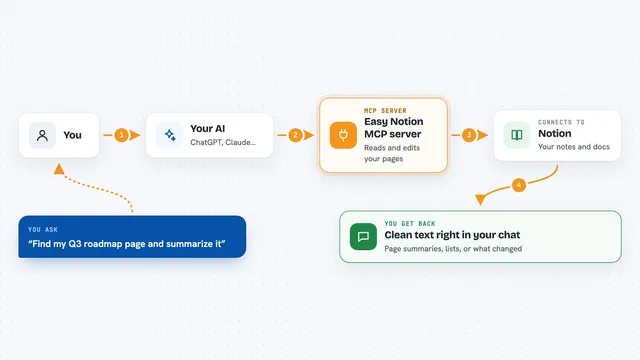
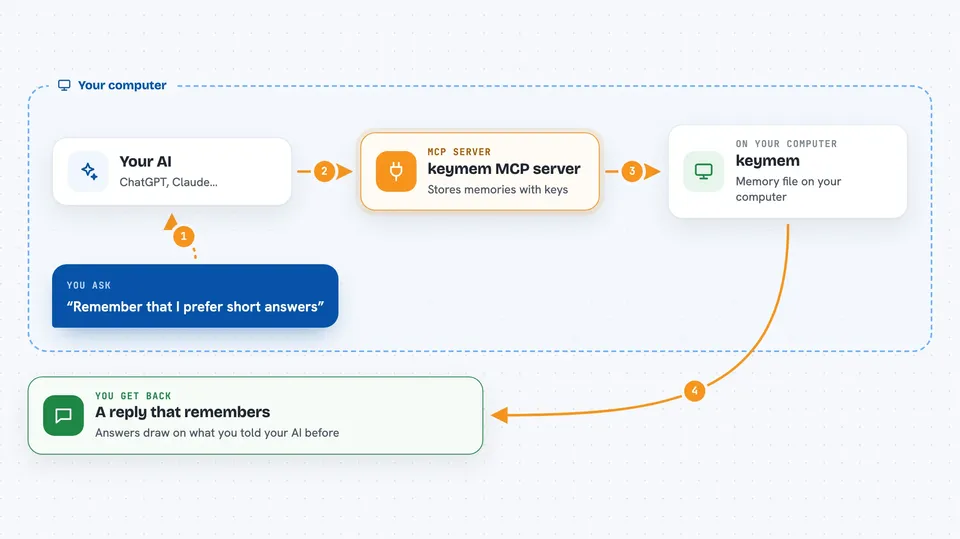
You tell your AI something worth keeping, like a preference or a project fact. The AI sends it to keymem, which stores it along with a few keywords, called keys, that describe it. Later, when you ask about something related, the AI asks keymem to recall, and keymem walks through those shared keys to find memories that connect, even if the words are different. The AI then reads the memory it found and answers you. It can also update an old memory when something changes.
 Click to zoom
What you can do with it
- Save facts, preferences, and decisions so your AI remembers them later
- Recall memories by following chains of related ideas, not just similar wording
- Correct an old memory when something changes, keeping the previous version
- Mark how fresh a memory is, so old facts are treated with care
- Search by a person's name or a place exactly, without confusing similar names
- Keep everything in a local file on your computer, with no outside database
Try asking your AI
- “Remember that I prefer short answers and no bullet points.”
- “What do you know about my current project?”
- “I moved from Seoul to Busan, please update that.”
- “Recall anything related to the client I mentioned last week.”
What it gives back to you
You get answers in the chat that draw on things you told your AI before. Behind the scenes, keymem hands back the matching memories, the keys they were found under, and a freshness note saying how old each one is. If a memory looks old, your AI may mention that or ask you to confirm it. You do not see the graph itself, just a smarter reply.
Before you start
What you need
- The Claude desktop app, Claude Code, or another AI tool that supports MCP servers
- Node.js 20 or newer on your computer
- Either an OpenAI API key (a kind of password you get from OpenAI) or the local embedding option, which needs no key but downloads a model file on first use
Good to know
It saves what you tell it into a local file, so avoid sharing secrets or private details you would not want stored on your computer.
Install it with your AI
Add keymem MCP server to your AI, no technical skills needed
You don't install anything by hand. You copy one prompt, paste it into an AI that can work on your computer, and it checks, installs and connects the server for you, asking you when it needs something.
Sign in to get the install prompt
Members get a ready-made prompt that lets the Claude desktop app check keymem MCP server, install it and connect it for them, step by step. You don't need any technical skills: you copy, paste and answer a few questions. Your connected AI can also find and install any of the 4,066 MCP servers here for you.
Who it's for
Anyone who uses an AI assistant daily and wants it to remember their projects, preferences, and past conversations without repeating themselves.