

Apple apps MCP server
by JonathanRReedLets your AI read and act inside Apple Mail, Calendar, Reminders, Messages, Notes, Contacts, Files and more on your Mac.
AI Library · 4,066 MCP servers
Lets your AI read and act inside Apple Mail, Calendar, Reminders, Messages, Notes, Contacts, Files and more on your Mac.

Let your AI take screenshots, move windows, and click or type on your GNOME Linux desktop.

Your AI can spin up real throwaway Windows or Linux computers, use them, then reset them to clean.
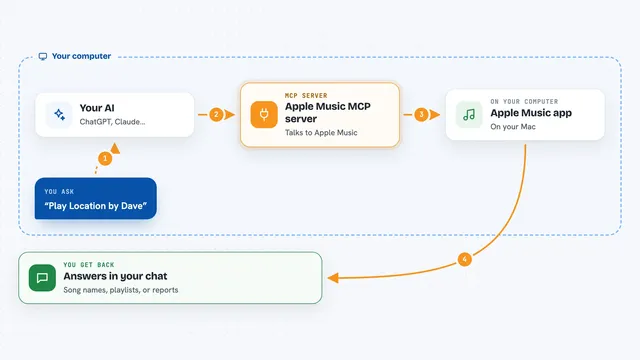
Lets your AI play, organize, and analyze Apple Music on your Mac by just asking in plain words.

Lets your AI click, type and read apps and Chrome on your own computer while your mouse stays yours.

Give your AI a shared memory and a tidy context snapshot it can reuse across chats.
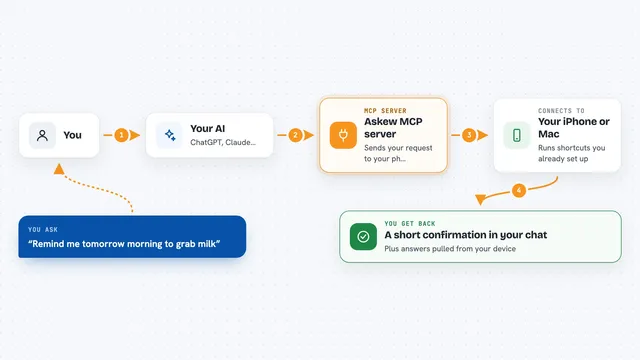
Lets your AI run shortcuts on your iPhone or Mac, send alerts to your phone, and read replies.

Lets your AI see and control your Windows desktop: click buttons, type text, take screenshots, and run terminal commands.

Let your AI peek inside a running Windows desktop app to find bugs, check buttons and fill forms.
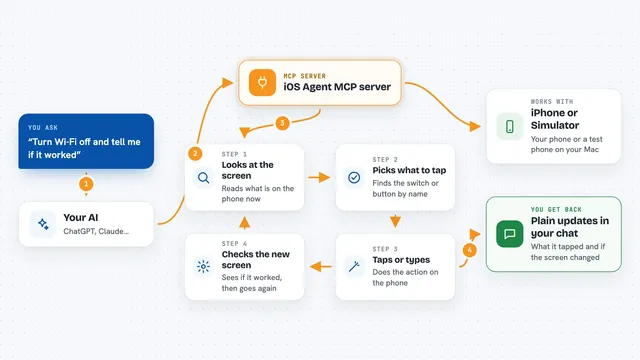
Let your AI tap, type and read screens on an iPhone or iOS Simulator for you.
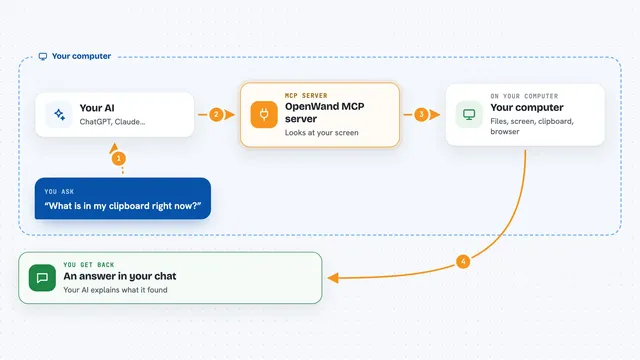
Lets your AI see what is on your screen, clipboard and browser page so it can answer with real context.
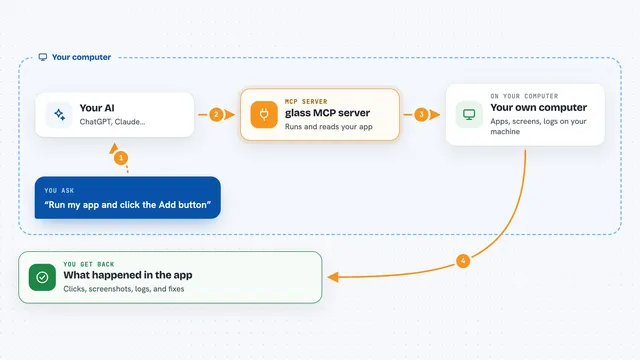
Lets your AI open, click, type in, and check desktop, Android, and iOS apps while it builds them.

Lets your AI see your Mac screen and click, type, and run things on it for you.

Let your AI see and control your own Windows PC: click, type, launch apps, and watch a live view.
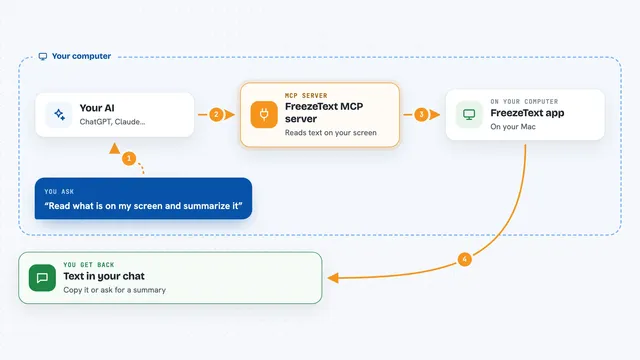
Lets your AI read the text on your Mac screen and search your past captures.

Lets your AI move a real mouse, click, type and scroll on a machine through a small USB device.

Lets your AI see and control your Mac screen, mouse, keyboard, and apps from anywhere.

Lets your AI create, start, and manage Linux and macOS virtual machines on your Mac through the Nemeton app.

Lets your AI arrange Mac windows, take screenshots, read text off the screen and keep your Mac awake.
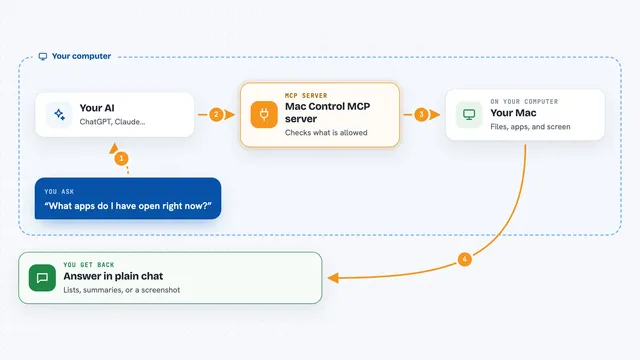
Let your AI look at and gently operate your Mac: files, apps, screenshots, clipboard, and more if you allow it.