
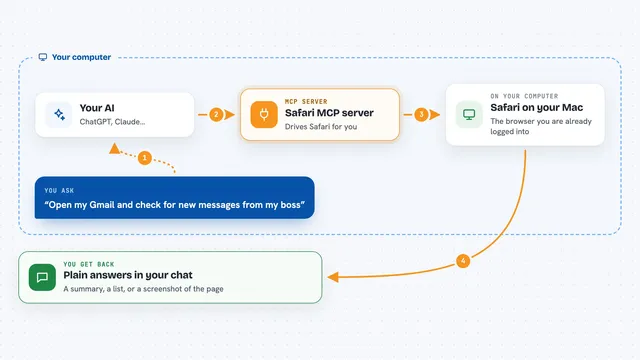
Safari MCP server
by achiya-automationLet your AI drive the Safari browser you are already logged into, without opening Chrome.
AI Library · 4,611 MCP servers
Let your AI drive the Safari browser you are already logged into, without opening Chrome.

Let your AI open web pages, pull out the details you want, and take screenshots for you.

Lets your AI manage your Firefox tabs, search your history, and read webpages you approve.

Lets your AI read web pages, crawl sites, search, and pull tables as clean Markdown or rows.

Lets your AI read your ESPN fantasy league and suggest or make lineup and roster moves.

Lets your AI open Firefox, click around pages, take screenshots, and read console and network activity for you.

Lets your AI look at and control Safari on a real iPhone or iPad connected to your computer.

Let your AI use the Chrome you already have, with your logins, in background task windows.

Let your AI drive your real, already signed-in Chrome to click, read, fill forms and ask you when it needs help.

Let your AI see and click around in your own Chrome tab, take screenshots, and fill in forms for you.

Let your AI work in the Firefox you already have open, using only the tabs you choose to share.

Let your AI work inside the Chrome you are already signed into, and hand tricky steps back to you.

Lets your AI open and click through real Chrome pages, including ones you are already signed into.
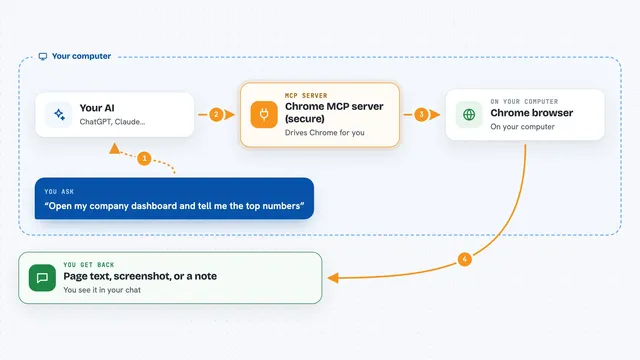
Lets your AI drive a Chrome browser and log in to sites with encrypted, auto-wiped credentials.

Lets your AI drive up to 30 numbered Chrome browsers that stay logged in and can be shared by several AI sessions.
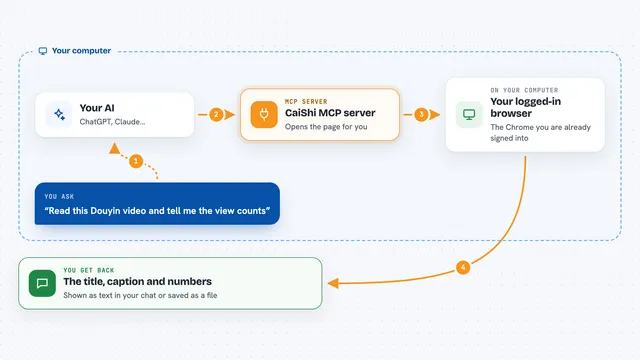
Let your AI read Bilibili, Douyin, Xiaohongshu and any web page through your own logged-in Chrome.
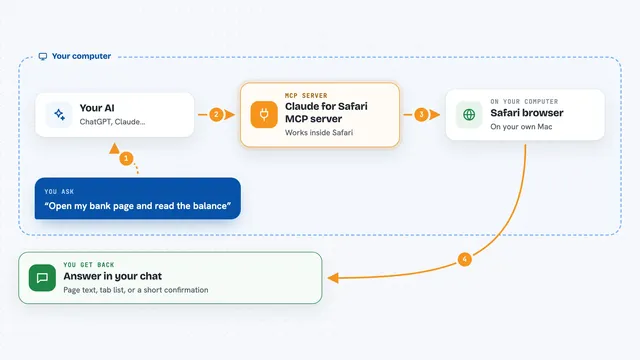
Let your AI open Safari pages, read them, click buttons and fill in forms for you.

Let your AI control the Chrome you're already signed into: read pages cheaply, click buttons, and fill tricky web forms.

Lets your AI open pages and click around in your own Chrome browser, using your normal logged-in profile.

Lets your AI open Chrome, read pages, click, type and fill forms for you.

Lets your AI open your own Chrome or Firefox, click around, take screenshots, and read what is on a page.

Let your AI drive your own signed-in Chrome to click, type, read pages, and fill forms for you.

Ask your AI for a video's transcript, chapters, metadata, or a single frame from 11 platforms.
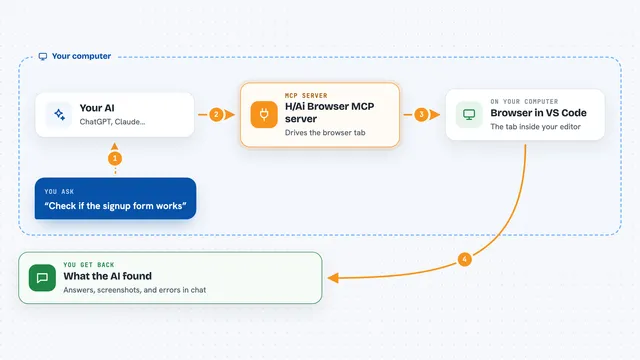
Let your AI drive the browser tab inside VS Code while you watch and take over.