

xlide MCP server
by WilliamSmithEdwardLets your AI read, edit and check the VBA code and sheets inside Excel, Word, PowerPoint and Access files.
AI Library · 4,609 MCP servers
Lets your AI read, edit and check the VBA code and sheets inside Excel, Word, PowerPoint and Access files.

Lets your AI read and explain the insides of a program inside IDA Pro, and write up what it finds.

Lets your AI open, run and debug your Godot game projects and help build scenes.

Keep track of your open source pull requests and get help replying to maintainers and fixing broken builds.

Let your AI see and continue the work happening in your other coding agent chats.

Let your AI suggest, build, and check React charts for your data, then hand you ready-to-use chart code.
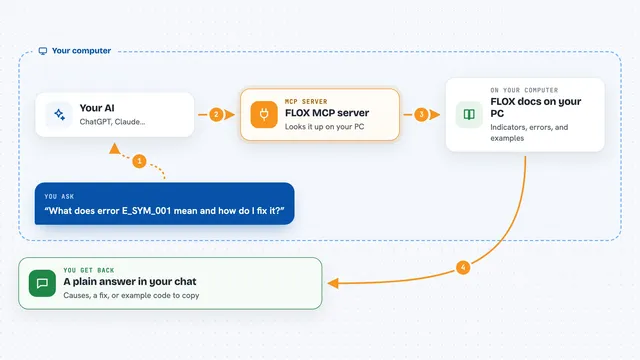
Lets your AI look up FLOX trading docs, indicators, and errors, and run backtests for you.
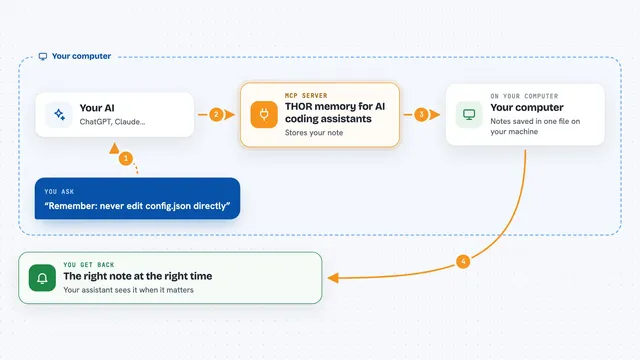
Give your AI assistant a local memory that can warn it, and sometimes stop a wrong change before it happens.

Let your AI read Bitbucket pull requests, diffs and comments, and post review comments or approvals for you.

Lets Google Gemini Spark send coding tasks to your Antigravity IDE, and lets the IDE ask Spark for cloud help.

Your AI can scan your code for security problems and suggest fixes while you build.
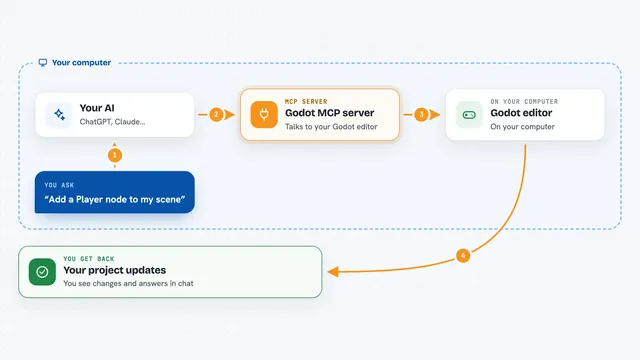
Lets your AI help build Godot games: edit scenes, write scripts, test and debug while you chat.

Lets your AI look at your Bitbucket repositories, branches and pull requests, and make changes there for you.

Lets your AI read, search, edit and check files inside your open VS Code workspace for you.

Lets your AI look inside software files, decompile them, and explain what the code does.

Lets your AI run your Godot game, take screenshots, click buttons, and check that its own changes work.
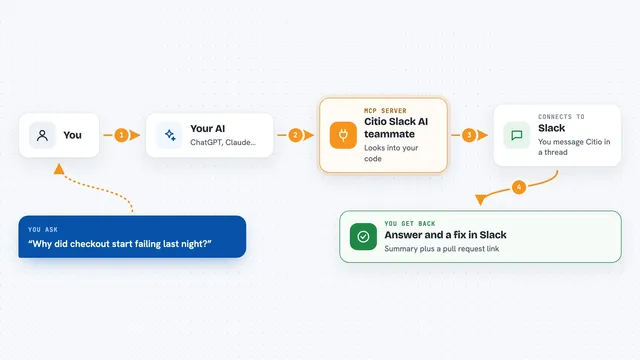
Mention a Slack bot and your AI investigates bugs, reads logs, and opens pull requests for you.

Let your AI write and run MATLAB code, make interactive plots, and run long jobs for you.

Let your AI look inside program files, read their code, and give parts clearer names for you.

Lets your AI look at, edit and run your Godot game project, and even see the running game.

Lets your AI read your Figma designs and help write Flutter code, widgets and screens from them.

Chat with your AI from Telegram and let it read, search, and edit files in your local project.

Let your AI scan your code for security problems and help fix them.

Lets your AI run Godot 4 tests, check GDScript code, look up API docs, and take screenshots.