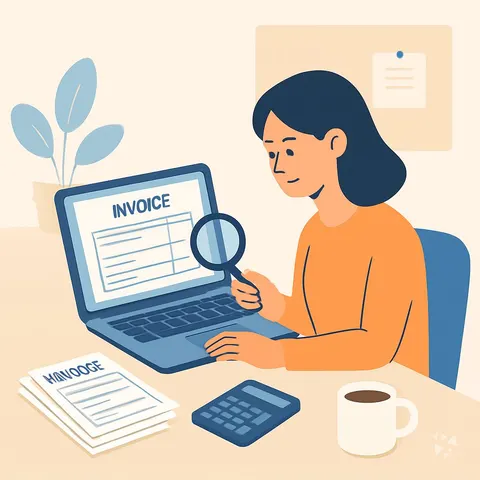
All-in-one AI plugin for auditors
The All in One AI Plugin for Auditors
Get 17 audit skills, 25 ready prompts, 3 apps and 12 Grok Bot agents inside the AI you already use, so planning, testing and reporting take less of your week.

- 17skills
- 25prompts
- 12AI agents
- 12connections (MCP)
- 3apps
- 12Grok bots
What's inside
Your week fills up with document requests, control tests and evidence files. Auditors ask for items you gather by hand, sampling plans get rebuilt from scratch, and findings notes sit half written. Late in the day you are still chasing a missing approval, a signed policy, or a number that does not tie to the ledger.
17 audit skills
Plan audits, test controls, extract data, assess fraud risk, weigh evidence and draft reports. Each skill follows a plain checklist an auditor would already recognize.
25 ready prompts
Prompts sorted by topic: audit planning and risk, understanding the client, testing controls, reviewing statements, compliance, sampling, interviews, documenting evidence, reporting and follow up.
3 small apps
An observation classifier groups findings while keeping the evidence visible. A control evidence calendar tracks proof of performed checks. Audit trail narration turns entries into a readable trail.
12 Grok Bot agents
A team of agents covers compliance auditing, expense folder review, document checks, supply chain risk, production audit, PDF processing and finance compliance checklists, ready when you are.
Works in eight AIs
Use it in ChatGPT, Claude, Microsoft 365 Copilot, Gemini, Grok, Grok Bot, Cursor or Kimi. Keep the AI you know and add the audit skills to it.
Daily news and ideas
Members get a live feed of AI news for auditors, one new idea each day with the prompt to run it, and automatic skill updates. No searching required.
A day with your plugin
One download adds a full audit toolkit to the AI you already use. Ask for a sampling plan, a control test sheet, a risk rating, or a draft finding, and the audit support skill and the audit preparation skill build it in your chat. No new software to learn.
- Morning
Before the day fills up, you ask the audit preparation skill to list the documents still missing from the audit file, with the owner and the due date for each one.
- Late morning
A process owner explains a new approval step. You paste the notes into the meeting notes skill and get actions, decisions and owners, then save it as evidence in the audit trail narration app.
- Afternoon
You need a sample for a revenue test. The audit support skill sets a sampling plan by value and risk, and the data analysis prompts name the files to pull.
- End of day
You draft a finding, and the risk assessment skill rates likelihood and impact and suggests a control fix. The compliance auditor skill checks the wording against the framework you follow.
Install it in your AI
Choose the AI you use. No technical knowledge needed: it's a few clicks and some copy and paste.
ChatGPT
Your own GPT on chatgpt.com, plus a plugin for Codex and ChatGPT workspaces. About 5 minutes.
- Download the ChatGPT version and unzip it (double-click the file).
- On a computer, open chatgpt.com/gpts/editor in your browser (or in ChatGPT: GPTs in the left menu, then + Create at the top right). You need a paid ChatGPT plan (Plus, Pro, Business or Enterprise) to make a GPT, and it can't be done in the phone app.
- You see two tabs at the top, Create and Configure: click Configure.
- Name it Auditor Assistant. Open
custom-gpt/instructions.txt, copy everything and paste it into Instructions. - Under Knowledge, upload all the files from the
custom-gpt/knowledgefolder. - Paste the lines from
conversation-starters.txtas conversation starters and click Create. - For the daily news, ideas and skill updates: at chatgpt.com go to Settings → Plugins → Create, add the Complete AI Training server and sign in with your membership. Your Connect page shows each click.
Download for members
Members download the plugin for every job, with daily news, ideas and skill updates. Or buy this plugin alone for $49, once.
Claude
A Claude plugin for claude.ai, the desktop app, Cowork and Claude Code. About 2 minutes.
- Download the Claude version. Keep it zipped.
- Open Claude (claude.ai or the desktop app), click your name at the bottom left, then Settings → Capabilities.
- Click Upload plugin and choose the zip file. Turn the plugin on.
- Start a new chat and type /start. Your auditor assistant introduces itself.
- The first time it uses Complete AI Training, Claude asks you to connect: click Connect and sign in with your membership.
Download for members
Members download the plugin for every job, with daily news, ideas and skill updates. Or buy this plugin alone for $49, once.
Microsoft 365 Copilot
A Copilot agent: set it up yourself in Agent Builder, or give IT the ready app package. About 5 minutes.
- Download the Microsoft 365 Copilot version and unzip it.
- Open Microsoft 365 Copilot (m365.cloud.microsoft/chat) and click Create agent, then the Configure tab.
- Name it Auditor Assistant. Paste everything from
agent-builder/instructions.txtinto Instructions. - Under Knowledge, upload the files from
agent-builder/knowledge. Add the starter prompts and click Create. - Working in a company? The
appPackagefolder is a ready app for your IT team, with the Complete AI Training connection built in. The README has a message you can forward to them.
Download for members
Members download the plugin for every job, with daily news, ideas and skill updates. Or buy this plugin alone for $49, once.
Gemini
Skills you upload to Gemini, a ready Gem, and a Gemini CLI extension. About 2 minutes.
- Download the Gemini version and unzip it.
- Go to gemini.google.com and open Settings → Skills → Upload.
- Upload the
SKILL.mdfiles from theskillsfolder, starting with the folder whose name ends in-assistant. Gemini now uses them by itself. - Prefer a Gem? Open Gems → New Gem, paste
gem/instructions.txtand upload the files ingem/knowledge. - Using Gemini CLI?
gemini extensions installon the folder also connects Complete AI Training for the daily news, ideas and skill updates.
Download for members
Members download the plugin for every job, with daily news, ideas and skill updates. Or buy this plugin alone for $49, once.
Grok
A Grok Project with all the instructions and files. About 5 minutes.
- Download the Grok version and unzip it.
- Go to grok.com, open Projects in the left menu and click New project. Name it Auditor Assistant.
- Paste everything from
grok-project/instructions.txtinto the project's instructions. - Upload the files from
grok-project/knowledgeto the project. - Start your work chats inside this project. Try one of the lines in
conversation-starters.txt.
Download for members
Members download the plugin for every job, with daily news, ideas and skill updates. Or buy this plugin alone for $49, once.
Grok Bot
One message that sets up a whole team of Grok Bot agents for your job. About 5 minutes.
- Download the Grok Bot version and unzip it.
- Open Grok Bot and create a new bot. Name it Auditor Team Lead.
- Open
SETUP-MESSAGE.md, copy everything and paste it as your first message. - The team lead sets up its own role and walks you through adding each specialist bot, one at a time.
- Add the Complete AI Training connector in Grok Bot so your team lead gets the daily news and ideas for auditors.
Download for members
Members download the plugin for every job, with daily news, ideas and skill updates. Or buy this plugin alone for $49, once.
Cursor
A Cursor plugin with the skills, rules and connection, or project files. About 3 minutes.
- Download the Cursor version and unzip it.
- In Cursor, open Settings → Plugins and add the unzipped folder.
- No plugins in your Cursor? Copy
skillsto.cursor/skillsandrulesto.cursor/rulesin your project, andmcp.jsonto.cursor/mcp.json. - Open the Agent chat and ask what it can do for you as an auditor.
Download for members
Members download the plugin for every job, with daily news, ideas and skill updates. Or buy this plugin alone for $49, once.
Kimi
A Kimi Code plugin, and instructions with files for Kimi chat. About 3 minutes.
- Download the Kimi version and unzip it.
- Kimi chat (kimi.com or the app): start a new chat, paste
kimi-chat/instructions.txtand attach the files inkimi-chat/files. - Keep using that chat for your work: Kimi now acts as your auditor assistant.
- Kimi Code: type
/plugins installwith the folder, then/reload. It connects Complete AI Training too.
Download for members
Members download the plugin for every job, with daily news, ideas and skill updates. Or buy this plugin alone for $49, once.
Once it's installed, type this
- "What can you help me with as an auditor?"Your AI introduces the plugin and suggests where to start.
- "Run the Revenue Recognition Evidence Agent"Starts one of your 12 AI agents. It asks you a few questions first, then runs the task step by step and checks with you before anything important.
- "Which apps can you connect to?"Your AI lists the 12 connections for auditors and walks you through adding the ones you use, one app at a time.
- "Find a prompt for …"Picks one of the 25 ready-made prompts and asks for your details.
Everything in the plugin
Your AI picks the right part by itself. You can also ask for one by name.
Skills for auditors 17
- audit support assistantTests compliance, guides sampling, assesses fraud risk, drafts findings and reports. Example: testing 40 expense approvals for sign-off.
- audit ready file builderPrepares a financial statement audit file: organizes documents, evaluates controls, drafts schedules and workpapers. Example: building the year-end revenue workpaper set.
- risk assessment assistantScores financial risks by likelihood and impact, and reviews controls and fraud exposure. Example: rating third-party payment risk as high.
- audit preparationKeeps the audit preparation register: document, period, request and receipt dates, preparer, reviewer, auditor queries and adjustments.
- office meeting notesTurns walkthrough notes and process owner interviews into structured notes with decisions and action items. Example: after a payroll controls meeting.
- risk analysis and management assistantGuides risk identification, prioritization, mitigation, monitoring and reporting. Example: building a risk register for a new ledger migration project.
Show all 14 skills
- risk mitigation report builderWrites risk mitigation plans, policies and training material. Example: a fraud risk response plan with owners and due dates.
- financial reporting assistantPrepares and reviews statements for IFRS and GAAP: consolidation, ratios, disclosures, budgets. Example: checking lease disclosure wording before sign-off.
- financial statement analysis assistantComputes ratios, trends, common-size views and cash flow metrics. Example: spotting margin decline across the last three quarters.
- finance audit readiness trackerOrganizes audit documents, assesses controls and risks, coordinates with auditors and tracks recommendations. Example: chasing eight open items before fieldwork starts.
- compliance auditorMaps controls to GDPR, HIPAA, SOC 2, PCI DSS and ISO. Example: a SOC 2 gap list with evidence owners.
- fp a reporting guideBuilds finance leadership packs: budgets, forecasts, variance explanations and reconciliations. Example: the monthly variance pack with commentary.
- policy rule compliance copilotIdentifies which rules apply, reviews policies against them, and documents gaps. Example: checking a retention policy against privacy rules.
- internal commsWrites status updates, incident reports and leadership notes in repeatable formats. Example: a fieldwork progress update for the CFO.
Plus a start-here assistant, the prompt library and the app builder, and for members the daily brief.
Ready-made prompts 25
- Audit Planning And Risk3 prompts, like Draft An Audit Engagement Plan
- Understanding The Client2 prompts, like Summarize a New Client's Business Model
- Testing Internal Controls3 prompts, like Design Control Test Procedures
- Reviewing Financial Statements3 prompts, like Run Analytical Review Procedures
- Compliance And Regulation2 prompts, like Map Regulation Clauses To Internal Controls
- Data Analysis And Sampling4 prompts, like Write Audit Formulas For Full Population Testing
- Interviewing Process Owners3 prompts, like Draft Process Owner Interview Questions
Show all 9 topics
- Documenting Evidence2 prompts
- Reporting And Follow-Up3 prompts
Apps you can build with AI 3
- Operations audit observation classifierGroup repeated observations into themes while the raw evidence stays visible for the file. Demo included.
- Finance control evidence calendarTrack when each control check was performed and where the proof is stored. Demo included.
- Finance audit-trail narrationTurn system logs and approvals into a readable evidence trail without new accounting conclusions. Demo included.
AI agents 12
In the download. An agent runs a whole recurring task for you, step by step, and asks you before anything important. Ask your AI: "Run the Revenue Recognition Evidence Agent". Each one also has a guided set-up with sample data on its page.
- Revenue Recognition Evidence AgentEvery revenue schedule assumption is linked to signed, dated evidence.
- Insurance Audit Evidence Coordinator AgentA traceable evidence package for every sampled control.
- Change Management Sample Testing AgentA consistent, documented sample test of change management, with the extent of any weakness known
- Data Retention and Deletion Schedule AgentData is deleted when the policy says, with proof, and nothing under hold or in use is touched.
- Employee Reimbursement Policy Audit AgentCatch policy breaks and duplicates on every expense report and resolve them with the employee.
- Treasury Bank Account and Signer Review AgentBring every bank account's signers and limits in line with current staff and policy.
- Internal Audit Schedule AgentRun risk-based internal audits and close every finding with evidence.
- Executive Compensation Disclosure Check AgentMake the disclosure match what the committee actually approved.
- Audit Committee Finding Tracker AgentDrive every audit finding to a closure that is backed by evidence.
- Client Discovery Synthesis AgentClear, evidence-backed discovery findings ready to validate with the client
- Audit Program Draft AgentA complete audit program where every in-scope risk has a control and a test
- Database Access and Privilege Review AgentEvery database privilege matched to a current need, with excess access removed
Connections (MCP servers) 12
A guide in the download. A connection lets your AI work in an app you already use. You add only the ones you use: ask your AI "Which apps can you connect to?" and follow the steps on each connection's page.
- Box MCP serverLet your AI search your Box files, answer questions about them, and pull out details for you. Official. No install needed.
- OfficeAgent MCP serverLet your AI edit Word, PowerPoint and Excel files, with changes you can review before saving. Official.
- Outlook Attachment Reader MCP serverLet your AI open and read the files attached to your Outlook emails, and send local files as drafts.
- Snowflake MCP serverLets your AI look up and query your Snowflake data, with read-only protection on by default.
- Excel MCP serverLets your AI create, read and edit Excel workbooks for you, without opening Excel.
- Word document MCP serverLet your AI open, edit, and review Word files, with changes shown as tracked revisions.
- Spreadsheet MCP serverLets your AI read, edit, and recalculate Excel files safely, without you opening Excel.
- Google Drive MCP serverLets your AI search and read your Google Drive files and read or edit your Google Sheets.
- SEC EDGAR MCP serverLook up US public companies and their official SEC filings and financial numbers from your AI chat. No install needed.
- Excel Vision MCP serverLet your AI read Excel files fully, including the images and colors inside them.
- Haypile document search MCP serverLets your AI search your own PDFs, Word files and notes by meaning, with file and page citations.
- ArkForge MCP serverYour AI can make web calls that come back with a signed, timestamped proof of what was sent and received.
Your Grok Bot team 12
- Compliance AuditorAudits compliance across GDPR, HIPAA, SOC 2, PCI DSS, and ISO frameworks.
- Compliance SpecialistAssesses compliance gaps and prepares audit evidence for regulatory frameworks.
- Expense Folder AuditorAudits expense folders: reconciles receipts to statements, flags issues, and reports.
- Verify DocumentCheck PDFs and images for tampering signals before relying on them.
- Supply Chain Risk AuditorAudits project dependencies for supply chain risk factors.
- Risk Management SpecialistManages ISO 14971 risk management files for medical devices throughout the product lifecycle.
- Production AuditAudits deployed repos for production-readiness gaps across security, infra, and UX.
- Pdf Processing ProExtracts text, tables, and form data from PDFs with validation and batch processing.
- Document Structure AnalyzerAnalyzes document layouts and maps content hierarchy before OCR processing.
- Longbridge FundamentalsPull financial statements, valuation multiples, and company profiles for HK/US/A-share/Singapore stocks via Longbridge.
- Audit Support AssistantAudit support assistant for finance specialists: analyze data, review docs, plan audits, and draft reports.
- Finance Compliance Checklist BuilderMonitors regulatory changes, builds checklists, reviews policies, and prepares compliance reports and audits for finance teams.
Get the plugin
Two ways to get it. Most people choose the membership: it includes every plugin and keeps them up to date.
Recommended
Membership
$9 a month, billed yearly
- The plugin for auditors, and for 500 other jobs
- Daily AI news and a new idea every day, inside your AI
- Skills update by themselves
- 700+ video courses and certificates
- Download up to 2 plugins a day
Pay on Stripe's secure page, no questions first. You're back here straight after, ready to download.
This plugin only
Standalone plugin
$49 once
- The plugin for auditors, for all eight AIs
- All 17 skills, 25 prompts, 12 AI agents and 3 apps
- The connections guide
- Yours to keep, no subscription
- No daily news, ideas or skill updates
Secure payment by Stripe. Bought it already? Use the link in your email.
Questions
What is a plugin, and how do I install it without technical knowledge?
A plugin is a set of instructions and files that teach your AI how to do audit work. You download one file, open it, and follow the short steps. There is no coding, no setup, and no technical background needed.
Which AI does it work with?
It works in ChatGPT, Claude, Microsoft 365 Copilot, Gemini, Grok, Grok Bot, Cursor and Kimi. Use the AI you already have at work. Nothing changes in how you sign in.
What is the difference between the member download and the $49 standalone plugin?
Members download the plugin as part of their membership, and they also get the daily AI news, a new idea each day with its prompt, and automatic skill updates. The $49 one-time standalone plugin is the plugin alone.
Is my data safe?
The plugin is only instructions and files. It does not collect your data or send anything anywhere. Your chats stay with the AI provider you already use, under the same terms you accepted when you signed up.
How many downloads do I get?
Members can download 2 plugins a day. Download this one for your audit work now, and come back tomorrow if you want another plugin for a different part of your job.
Learn to use AI as an auditor
The plugin does the work; the learning path shows you how to get the most out of it, step by step.