All-in-one AI plugin for biomedical engineers
The all-in-one AI plugin for Biomedical Engineers
One download gives your AI the skills, prompts, apps, and agents for risk files, regulatory submissions, device data, and clinical feedback.
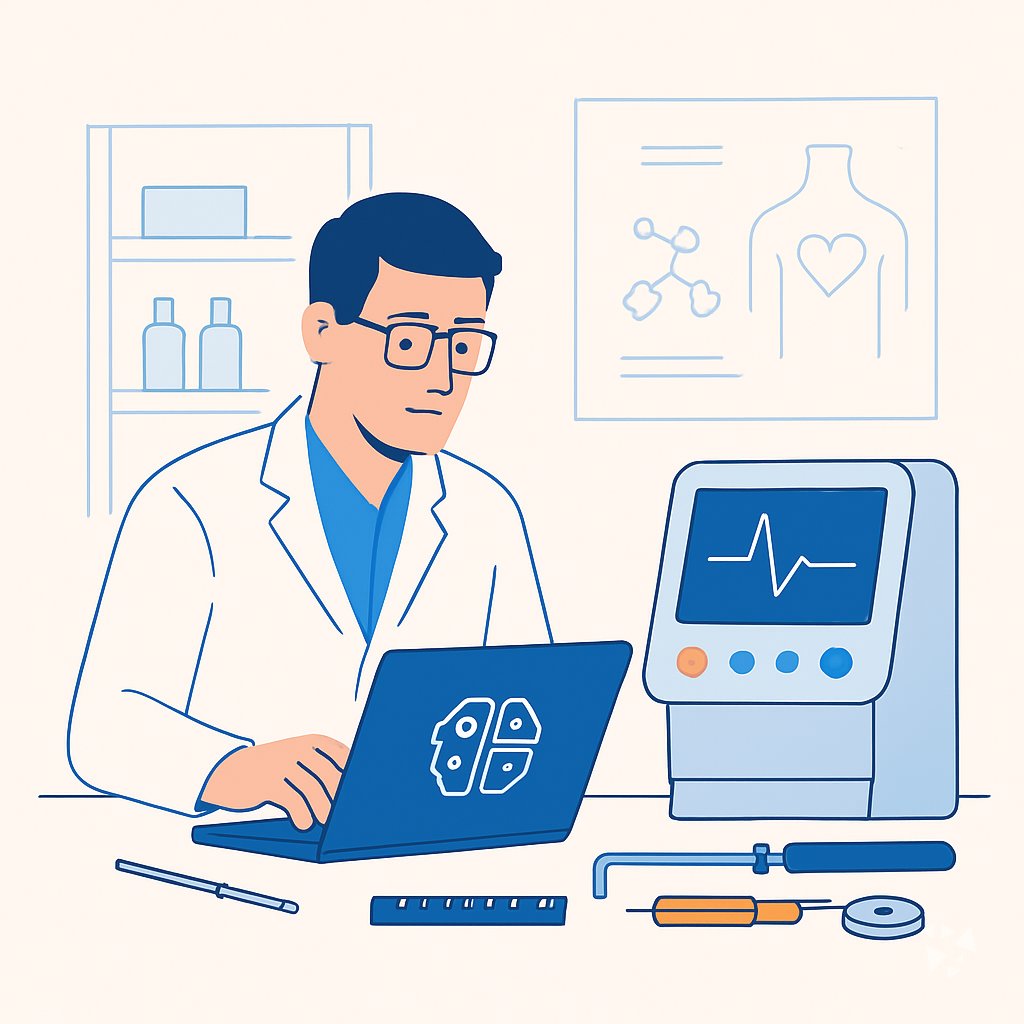
- 10skills
- 26prompts
- 12AI agents
- 12connections (MCP)
- 3apps
- 12Grok bots
What's inside
Your week pulls in three directions at once. You are testing a device, chasing clinical feedback, and rebuilding a risk file before a submission. Meeting notes sit in one folder, equipment downtime emails in another, and the regulatory detail you need is buried in a standard you last opened months ago.
Ten skills for your week
Meeting notes, process risk assessment, healthcare data analysis, regulatory document preparation, plus a regulatory and quality library covering device rules, audits, and compliance. Ask in plain words and get structured output.
26 ready-made prompts
Eight topics: clinical requirements, explaining devices and procedures, troubleshooting, design and test documentation, regulatory and risk compliance, data analysis, project communication, and advanced regulatory submissions.
Three apps you can build
An equipment downtime coordination network, a product requirements service, and a customer feedback prioritization workspace. Each keeps your decisions tied to real evidence and open questions.
Twelve specialist agents
A quality documentation manager, an MDR specialist, an FDA consultant, a regulatory affairs head, a risk management specialist, a quality manager, a compliance auditor, and more. They draft and review while you work.
Works in eight AIs
ChatGPT, Claude, Microsoft 365 Copilot, Gemini, Grok, Grok Bot, Cursor, and Kimi. One download, the same skills wherever you already type at work.
Daily news and ideas
Members get a live connection to daily AI news for biomedical engineers, one new idea each day with the prompt to run it, and automatic updates to every skill.
A day with your plugin
This plugin puts all of that inside the AI you already use. Ask it to turn a messy transcript into decisions and action items, work through a process risk assessment, or prepare a regulatory document for submission. No new software to learn and no separate login.
- Morning
You open the transcript from yesterday's design review. The meeting notes skill returns decisions, owners, and action items before your first stand-up.
- Late morning
A supplier changes a cleaning step. You run the process risk assessment skill to list hazards, rate them, and draft mitigations for the file.
- Afternoon
You paste anonymized device complaint data into the healthcare data analysis skill to see which failure mode is rising this quarter.
- End of day
Before you leave, the regulatory document preparation skill checks your submission package for missing sections and version mismatches.
Install it in your AI
Choose the AI you use. No technical knowledge needed: it's a few clicks and some copy and paste.
ChatGPT
Your own GPT on chatgpt.com, plus a plugin for Codex and ChatGPT workspaces. About 5 minutes.
- Download the ChatGPT version and unzip it (double-click the file).
- On a computer, open chatgpt.com/gpts/editor in your browser (or in ChatGPT: GPTs in the left menu, then + Create at the top right). You need a paid ChatGPT plan (Plus, Pro, Business or Enterprise) to make a GPT, and it can't be done in the phone app.
- You see two tabs at the top, Create and Configure: click Configure.
- Name it Biomedical Engineer Assistant. Open
custom-gpt/instructions.txt, copy everything and paste it into Instructions. - Under Knowledge, upload all the files from the
custom-gpt/knowledgefolder. - Paste the lines from
conversation-starters.txtas conversation starters and click Create. - For the daily news, ideas and skill updates: at chatgpt.com go to Settings → Plugins → Create, add the Complete AI Training server and sign in with your membership. Your Connect page shows each click.
Download for members
Members download the plugin for every job, with daily news, ideas and skill updates. Or buy this plugin alone for $49, once.
Claude
A Claude plugin for claude.ai, the desktop app, Cowork and Claude Code. About 2 minutes.
- Download the Claude version. Keep it zipped.
- Open Claude (claude.ai or the desktop app), click your name at the bottom left, then Settings → Capabilities.
- Click Upload plugin and choose the zip file. Turn the plugin on.
- Start a new chat and type /start. Your biomedical engineer assistant introduces itself.
- The first time it uses Complete AI Training, Claude asks you to connect: click Connect and sign in with your membership.
Download for members
Members download the plugin for every job, with daily news, ideas and skill updates. Or buy this plugin alone for $49, once.
Microsoft 365 Copilot
A Copilot agent: set it up yourself in Agent Builder, or give IT the ready app package. About 5 minutes.
- Download the Microsoft 365 Copilot version and unzip it.
- Open Microsoft 365 Copilot (m365.cloud.microsoft/chat) and click Create agent, then the Configure tab.
- Name it Biomedical Engineer Assistant. Paste everything from
agent-builder/instructions.txtinto Instructions. - Under Knowledge, upload the files from
agent-builder/knowledge. Add the starter prompts and click Create. - Working in a company? The
appPackagefolder is a ready app for your IT team, with the Complete AI Training connection built in. The README has a message you can forward to them.
Download for members
Members download the plugin for every job, with daily news, ideas and skill updates. Or buy this plugin alone for $49, once.
Gemini
Skills you upload to Gemini, a ready Gem, and a Gemini CLI extension. About 2 minutes.
- Download the Gemini version and unzip it.
- Go to gemini.google.com and open Settings → Skills → Upload.
- Upload the
SKILL.mdfiles from theskillsfolder, starting with the folder whose name ends in-assistant. Gemini now uses them by itself. - Prefer a Gem? Open Gems → New Gem, paste
gem/instructions.txtand upload the files ingem/knowledge. - Using Gemini CLI?
gemini extensions installon the folder also connects Complete AI Training for the daily news, ideas and skill updates.
Download for members
Members download the plugin for every job, with daily news, ideas and skill updates. Or buy this plugin alone for $49, once.
Grok
A Grok Project with all the instructions and files. About 5 minutes.
- Download the Grok version and unzip it.
- Go to grok.com, open Projects in the left menu and click New project. Name it Biomedical Engineer Assistant.
- Paste everything from
grok-project/instructions.txtinto the project's instructions. - Upload the files from
grok-project/knowledgeto the project. - Start your work chats inside this project. Try one of the lines in
conversation-starters.txt.
Download for members
Members download the plugin for every job, with daily news, ideas and skill updates. Or buy this plugin alone for $49, once.
Grok Bot
One message that sets up a whole team of Grok Bot agents for your job. About 5 minutes.
- Download the Grok Bot version and unzip it.
- Open Grok Bot and create a new bot. Name it Biomedical Engineer Team Lead.
- Open
SETUP-MESSAGE.md, copy everything and paste it as your first message. - The team lead sets up its own role and walks you through adding each specialist bot, one at a time.
- Add the Complete AI Training connector in Grok Bot so your team lead gets the daily news and ideas for biomedical engineers.
Download for members
Members download the plugin for every job, with daily news, ideas and skill updates. Or buy this plugin alone for $49, once.
Cursor
A Cursor plugin with the skills, rules and connection, or project files. About 3 minutes.
- Download the Cursor version and unzip it.
- In Cursor, open Settings → Plugins and add the unzipped folder.
- No plugins in your Cursor? Copy
skillsto.cursor/skillsandrulesto.cursor/rulesin your project, andmcp.jsonto.cursor/mcp.json. - Open the Agent chat and ask what it can do for you as a biomedical engineer.
Download for members
Members download the plugin for every job, with daily news, ideas and skill updates. Or buy this plugin alone for $49, once.
Kimi
A Kimi Code plugin, and instructions with files for Kimi chat. About 3 minutes.
- Download the Kimi version and unzip it.
- Kimi chat (kimi.com or the app): start a new chat, paste
kimi-chat/instructions.txtand attach the files inkimi-chat/files. - Keep using that chat for your work: Kimi now acts as your biomedical engineer assistant.
- Kimi Code: type
/plugins installwith the folder, then/reload. It connects Complete AI Training too.
Download for members
Members download the plugin for every job, with daily news, ideas and skill updates. Or buy this plugin alone for $49, once.
Once it's installed, type this
- "What can you help me with as a biomedical engineer?"Your AI introduces the plugin and suggests where to start.
- "Run the Product Requirement Change Impact Agent"Starts one of your 12 AI agents. It asks you a few questions first, then runs the task step by step and checks with you before anything important.
- "Which apps can you connect to?"Your AI lists the 12 connections for biomedical engineers and walks you through adding the ones you use, one app at a time.
- "Find a prompt for …"Picks one of the 26 ready-made prompts and asks for your details.
Everything in the plugin
Your AI picks the right part by itself. You can also ask for one by name.
Skills for biomedical engineers 10
- office meeting notesTurns a design review transcript into decisions and action items, like who owns the next biocompatibility test.
- process risk assessment assistantBuilds FMEA and risk registers for device manufacturing, for example scoring seal failure risk on a catheter line.
- healthcare data analysis assistantFinds patterns in patient and device data, like flagging infusion pumps with rising battery fault rates.
- agency summarize meetingWrites formal minutes with date, participants, topic, decisions, and actions, ready for the quality file.
- meeting distiller proCleans up messy notes into actions, decisions, and follow-ups, like a supplier call about component delays.
- agency ra qm skillsRoutes you to the right regulatory skill, whether ISO 13485, EU MDR, FDA, ISO 14971, or CAPA.
Show all 7 skills
- regulatory document preparation assistantFormats, reviews, and packages submission documents, like compiling a 510(k) with correct version control.
Plus a start-here assistant, the prompt library and the app builder, and for members the daily brief.
Ready-made prompts 26
- Clinical Requirements & Needs3 prompts, like Summarize Clinician Interviews Into Requirements
- Explaining Devices & Procedures3 prompts, like Explain Device To Clinician
- Troubleshooting & Technical Support3 prompts, like Diagnose Device Error From User Report
- Design & Test Documentation3 prompts, like Create Detailed Prototype Test Plan
- Regulatory & Risk Compliance3 prompts, like Summarize Applicable FDA Guidance
- Data Analysis & Device Improvement3 prompts, like Prioritize Device Improvements From Feedback
- Collaboration & Project Communication5 prompts, like Prepare A Design Review Agenda
Show all 8 topics
- Advanced Regulatory Submissions3 prompts
Apps you can build with AI 3
- Medical equipment downtime coordination networkBuild this to cut the delay between a scanner going down and authorized maintenance arriving, with status visible to everyone. Demo included.
- Product requirements serviceBuild this to keep device requirements tied to customer evidence and open questions, so nothing gets assumed. Demo included.
- Customer feedback insight and prioritization workspaceBuild this to turn scattered clinician and patient feedback into ranked, source-backed design priorities. Demo included.
AI agents 12
In the download. An agent runs a whole recurring task for you, step by step, and asks you before anything important. Ask your AI: "Run the Product Requirement Change Impact Agent". Each one also has a guided set-up with sample data on its page.
- Product Requirement Change Impact AgentEvery requirement change reaches all linked tests, docs and teams.
- User Test Prototype Iteration AgentTurn test observations into ranked problems and verified changes for the next prototype.
- Lab Meeting Action Follow-up AgentMake sure every action item from a meeting has an owner, a date and a recorded outcome.
- Usability Study Use Error Tracking AgentEvery observed use error, close call and difficulty is traced to a hazard and a mitigation before the report.
- Device Software Change Assessment AgentA documented impact assessment and test plan for each software change, with no requirement left untested.
- Post-Market Surveillance Review AgentA monthly, documented review of external events with relevant new hazards turned into drafted risk file updates.
- Hardware Test Plan and Results AgentA repeatable test plan with recorded, comparable results for every build
- Hardware Compliance Pre-Check AgentA design checked against certification requirements before it goes to the test house
- Engineering Design Document AgentA complete, accurate design document that matches the real design
- Requirements Traceability AgentEvery in-scope requirement is linked to delivered work and a passing test
- Standards Compliance Matrix AgentA complete, current compliance matrix for every applicable clause
- Design Review Package AgentComplete, consistent review packages and tracked actions
Connections (MCP servers) 12
A guide in the download. A connection lets your AI work in an app you already use. You add only the ones you use: ask your AI "Which apps can you connect to?" and follow the steps on each connection's page.
- Tech Trend MCP serverYour AI can gather fresh research papers, trending code, and FDA device news, then write you a short newspaper-style briefing.
- Scholar MCP serverYour AI can search academic papers, read them, map citations, and save them into a personal library.
- Research Hub MCP serverLets your AI search for papers, save them to Zotero, and write notes into your Obsidian vault for you.
- NCBI PubMed MCP serverSearch PubMed's millions of research articles and get summaries, authors, and related papers through your AI.
- Patsnap Patent & Literature Search MCP serverLets your AI search global patents and scientific papers in plain language and pull back readable records. No install needed.
- Google Scholar MCP serverLets your AI search Google Scholar and pull ready-made citations for papers you find. No install needed.
- Mendeley MCP serverLets your AI search your Mendeley library, read your papers, and organize your folders for you.
- arXiv MCP serverLets your AI search arXiv for research papers and pull up their details and full text. No install needed.
- Web Researcher MCP serverLets your AI search trusted sites, read full articles, and give you real, clickable sources.
- MATLAB MCP serverLet your AI write and run MATLAB code, make interactive plots, and run long jobs for you.
- Annota MCP serverLet your AI read your Zotero papers, highlight key findings, explain formulas, and save reading notes back to your library.
- Bing Search MCP serverLets your AI search the web, news, and images through Microsoft Bing while you chat.
Your Grok Bot team 12
- Quality Documentation ManagerManages document control, change control, and regulatory documentation compliance for medical device organizations.
- Mdr 745 SpecialistGuides medical device manufacturers through EU MDR 2017/745 compliance, from classification to post-market surveillance.
- Fda Consultant SpecialistProvides FDA regulatory pathway, QSR compliance, HIPAA, and cybersecurity guidance for medical device companies.
- Regulatory Affairs HeadManages regulatory strategy and submissions for HealthTech and MedTech devices.
- Risk Management SpecialistManages ISO 14971 risk management files for medical devices throughout the product lifecycle.
- Quality Manager Qms Iso13485Helps you implement and maintain an ISO 13485 QMS for medical devices.
- Fda Medtech Compliance AuditorAudit medical device software compliance against FDA and ISO standards.
- Clinical ReportsWrites clinical reports with regulatory compliance and validation tools.
- Technical WriterCreates and improves technical documentation for APIs, SDKs, and user guides.
- Documentation ExpertCreates, improves, and maintains project documentation from code and specs.
- PrototypeBuild a throwaway terminal or UI prototype to answer one design question fast.
- Atlassian Requirements to JiraParse requirements documents and create Jira epics and user stories with duplicate detection and approval workflow.
Get the plugin
Two ways to get it. Most people choose the membership: it includes every plugin and keeps them up to date.
Recommended
Membership
$9 a month, billed yearly
- The plugin for biomedical engineers, and for 500 other jobs
- Daily AI news and a new idea every day, inside your AI
- Skills update by themselves
- 700+ video courses and certificates
- Download up to 2 plugins a day
Pay on Stripe's secure page, no questions first. You're back here straight after, ready to download.
This plugin only
Standalone plugin
$49 once
- The plugin for biomedical engineers, for all eight AIs
- All 10 skills, 26 prompts, 12 AI agents and 3 apps
- The connections guide
- Yours to keep, no subscription
- No daily news, ideas or skill updates
Secure payment by Stripe. Bought it already? Use the link in your email.
Questions
What is a plugin, and do I need technical skills to install it?
A plugin is a set of instructions and files you add to your AI. You download it once and follow a short guide. If you can install a browser extension, you can do this.
Which AI does it work with?
ChatGPT, Claude, Microsoft 365 Copilot, Gemini, Grok, Grok Bot, Cursor, and Kimi. Use the AI you already have open at work. Nothing else about your setup changes.
What is the difference between the member download and the $49 one-time plugin?
The $49 one-time plugin is standalone. You get the skills, prompts, apps, and agents. Members also get daily AI news for their job, a new idea every day with its prompt, and automatic skill updates.
Is my data safe?
The plugin is instructions and files. Your chats stay with your AI provider and follow that provider's privacy terms. The plugin does not store your patient data or device records.
How many plugins can I download?
Two plugins a day. That is enough for your role and a colleague's, or for one AI at work and one on your own machine.
Learn to use AI as a biomedical engineer
The plugin does the work; the learning path shows you how to get the most out of it, step by step.