
Learning path
AI for ux/ui designers
Be the AI expert in your job. Always up to date.
Your first AI Expert certificate this week. Your AI set up in 15 minutes.
This is exactly what happens after you join. Try it: everything below reacts to your choices.
Only stored for members. Join to keep the courses you choose in your account and favorites; until then only this browser remembers them. Start for Free





Picked by our course-matching AI for ux/ui designers, your level and your AI, from 700+ courses. Each course ends in a short exam and an AI Expert certificate. New courses arrive every week and your suggestions update with them. Your choices are kept in this browser until you join.
For members: your personal setup prompt, with your sign-in built in. Here's what's inside.
What the setup does
- Connects your AI to your AI Coach: ChatGPT, Claude, Cowork, Microsoft Copilot and more
- Asks you a few questions about your work and saves your profile
- Gives your AI the skills, prompts and tools for ux/ui designers
- Writes your personal instructions and gives you today's first suggestion
What your AI gets: the ux/ui designer AI kit
See everything in your ux/ui designer AI kit: log in or sign up first → · Start for Free
Like "Build Responsive Testing Tool"
A new idea from your AI Coach every day
Check if your colors and images are colorblind-safe, and see them the way a colorblind person does.
From 4,600+ connections, after a short interview about the apps you use
Case studies that are complete, permitted and tested on a staging page
From 3,900+ AI agents: hand a whole task to AI
Gives one approved brand palette so you stop hunting old files and re-picking colors.
From 2,400+ apps you can build, with step-by-step prompts
Not connected? The same suggestions wait for you on your dashboard under Today, with prompts to copy into any AI.
All the courses, certifications, AI tools, connections and apps for ux/ui designers, most relevant first. Tap the heart on anything to save it for later.
All prompt courses for ux/ui designers
How to talk to AI, then 15 lessons with ready-to-use prompts for ux/ui designers.
- 1User Research16 prompts
- 2Design Concept Development22 prompts
- 3Usability Testing13 prompts
- 4Interface Layout Design27 prompts
- 5Color Theory and Application6 prompts
- 6Typography in UI Design22 prompts
- 7Interaction Design26 prompts
- 8Accessibility and Inclusive Design18 prompts
- 9Responsive Web Design27 prompts
- 10Prototyping and Wireframing27 prompts
- 11Design System Development27 prompts
- 12User Journey Mapping18 prompts
- 13Branding and Visual Identity10 prompts
- 14UX/UI Design Trends Analysis16 prompts
- 15Analytics and User Feedback19 prompts
All video courses for ux/ui designers
117 video courses our AI picked for ux/ui designers, most useful first. Tap the heart to save one for later.
Favorites are saved to your account: sign in or get your AI kit first.
All certifications for ux/ui designers
Every course ends in a short exam and an AI Expert certificate you can add to LinkedIn. Tap the heart to save the ones you're aiming for.
Favorites are saved to your account: sign in or get your AI kit first.
Main certification for ux/ui designers
More certifications for ux/ui designersAll AI tools for ux/ui designers
24 AI tools our AI matched to the work of ux/ui designers, best fit first. Each review shows what it does, its alternatives and the jobs it suits.
Favorites are saved to your account: sign in or get your AI kit first.
All connections for ux/ui designers
Connections let ChatGPT, Claude or Copilot look things up and get work done in other apps, like your email, calendar or bookkeeping software. These 12 fit the work of ux/ui designers best, well-known apps first.
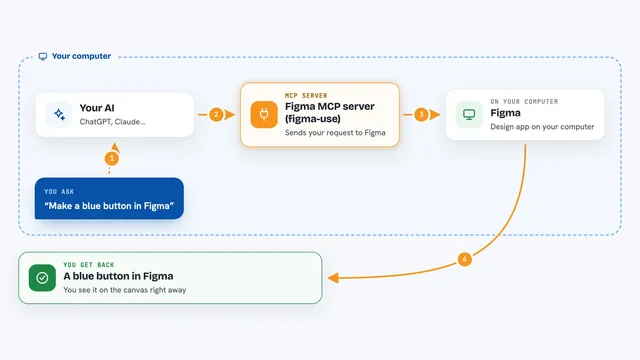
Figma MCP server (figma-use)
by dannoteLets your AI create and change things in Figma, like shapes, text, buttons and layouts, right from a chat.

localfig MCP server
by LucasGorgalLets your AI read and change the Figma file you have open, right from your desktop app.
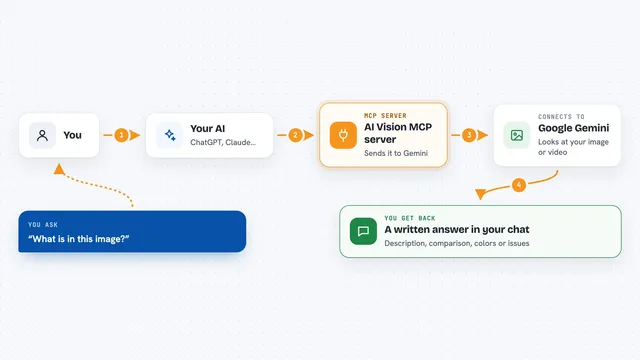
AI Vision MCP server
by tan-yong-shengLets your AI look at images and videos, describe them, compare them, and check design quality.

Genable MCP server
by musepyLet your AI build and edit real Figma designs, then check the result with screenshots.
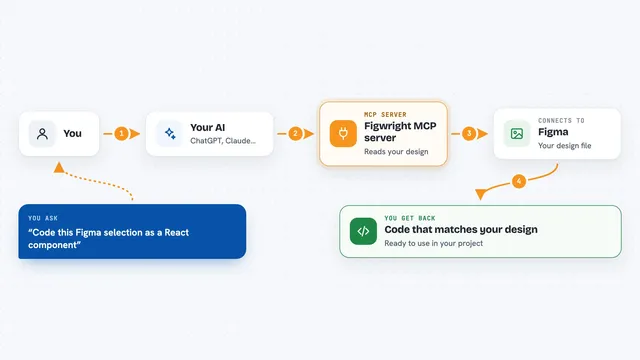
Figwright MCP server
by awdr74100Lets your AI read your Figma designs and turn them into code, or build new Figma designs for you.
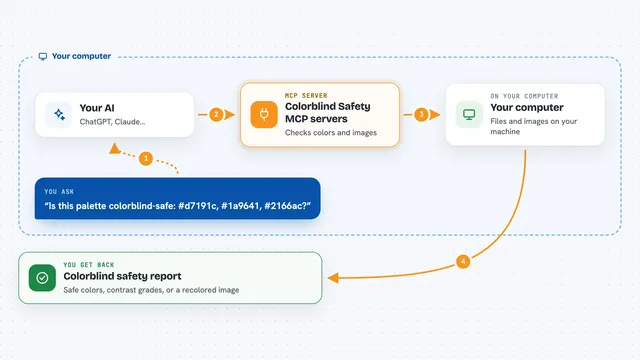
Colorblind Safety MCP servers
by vince-gonzalezCheck if your colors and images are colorblind-safe, and see them the way a colorblind person does.

RNV Color MCP server
by RNVizionMix, convert, and match colors, build palettes, and save them by name, right from your chat.
Design toolsNo install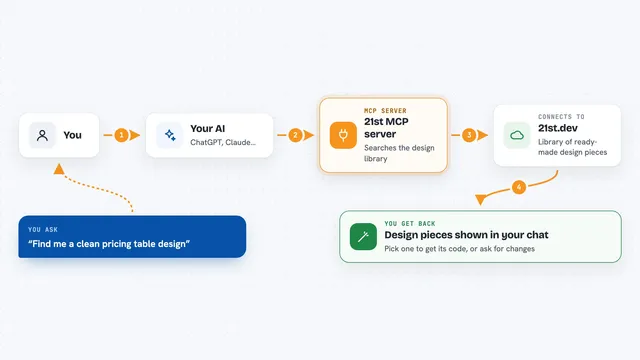
21st MCP server
by 21st-devLets your AI find ready-made website and app design pieces and help build new ones from your description.
Design toolsNo install
UXLoom MCP server
by uxloom-devChecks your app's screens and user journeys for missing states, contrast problems, and small tap targets.

BrandKit MCP server
by ejwhite7Lets your AI read your company's brand colors, fonts, logos, voice and rules while it works.

Infyicon MCP server
by krupalghori44-devYour AI can search 161,000+ hand-drawn icons and hand you ready-to-use SVG code or PNG links.
Design toolsNo install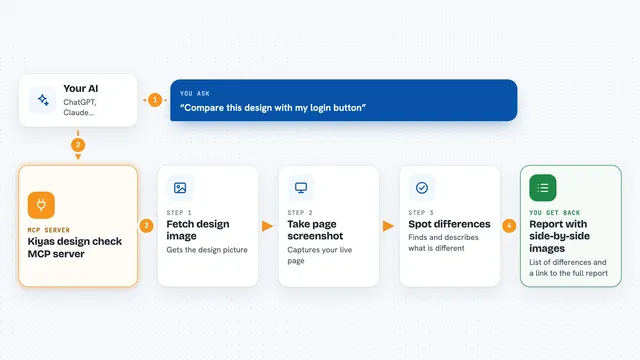
Kiyas design check MCP server
by saiffmirzaCompare a Figma design or screenshot with your live UI and get a plain list of what looks different.
All apps you can build for ux/ui designers
Apps you build yourself with your own AI, no coding needed and no monthly fee. Our AI picked the 12 that fit the work of ux/ui designers.
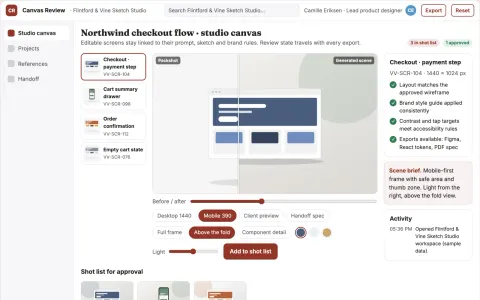
Editable UI production and review platform
Reduce tool sprawl and rework while keeping design decisions under named review.
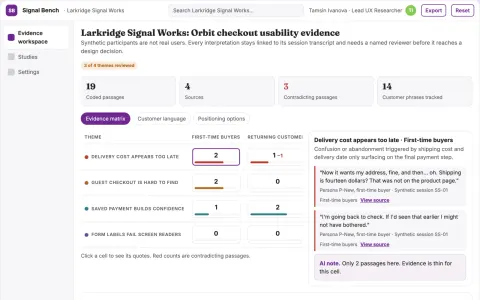
Synthetic usability evidence workbench
Reduce reliance on live participants for early usability checks while keeping evidence and human review.
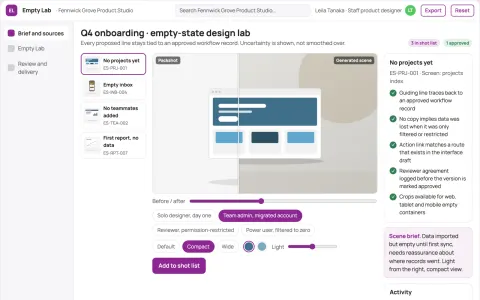
Product empty-state design lab
Actionable guidance before data exists.
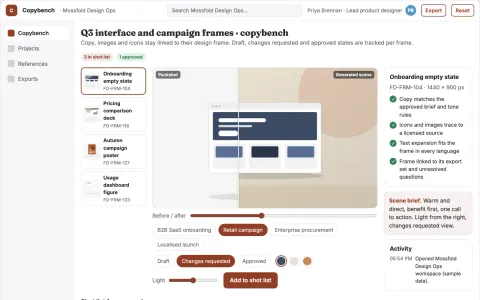
In-design copy and asset generation workbench
Reduce design revision cycles while keeping copy and assets consistent with the approved brief.
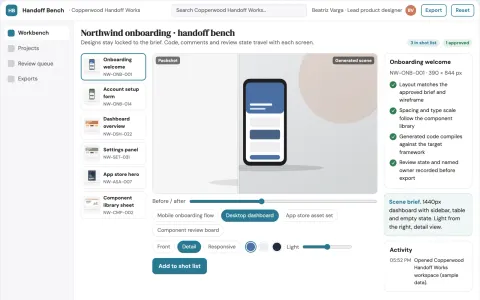
Design-to-code production workbench
Reduce handoff cycles between design and frontend while keeping a reviewable record from input to shipped code.
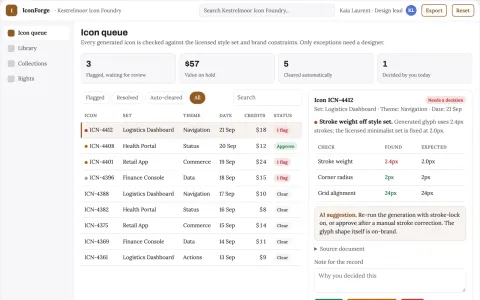
Icon library and AI customization console
Reduce icon sourcing time while keeping one consistent, licensed set.
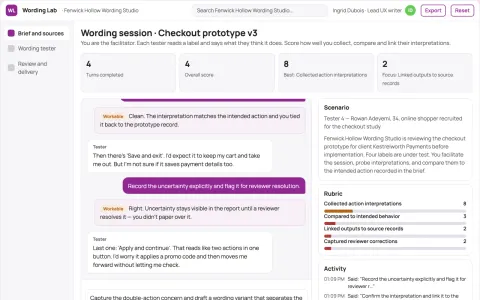
Prototype interaction wording tester
Test action expectations before implementation.
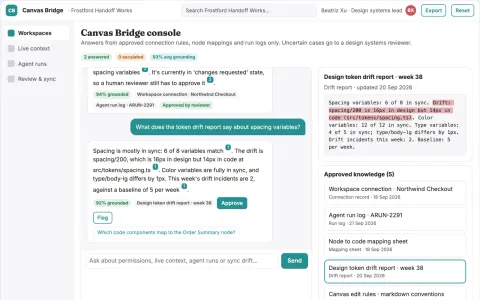
Live design file agent access console
Reduce manual design-to-code copying while keeping design files and code aligned.
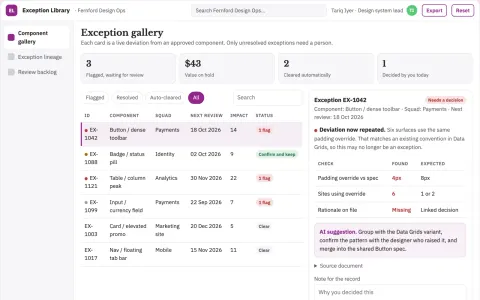
Design system exception librarian
Preserve why an exception exists and when to revisit it.
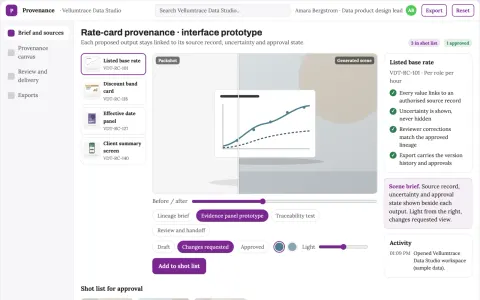
Product data provenance interface
Source understanding built into product interaction.
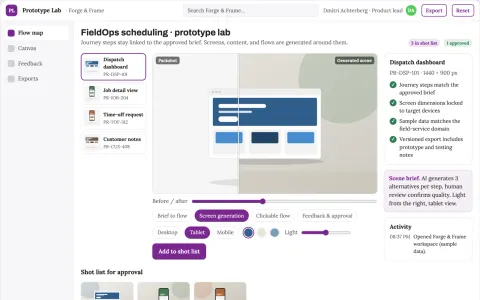
Rapid prototype studio
Prototypes center on a testable customer task and realistic content.
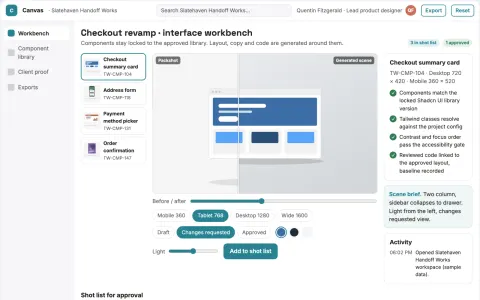
Visual interface design to code workbench
Reduce handoff rework while keeping the approved interface as the source of truth.
The handbook for ux/ui designers
























































































About this learning path
21 topicsHow to Become an AI Expert in UX/UI Design
You're a UX/UI designer—someone who values creativity, problem-solving, and user-centric solutions. Now imagine combining your design expertise with artificial intelligence. It's not just adding another skill; it's transforming your entire approach to design.
In this guide, you'll get a structured roadmap to becoming an AI expert in UX/UI design. We'll dive deep into:
- Why AI matters for every UX/UI designer
- Exactly what you need to know to master AI
- How to integrate AI tools seamlessly into your workflow
- Common questions designers have about AI
- How to kickstart your AI journey today
Sure, you could sift through endless online tutorials and scattered resources. But to save yourself precious time and energy, we've distilled the essentials into one comprehensive guide specifically tailored for UX/UI designers.
Why Should a UX/UI Designer Learn AI?
Let's be clear: AI isn't just a buzzword. It's a powerful tool that can drastically enhance your value as a UX/UI designer. Here's the real deal:
Future-Proof Your Career and Stay Relevant
The design landscape is evolving swiftly. Companies are increasingly adopting AI-driven solutions, and designers who understand AI are becoming invaluable. Mastering AI now positions you ahead, ensuring your skills stay relevant well into the future.
Automate Repetitive Tasks and Boost Your Productivity
As a UX/UI designer, your creativity is your superpower—but repetitive tasks can drain your energy. AI can take care of tedious processes like user research data analysis, layout generation, and prototype iterations. This frees up mental bandwidth for high-level creative thinking and strategy.
Unlock Higher Earning Potential
Designers proficient in AI are in high demand, and this demand translates directly into higher compensation. Companies value professionals who can leverage technology to deliver superior user experiences and innovative solutions.
Strengthen Your Job Security
Think about it—who do companies prefer to keep during challenging economic times? Designers who only know traditional methods, or those who can leverage AI to deliver faster, smarter, and more efficient results? By mastering AI, you become that irreplaceable asset your team can't afford to lose.
What Skills Do You Need to Master AI as a UX/UI Designer?
Transitioning from a beginner to an AI expert doesn't happen by chance. It requires a structured learning path. Here's exactly what you should focus on:
Core AI Concepts and Principles
Understand the basics of AI technologies, particularly generative AI, machine learning, and natural language processing (NLP). This foundational knowledge lets you effectively communicate with developers, stakeholders, and multidisciplinary teams.
Hands-On Experience with Generative AI Tools
Get practical experience with AI-driven design tools like Adobe Firefly, Canva AI, Midjourney, and Figma plugins. These tools help you rapidly generate design concepts, layouts, and even prototypes, drastically accelerating your creative process.
Advanced Prompt Engineering Skills
Knowing how to communicate effectively with AI tools is critical. Learning prompt engineering—crafting precise, clear instructions—will transform AI from a simple assistant into a highly productive design partner. Prompt engineering allows you to get exactly the results you're envisioning, reducing time spent on trial and error.
UX/UI Specific AI Applications
Explore how AI can enhance user research, usability testing, user journey mapping, and design optimization. Master AI-driven analytics to better understand user behaviors and improve user experiences effectively.
Continuous Learning and Staying Updated
AI is rapidly evolving. Stay sharp by continuously learning about emerging AI trends and tools relevant to UX/UI design. Engage with communities, workshops, and curated resources to keep your knowledge fresh.
Curated AI Books and Resources
Deepen your understanding through impactful literature designed explicitly for UX/UI professionals. Books like "Artificial Intelligence Handbook for UX/UI Designers" can provide in-depth insights and proven strategies.
Frequently Asked Questions from UX/UI Designers about AI
Is AI Difficult to Learn for UX/UI Designers?
Not at all, if you have the right resources and structured guidance. AI tools have become incredibly intuitive and user-friendly. With a clear learning path and consistent practice, you’ll quickly integrate AI seamlessly into your workflow.
Will AI Replace My Role as a Designer?
No, AI won’t replace you—unless you choose not to adapt. AI tools are designed to complement your creativity and skills, handling repetitive and mundane tasks. Designers who embrace AI become far more valuable, creative, and efficient in their roles.
How Do I Keep Up with the Rapid Changes in AI?
Continuous learning is essential. Commit to regular reading, training, and community interaction. Platforms like CompleteAiTraining.com offer up-to-date resources explicitly tailored for UX/UI designers, making it easier to stay ahead of the curve.
Is AI Just a Short-Term Trend?
No, AI is no fad—it's a pivotal technology that's profoundly transforming design practices. Companies are already integrating AI deeply into their workflows. Ignoring AI now could leave you playing catch-up later.
Am I Still in Control When Using AI?
Absolutely. AI is simply a tool—you're the one who provides direction, context, and creative vision. It enhances your abilities without diminishing your creative control.
Where Should I Start Learning AI?
Begin with the basics and gradually ramp up to advanced concepts. Structured training programs specifically designed for UX/UI professionals offer the most effective way to become proficient quickly.
How to Start Your Journey as an AI Specialist in UX/UI Design Today
Now that you're clear on why and what to learn, it's time to take action. We've curated the most comprehensive training program tailored specifically for UX/UI designers, giving you unlimited access to:
- Detailed AI Video Courses from beginner to advanced levels
- Extensive Prompt Engineering Courses tailored specifically to UX/UI tasks
- Curated AI Tools specifically selected for UX/UI professionals
- Thousands of Profession-Specific Prompts to enhance your daily workflow
- Valuable AI eBooks and Guides explicitly written for UX/UI designers
- Ongoing Updates and Continuous Learning Resources to keep you ahead
Don't wait for change to force you into action. Be proactive. Equip yourself with the skills that will position you as an invaluable designer in the age of AI. Start your journey to mastering AI for UX/UI today.
Conclusion: The Time to Learn AI is Now
AI isn't the future—it's already here, integrated deeply into the design world. As a UX/UI designer, your ability to harness AI will define your career trajectory. Embrace this opportunity to enhance your workflow, amplify your creativity, and become indispensable in your role.
You've got two choices: adapt or stay behind. Make your move. Become the UX/UI designer who not only understands AI but thrives with it.
Ready to elevate your career? Join us and become an AI-specialized UX/UI designer today.
At a glance
What you get
- 3 step setup process
- Relevant courses for your job (700+ available)
- A certificate per course
- AI Coach
- 15-minute AI setup in ChatGPT, Claude, Copilot and more