
Learning path
AI for pmo managers
Be the AI expert in your job. Always up to date.
Your first AI Expert certificate this week. Your AI set up in 15 minutes.

This is exactly what happens after you join. Try it: everything below reacts to your choices.
Only stored for members. Join to keep the courses you choose in your account and favorites; until then only this browser remembers them. Start for Free





Picked by our course-matching AI for pmo managers, your level and your AI, from 700+ courses. Each course ends in a short exam and an AI Expert certificate. New courses arrive every week and your suggestions update with them. Your choices are kept in this browser until you join.
For members: your personal setup prompt, with your sign-in built in. Here's what's inside.
What the setup does
- Connects your AI to your AI Coach: ChatGPT, Claude, Cowork, Microsoft Copilot and more
- Asks you a few questions about your work and saves your profile
- Gives your AI the skills, prompts and tools for pmo managers
- Writes your personal instructions and gives you today's first suggestion
What your AI gets: the pmo manager AI kit
See everything in your pmo manager AI kit: log in or sign up first → · Start for Free
Like "Draft Stakeholder Newsletters"
A new idea from your AI Coach every day
Lets your AI read, write, and manage your Google Sheets for you, right from the chat.
From 4,600+ connections, after a short interview about the apps you use
An honest, evidence-based project status and risk report each week
From 3,900+ AI agents: hand a whole task to AI
Surface disagreements before planning hardens.
From 2,400+ apps you can build, with step-by-step prompts
Not connected? The same suggestions wait for you on your dashboard under Today, with prompts to copy into any AI.
All the courses, certifications, AI tools, connections and apps for pmo managers, most relevant first. Tap the heart on anything to save it for later.
All prompt courses for pmo managers
How to talk to AI, then 9 lessons with ready-to-use prompts for pmo managers.
- 1Standardizing Project Templates3 prompts
- 2Portfolio Monitoring Basics3 prompts
- 3Resource Allocation Support3 prompts
- 4Performance Tracking Tools5 prompts
- 5Executive Reporting Essentials3 prompts
- 6Governance Facilitation4 prompts
- 7Project Tool Management3 prompts
- 8Coaching Project Managers3 prompts
- 9PMO Admin And Communication5 prompts
All video courses for pmo managers
118 video courses our AI picked for pmo managers, most useful first. Tap the heart to save one for later.
Favorites are saved to your account: sign in or get your AI kit first.
All certifications for pmo managers
Every course ends in a short exam and an AI Expert certificate you can add to LinkedIn. Tap the heart to save the ones you're aiming for.
Favorites are saved to your account: sign in or get your AI kit first.
More certifications for pmo managersAll AI tools for pmo managers
24 AI tools our AI matched to the work of pmo managers, best fit first. Each review shows what it does, its alternatives and the jobs it suits.
Favorites are saved to your account: sign in or get your AI kit first.
All connections for pmo managers
Connections let ChatGPT, Claude or Copilot look things up and get work done in other apps, like your email, calendar or bookkeeping software. These 12 fit the work of pmo managers best, well-known apps first.
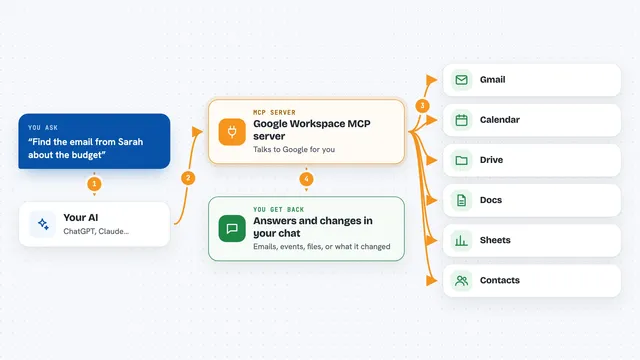
Google Workspace MCP server
by taylorwilsdonLets your AI read and write your Gmail, Calendar, Drive, Docs, Sheets and more, all from one chat.

WayStation MCP server
by waystation-aiConnect your AI to Notion, Slack, Jira, Airtable and other work apps so it can look things up and update them for you.
ProductivityNo install
Teamwork MCP server
by teamworkConnect your AI to Teamwork so it can look up projects, tasks, tickets, and messages for you.
Productivity Official
ClickUp MCP server
by nicholasbesterLets your AI read and update your ClickUp tasks, lists, comments, and time entries for you.

PipesHub MCP server
by pipeshub-aiLets your AI search across your work apps like Google Workspace, Microsoft 365, Slack and Jira, and answer with the sources it found.

Box MCP server
by boxLet your AI search your Box files, answer questions about them, and pull out details for you.
Productivity Official
Atlassian MCP server
by soopersetLets your AI search, read, and update your Jira tickets and Confluence pages for you.

Trello MCP server
by agrathLet your AI read and update your Trello boards, lists and cards for you.

Asana MCP server
by roychriAsk your AI about your Asana tasks, projects and comments, and let it create or update tasks for you.

Notion MCP server
by awkoyLet your AI read and write in Notion: create pages, query databases, add comments and upload files.

Slack MCP server
by korotovskyLets your AI read, search, and post in your Slack channels, threads, and DMs for you.
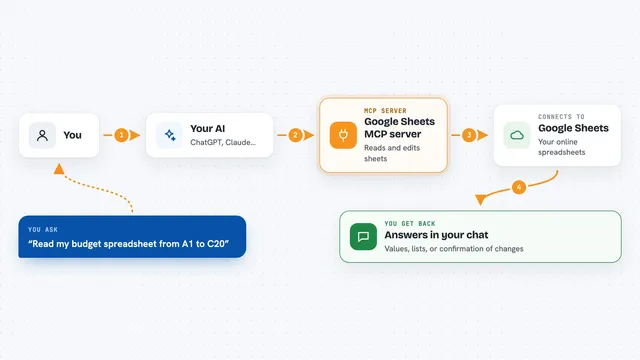
Google Sheets MCP server
by xing5Lets your AI read, write, and manage your Google Sheets for you, right from the chat.
All apps you can build for pmo managers
Apps you build yourself with your own AI, no coding needed and no monthly fee. Our AI picked the 12 that fit the work of pmo managers.
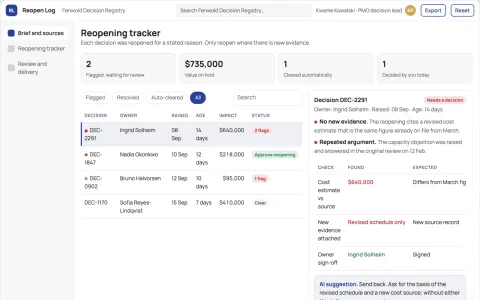
Project decision reopening tracker
Reopen decisions for explicit reasons.
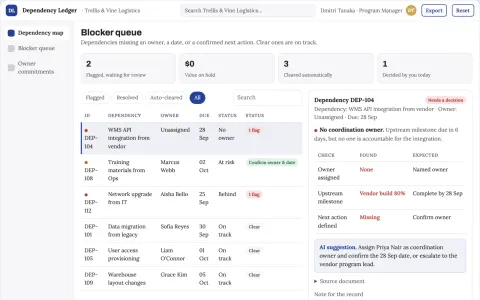
Cross-team dependency tracker
An accountable conversation around each dependency instead of passive status reporting.
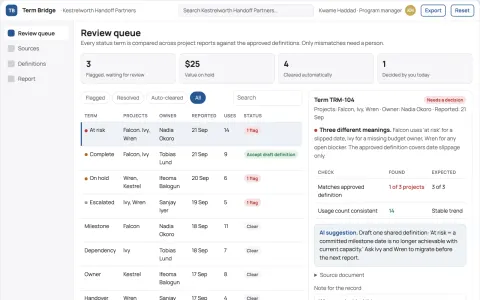
Management handoff vocabulary checker
Comparable status language across projects.
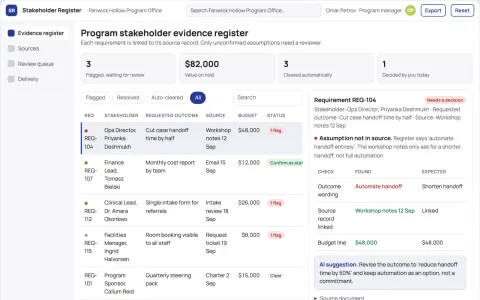
Program stakeholder evidence register
Separate stated needs from manager assumptions.
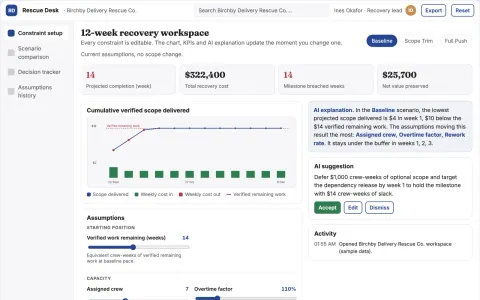
Project rescue scope scenario desk
Make credible recovery choices before overtime escalates.
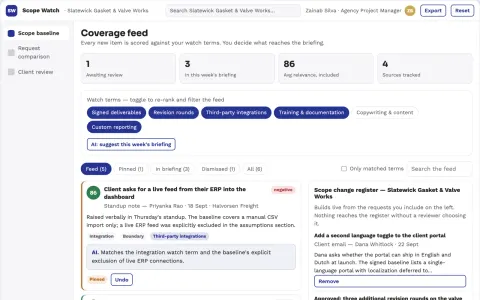
Project scope boundary monitor
Explain scope questions using the signed project baseline.
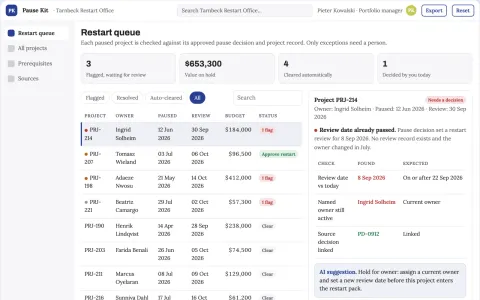
Project pause restart kit
Preserve context while work is paused.
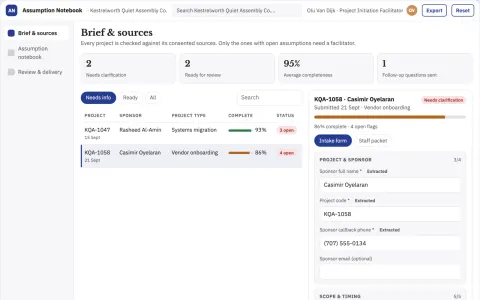
Project assumption interview notebook
Surface disagreements before planning hardens.
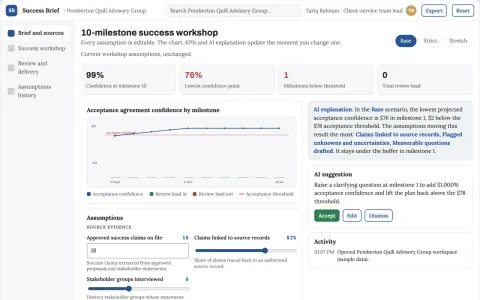
Project success definition workshop
Agree evidence of success before delivery.
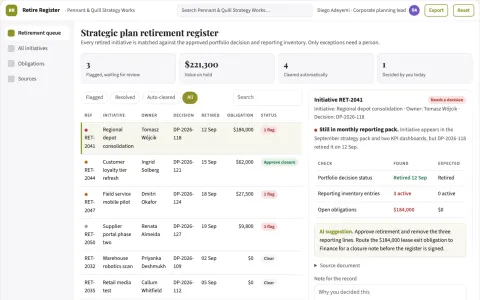
Strategic plan retirement register
Close the administrative tail of stopped initiatives.
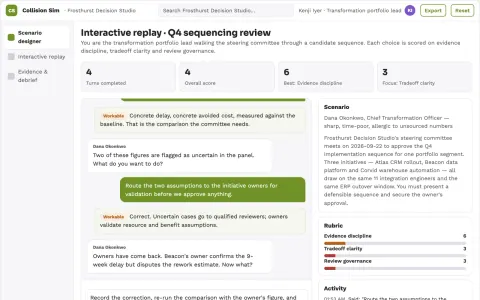
Enterprise initiative collision simulator
Reduce costly collisions between strategic programs.
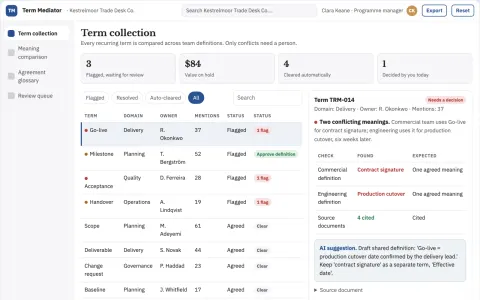
Cross-functional terminology mediator
Resolve semantic handoff problems before they become delivery errors.












































































About this learning path
6 topicsAI for PMO Managers, Step by Step
PMO Managers keep many moving parts aligned: templates, portfolios, resources, reports, governance, tools, and coaching. AI can help you draft, summarize, and spot patterns faster, while you keep the judgment and accountability.
This path is built for busy working professionals. You start with setup questions, connect your AI, learn job-specific skills, practice prompts, and choose video courses with certifications that fit your PMO role.
Why AI Matters Now
Project offices are asked to do more with the same time. Leaders want clear updates sooner, and teams want guidance without waiting. AI can help you turn rough notes into drafts, compare trends, and prepare meetings.
It does not replace your experience. It gives you a faster first pass so you can focus on decisions, risks, and people.
What This Path Includes
You begin with setup questions to choose and configure an AI tool safely. Then you connect your AI to the way you work, such as templates, status notes, and meeting rhythms.
The path includes skills for the job inside your AI, this prompt course for PMO Managers, and video courses picked for PMO work. Each video course shows the certification you can earn.
How It Saves Time
AI helps with the repeat work: drafting templates, summarizing portfolio updates, preparing governance agendas, and writing executive reports. You still review every word.
Small time savings add up across a week. You can spend the saved time on risks, team coaching, and decisions that need a human.
How It Protects Your Career
Using AI well means protecting privacy, checking facts, and following your organization's rules. You never paste confidential project data into a tool that is not approved.
You stay accountable for the final work. This path teaches habits that show good judgment, which protects your reputation and your career.
How To Start
Start with the setup questions and connect one approved AI tool. Then take the first prompt lesson and try it with a safe, made-up example.
Pick one task you do every week. Use AI for the first draft, improve it with your own knowledge, and keep what works. Repeat with the next lesson.
Frequently asked questions
Do I need technical skills to start?
No. If you can write an email and use a spreadsheet, you can follow this path. The setup questions walk you through each choice.Which AI tools will I use?
The lessons work with common tools like ChatGPT, Claude, or Gemini. Use the one your organization approves and supports.Will AI make decisions for me?
No. AI can draft, summarize, and suggest. You review the output, check the facts, and make the final call.How do I fit this into a busy week?
Use short sessions. Try one prompt on one real task, then move on. The video courses are chosen so you can learn in small blocks.
At a glance
What you get
- 3 step setup process
- Relevant courses for your job (700+ available)
- A certificate per course
- AI Coach
- 15-minute AI setup in ChatGPT, Claude, Copilot and more