
Learning path
Learning AI as a Bank Branch Manager
Learn how to use AI for staff briefings, customer complaints, loan reviews, and compliance prep. This path fits around your branch schedule and needs no technical background.

Your path
Everything in the Bank Branch Manager AI kit, in the order that makes sense. Members tick off each step and see their progress.
Set up your AI
We guide you through each click.
Let skills do your everyday tasks
Connect your apps and pick your AI apps
Hand whole tasks to AI agents
Build your own tools
Keep growing
Everything for bank branch managers
All the courses, certifications, AI tools, MCP servers and apps for bank branch managers, most relevant first. Open any list to see more.
Take the prompt courses
A short framework course to learn how to ask, then 8 lessons with ready-to-use prompts for bank branch managers.
Start with this framework: how to talk to AI
TIDD-EC fits your bank branch manager role because its do and don't rules keep loan approvals compliant, like drafting an audit response.
Then your prompt course for bank branch managersWatch the video courses or add them to your Favorites for later
116 video courses our AI picked for bank branch managers, most useful first. Save the ones you want to watch later with the heart.
Favorites are saved to your account: sign in or get your AI kit first.
Show all 116 video courses
Get certified, or add certifications to your Favorites
Every course ends in an exam and a certificate you can add to LinkedIn. Save the certifications you are aiming for with the heart.
Favorites are saved to your account: sign in or get your AI kit first.
More certifications for bank branch managersShow all 24 certifications
Try the AI tools for bank branch managers
24 AI tools our AI matched to the work of bank branch managers, best fit first. Each review shows what it does, its alternatives and the jobs it suits.
Favorites are saved to your account: sign in or get your AI kit first.
Show all 24 AI tools
Connect your AI to the apps bank branch managers use
MCP servers let ChatGPT, Claude or Copilot look things up and get work done in other apps, like your email, calendar or bookkeeping software. These 12 fit the work of bank branch managers best, well-known apps first.

Box MCP server
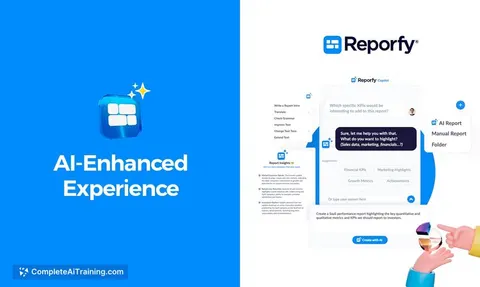
by boxLet your AI search your Box files, answer questions about them, and pull out details for you.
Productivity Official
Outlook Assistant MCP server
by littlebearappsLets your AI read, search, send, and organise your Outlook email, calendar, and contacts from the chat.

Gmail MCP server
by A1-x-TechLet your AI read, search, draft and send your Gmail, and keep labels and trash tidy, from the chat.

OfficeAgent MCP server
by ilia-sokolovLet your AI edit Word, PowerPoint and Excel files, with changes you can review before saving.
Productivity Official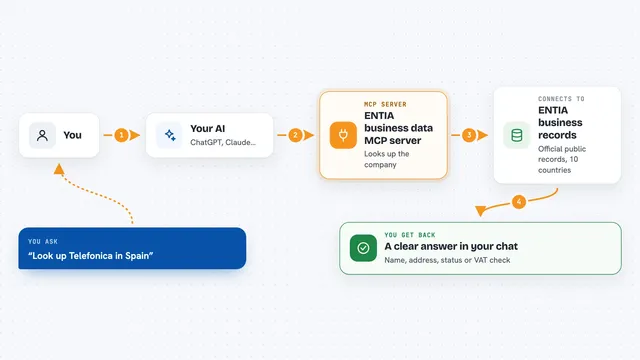
ENTIA business data MCP server
by ENTIA-IALook up companies, VAT numbers and business details across 10 countries right from your AI chat.
Research Official
Outlook Attachment Reader MCP server
by ZacccckLet your AI open and read the files attached to your Outlook emails, and send local files as drafts.
Show all 12 MCP servers
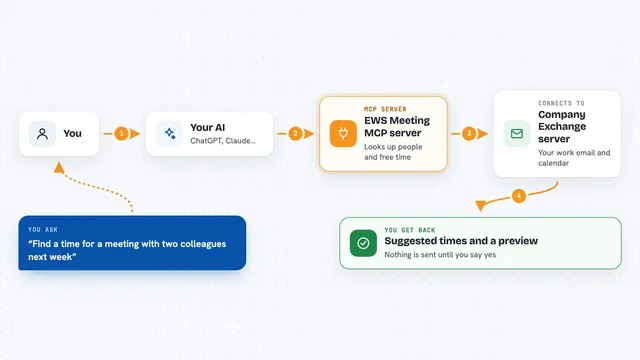
EWS Meeting MCP server
by ap311036Lets your AI read your Outlook inbox and set up Exchange meetings, with a preview before anything is sent.

Mifos X MCP server
by openMFLets your AI look up and manage clients, loans, savings and reports in a Mifos X or Fineract banking system.

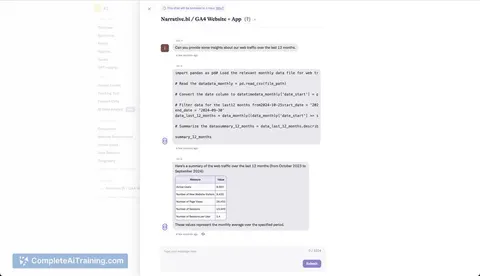
Calculator MCP server
by avisangleLets your AI do accurate math, statistics, unit conversions and finance calculations for you.

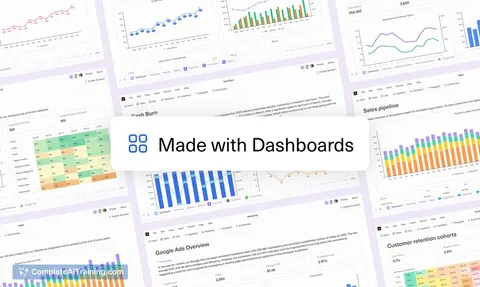
MCP Dashboards
by KyuRishYour AI can turn plain numbers into interactive charts and dashboards right inside the chat.

Excel MCP server
by haris-musaLets your AI create, read and edit Excel workbooks for you, without opening Excel.

Presentations.AI MCP server
by slidecraft-inLet your AI build and edit slide decks for you, then export them as PPTX, PDF, images or a share link.
Productivity Official








































































































About this learning path
6 topicsHow Bank Branch Managers Can Use AI at Work
Bank branch managers juggle many things at once. You coach staff, solve customer problems, watch numbers, and keep the branch ready for audits. AI can help you handle the drafting and organizing faster, so you can focus on people and decisions.
This learning path brings together short setup questions, a guide to connecting your AI tools, skills practice for the job inside your AI, our prompt course, and video courses chosen for branch managers. You will also see the certifications those courses offer. Everything is built for busy professionals who are not technical.
Why AI Matters for Branch Managers
Banking is changing. Customers expect quick answers, regulators expect thorough records, and your team looks to you for clear direction. AI can take the blank page away when you need to write a briefing, explain a fee, or prepare for an audit.
Using AI well does not mean handing over your judgment. It means getting a strong first draft or a helpful checklist in seconds, then applying your experience and local knowledge.
What the Path Includes
The path starts with a few setup questions so the lessons match your branch and your comfort level. Then you connect your AI tool, whether that is ChatGPT, Claude, or Gemini. Next come short skills lessons built for branch managers, followed by our prompt course for everyday tasks.
You also get video courses picked for the job, plus the certifications those courses offer. Each piece is short and practical, so you can fit learning between meetings or after closing.
How It Saves You Time
Think about the writing you do each week: staff notes, complaint replies, loan follow-ups, budget explanations, and compliance checklists. AI can draft these in moments, leaving you to review and adjust.
The time you save adds up. You might leave closer to on time, spend more minutes coaching a teller, or simply have a quieter lunch. The goal is not to rush your work but to remove the repetitive parts.
How It Protects Your Career
Managers who can use AI to work faster and smarter become more valuable. You stay on top of compliance, make better-informed decisions, and free your team to focus on customers. That is good for the branch and good for your reputation.
This path also teaches you how to keep customer information safe and how to check AI output for accuracy. Those habits show you are using the tools responsibly, which matters in banking.
How to Start
Start with one small task. Pick a staff briefing or a customer complaint you need to handle this week. Use the prompt from the first lesson and see how it feels.
Then move to the next lesson when you have a few minutes. There is no deadline and no pressure. The path is yours to follow at your own pace.
Frequently asked questions
Do I need to be good with technology?
No. The path assumes you are not technical. If you can send an email, you can do this.How much time does the path take?
You can go through the lessons in short sittings. Most managers finish the core parts in a few short sessions over a week or two. You can always come back to a lesson later.Will AI replace my job as a branch manager?
AI does not replace the judgment, relationships, and leadership that a branch manager brings. It handles the drafting and organizing. Your role becomes more focused on people and decisions.Is it safe to use AI with bank information?
You should never paste customer names, account numbers, or other private details into a public AI tool. The course shows you how to work with anonymized examples. Always follow your bank's rules about data.